Add Row
Add Element

Digital Dominance Journal


Steve Ferguson Search Engine Marketing

Add Element
  • Home
  • Categories
    • Content Marketing
    • Social Media
    • Reputation Marketing
    • Web Design
    • Blogging
    • Digital Marketing
    • Retargeting
    • News Sites
    • Review Management
    • Video Advertising
    • AI For Business
  • All Posts
  • Content Marketing
  • Social Media
  • Reputation Marketing
  • Web Design
  • Blogging
  • SEO
  • Digital Marketing
  • Retargeting
  • News Sites
  • Review Management
  • Video Advertising
  • AI For Business
March 04.2026
1 Minute Read

Confused Visitors Don’t Buy: The Navigation Problem No One Talks About

Hook: Ever wonder why your website traffic is steady, yet conversions remain frustratingly low? What if the quiet culprit sabotaging your sales isn’t your product or pricing—but the hidden confusion caused by your navigation? In this guide, we expose why confused visitors don’t buy: the navigation problem no one talks about and how solving it can turn visitors into loyal customers.

Are Confused Visitors Hurting Your Conversions? The Silent Navigation Problem

Every click that falls short of a purchase can often be traced back to one issue: visitors who feel lost. The navigation structure of your website is the digital handshake that either welcomes users in or sends them packing. When visitors struggle to move around your site or decipher ambiguous page names, confusion sets in, eroding their patience and willingness to stay. In fact, poor navigation doesn’t just frustrate—it silently kills sales, especially when people expect seamless experiences everywhere else on the web. Whether you’re a business owner, web designer, or digital marketer, tackling this overlooked problem with effective main menu design and clear page names is crucial for driving more conversions and reducing user abandonment.

Good rule of thumb: If someone can’t get from your homepage to your contact page or an individual service page in two clicks or less, your navigation could be costing you money. Ready to take action? This article reveals why confused visitors don’t buy: the navigation problem no one talks about and exactly how to fix it.

What You'll Learn in 'Confused Visitors Don’t Buy: The Navigation Problem No One Talks About'

  • Gain insights on how navigation impacts conversions and user experience
  • Discover why people expect intuitive site layouts
  • Learn about the role of clear page names and effective menu structuring
  • Understand the connection between social media and website navigation
  • Access actionable strategies to fix navigation issues that cost sales

Frustrated website visitor browsing cluttered site on laptop – confused user, mouse pointers over different menu options, photorealistic modern home office – confused visitors don’t buy: the navigation problem no one talks about

Understanding Why Confused Visitors Don’t Buy: The Navigation Problem No One Talks About

Defining the Navigation Problem

  • Common symptoms of poor navigation
  • Why people expect clear site structure

The navigation problem goes deeper than cluttered menus or missing links. It’s about the silent friction users experience when they can’t easily move around your site. Some of the most common symptoms include ambiguous page names, too many categories in the header menu or hamburger menu, and inconsistent layouts between social media profiles and your main site. Visitors feel lost when content isn’t easy to spot, when the main menu looks different on wider laptop displays versus mobile, or when information is hidden halfway down a page. This disconnect is especially jarring because people expect smooth digital journeys—they’re wired for it, thanks to large platforms setting the bar for usability. Failing to deliver clear structure means missing out on conversions as potential customers drop off mid-journey.

For businesses looking to further align their website navigation with their broader digital presence, integrating social media strategies can play a pivotal role. Exploring how social media marketing supports seamless user journeys can help reinforce consistency and trust across all touchpoints. Learn more about leveraging social media marketing to enhance your website’s user experience and drive better engagement.

The Psychology of Confused Visitors and Buying Behavior

  • Impact of cognitive overload
  • Trust, confidence, and purchase intent

The science is clear: cognitive overload leads to indecision and exit behavior. When a user lands on your website and can’t instantly understand where to go next, mental effort spikes and trust dips. A jumbled main navigation or unclear service pages force users to ask extra questions—“Is this the right page?” or “Where’s the contact link?”—and each unanswered question is a sale lost in the making. When your navigation isn’t easy to read or understand, users aren’t ready to take action—so they abandon their carts, skip your book a call button, or never even reach your lead capture form. Ultimately, clear navigation doesn’t just make your site easy to read; it reassures visitors they’re in capable hands, making them far more likely to trust you with their business.

Comparison Table: User Engagement Before and After Navigation Improvements
Metric Before Fix After Fix
Bounce Rate 68% 34%
Average Session Duration 1 min 03 sec 3 min 15 sec
Conversions 1.5% 4.7%
Page Views per Session 2.1 5.4

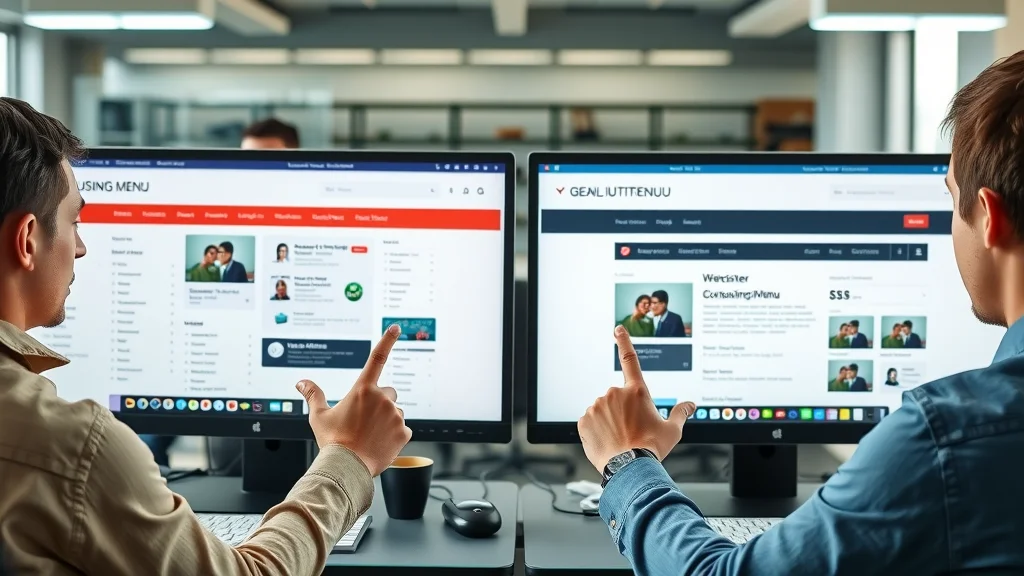
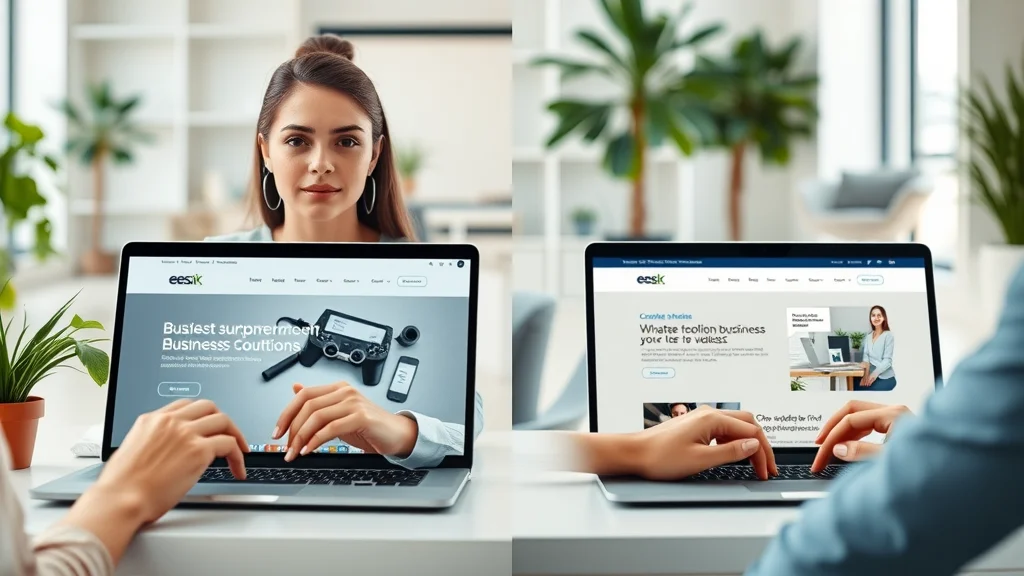
Side-by-side website comparison showing outdated confusing menu vs new intuitive one – confused visitors don’t buy: the navigation problem no one talks about

Key Navigation Challenges: The Issues No One Talks About

Ambiguous Page Names and Their Impact

  • How unclear page names undermine people’s expectations
  • Examples of poor vs. effective naming conventions

The words you use in your main menu and navigation directly influence whether users feel confident moving around your site. Ambiguous page names like “Solutions,” “Explore,” or cryptic service abbreviations create uncertainty. People expect clear, direct labels—think “About Us,” “Services,” or “Book a Call”—that make your site easy to read and predict. If users can’t tell what to expect on a page based on its title, they’re less likely to click or may click, realize they’re in the wrong place, and immediately bounce. Effective page names are the first signposts guiding people toward the action you want: whether that’s a sale, a contact page visit, or a newsletter sign-up.

For example, replacing a vague “Get Started” with “Book a Consultation,” or “Learn” with “Resources,” communicates intent. Using consistent, familiar wording in your header menu or sticky menu also means returning visitors don’t need to relearn your site. Remember: what’s obvious to you may be confusing to new users—and confusion kills conversions.
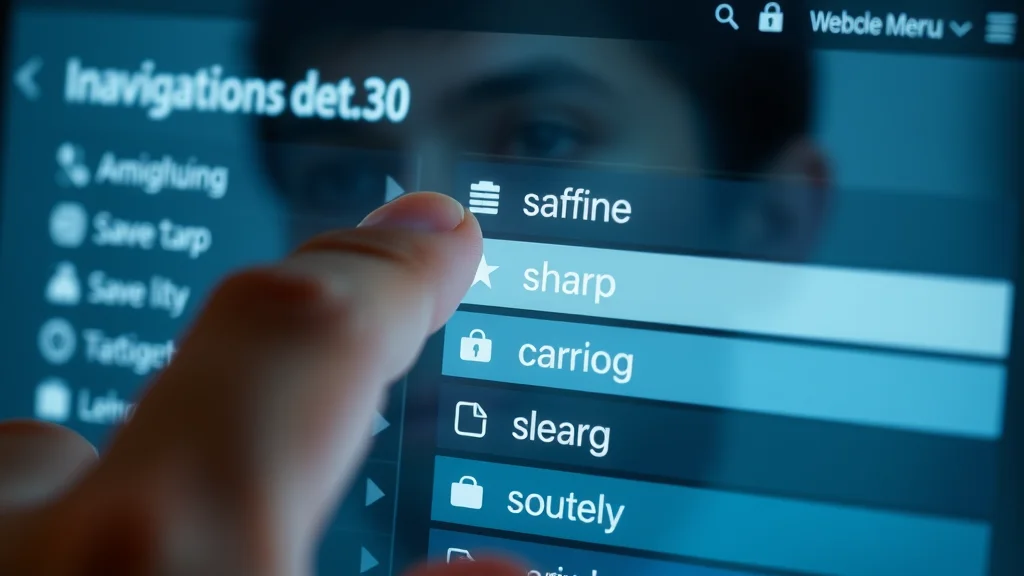
Modern navigation bar closeup – user comparing ambiguous vs clear navigation labels, finger over blurred and sharp menu categories – page names navigation

Navigation Complexity: When More Is Less

  • Too many categories and drop-downs
  • Lost users and decreasing goal completions

Avoid falling into the trap of overcomplicating your site’s main navigation. While it might seem efficient to cram every service page and company detail into a multi-level drop-down menu, research shows this only leads to user overwhelm. When faced with too many options, visitors can feel lost, struggling to remember where they’ve clicked. Menus that stretch halfway down a page or contain endless categories do more harm than good. On wider laptop displays, these sprawling lists are especially daunting to scan, and on smaller screen sizes, content often gets hidden behind a hamburger menu, reducing discoverability.

The result? People quickly abandon the journey before reaching a product, lead form, or contact page. The good rule of thumb is to keep your main menu to the essentials and make the most important pages easy to spot. Simple structures not only make your site look cleaner but also boost the chances that people complete their intended actions and move through your funnel.

Inconsistent Structure across Social Media and Websites

  • Aligning navigation between social media profiles and main sites
  • The customer journey disruption

One reason confused visitors don’t buy: the navigation problem no one talks about is the disconnect between your social media presence and your website. If users move from your Facebook or Instagram profile and encounter different menu labels, hidden pages, or a new hierarchy on your main site, it signals inconsistency and increases confusion. Social media links should point to pages with matching language and clear direction. Maintaining familiar transitions is essential because people expect seamless movement from one channel to the next—they don’t want to pause and “relearn” navigation every time.

Disruption in the customer journey often means high bounce rates and stalled conversions. Audit your media links and ensure the cross-channel navigation is logical, intuitive, and welcoming, especially for campaigns and posts that direct users to specific service pages or your contact page. Consistency not only eliminates friction but also builds trust over repeat visits.

Person comparing social media profile and company website – seamless digital transitions for navigation problem

How People Expect Websites to Guide Them: Meeting (and Exceeding) Usability Norms

The Psychology Behind Familiar Navigation Patterns

  • Why people expect intuitive labeling and structure
  • What happens when expectations are not met

Modern users arrive on your website with well-honed digital instincts. Thanks to years of experience with major platforms, people expect navigation to follow certain patterns—predicable positions for menus, clear page names, and a logical content order. Labeling must be plain, direct, and familiar: “Home,” “Shop,” “Contact,” and “About” are all classic examples. If your menu structure is nontraditional or labels break conventions, visitors use more mental energy to interpret them, raising friction and lowering conversion rates.

When people’s expectations are not met—if the main menu doesn’t appear at the top of the page, if hamburger menu icons are missing, if service pages are hidden halfway down a page—confusion and distrust follow. The rule of thumb in web usability is to minimize guesswork. The more familiar and easy your navigation is, the better your user experience and business outcomes.

The Role of Consistent Page Names

  • How consistent page names drive trust and repeat visits
  • Best practices for naming conventions

Consistent page names boost trust and encourage visitors to return. When your menu items match across the header menu, hamburger menu, main navigation, and social media links, users get a seamless experience. This is especially important on wider laptop displays, where users have a broad view of your site and expect logical, visible navigation. Repeated exposure to the same terms—whether in media links, service pages, or book a call CTAs—reduces confusion and supports memory retention.

Best practices for page name conventions include using action-driven labels (“Book a Call” instead of “Start,” “Contact Us” instead of “Connect”), avoiding jargon, and always providing context. This clarity makes it easy to read your intentions and moves users closer to a purchase or inquiry. Stick to what people expect: keep it simple, clear, and consistent from social media to your site’s main navigation.
Happy website users smiling and navigating easy menu layout – consistent page names and clear structure

Cross-Channel Navigation: Social Media to Website Transitions

  • Maintaining familiarity from social media links
  • Preventing user drop-off during transitions

Transitioning users from social media platforms to your main website is a critical but perilous moment in the customer journey. To make your site “sticky” in the right way, media links should lead directly to the pages that match campaign messaging. If a user sees “Book Now” on Instagram but lands on a website with only “Contact” or ambiguous service pages, they feel lost and are likely to leave. Matching language, layout, and even menu position across channels keeps navigation seamless and also builds trust.

To prevent drop-off, audit your linked pages and conduct regular usability tests. Track whether visitors bounce when arriving from social media, and update your navigation to reinforce their expectations, reinforcing that they’re in the right place at the right time.

Fixing the Navigation Problem No One Talks About: Actionable Steps

Clear and Descriptive Page Names

  • How to rename pages for clarity
  • Sample page name improvements

The first and simplest fix for navigation issues is to review your page names. Audit every item in the main menu, header menu, and service pages. Ask: Is this label direct and plain-language? Does it match what people expect to see? For example, swapping “Solutions” for “Marketing Services” or renaming “Learn” to “Resources” can instantly lower confusion and make your intent clear. Avoid skipping details—page names skip explanations and should clarify purpose in as few words as possible. Always test new names for user experience by gathering feedback or analyzing analytics to see if click rates increase as a result. Consistency is key, especially from main navigation to social media links and even on wider laptop displays.

UX designer editing website page names in a tech workspace – clarity in page naming navigation fixes

Streamlining Menu Structures: What the Best Performers Do

  • Reducing clicks to critical content
  • Designing for people, not just aesthetics

The most effective websites make critical content easy to spot and fewer than three clicks away. Audit your menu structure: Remove redundant drop-downs, group pages logically, and cut any category that doesn’t support your key user actions. Remember, the good rule is minimalism—fewer items but more impact. A sticky menu, visible at the top of the page regardless of scroll, reinforces accessibility. Design for people’s behaviors first and only then layer in aesthetics; make your site easy to read and navigation intuitive on every screen size, from wider laptop displays to mobile. Testing layouts on real users is the only way to know you’re truly serving both new visitors and loyal customers alike.
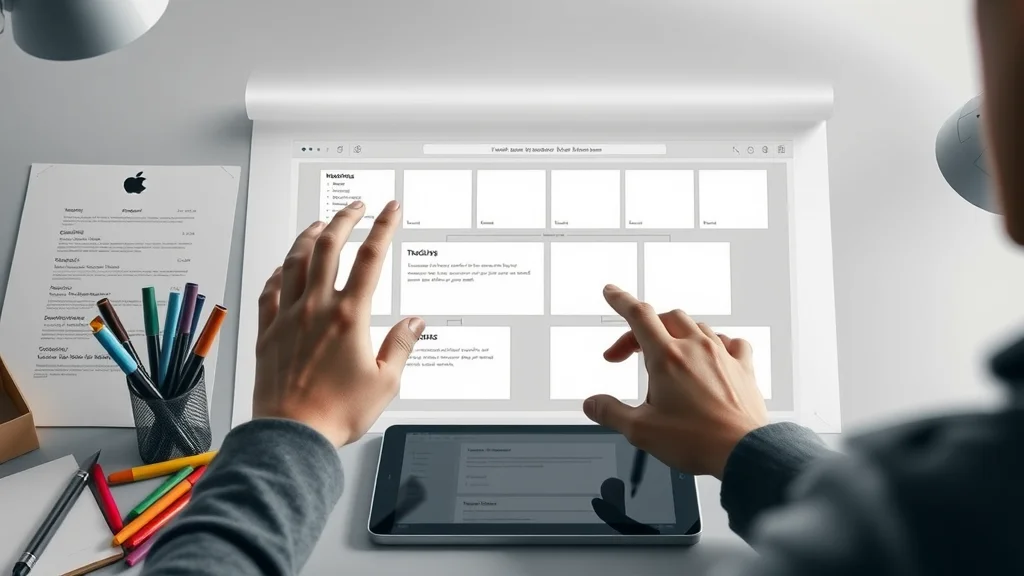
Minimalistic website menu wireframe – arranging simple menu blocks for optimal user navigation

Testing and Optimizing Navigation Regularly

  • A/B testing navigation changes
  • User testing and heat map analysis

Navigation is never “one and done. ” Trends in user experience change, and your customers’ expectations evolve over time. Consistently test menu changes using A/B testing to discover which labels, structures, or media links best drive click-through and conversions. Regular user testing with real customers can reveal areas where people feel lost or hesitate. Tools like heat maps make it easy to visualize which page names and paths users follow—or ignore. Regular audits using a checklist (see below) will help ensure you stay competitive and continue moving visitors closer to action, whether they’re ready to book a call or buy online.

Checklist: Navigation Audit for Reduced Confusion and Increased Sales
Task Status
Menu items use plain, descriptive language ✔️/❌
Critical pages accessible in two clicks or less ✔️/❌
Navigation is consistent across all channels ✔️/❌
All links work on desktop, mobile, and wider laptop displays ✔️/❌
User testing and heat map analysis performed quarterly ✔️/❌

User testing navigation with eye-tracking and heat map – navigation optimization in usability lab

Expert Insights: Quotes on Why Confused Visitors Don’t Buy

“Poor navigation is the single biggest barrier to conversion. No matter your content, if users can’t find it, it doesn’t exist.” – UX Industry Leader
“Every additional question a visitor asks before buying is a lost sale in the making.” – Conversion Rate Specialist

Why Did Many Traders Ignore the Navigation Act?

Historical Roots of 'Navigation Problems'

  • Brief overview of the Navigation Acts
  • Resistance and workarounds: What traders did
  • Lessons for website owners about ignoring user navigation needs

The original Navigation Acts were a series of British laws that strictly regulated trade to favor English shipping interests. However, these constraints prompted many traders to develop sophisticated workarounds, smuggling goods and bypassing official channels. Just as traders ignored policies that stifled free trade, modern web visitors ignore badly designed main navigation and ambiguous page names—they opt to leave rather than deal with confusion. The lesson for website owners: If you neglect what people expect from your user experience, customers will always find an easier path—often on your competitor’s site.

Answering: Why Did Many Traders Ignore the Navigation Act?

  • Many traders circumvented the Navigation Acts because the regulations limited their freedom and potential profits. Similarly, users 'ignore' poorly designed navigation, leaving a site rather than struggling through confusion.

As with the Navigation Acts, barriers and obstacles drive people to search for a better route. For your website, this means every roadblock in menu structure or naming conventions pushes users away—making clarity and simplicity paramount for online success.

What Is the Navigation Issue in a Website?

Understanding Modern Navigation Issues

  • Current challenges: technical, design, human factors
  • The gap between intent and action: Losing users before conversion

Navigation issues on modern websites stem from a mix of outdated design, too many competing elements in the main menu, and neglect of user feedback. Technical factors, like hidden header menus on mobile or glitchy hamburger menus, can leave users stranded. Design factors include ambiguous page names, inconsistent label placement, and barriers like excessive drop-downs. Human factors—how people process information and expect to find content—are often overlooked. The gap between user intent (“I want to book a call,” “I’m looking for service pages”) and successful action widens with every point of confusion. As a result, you lose prospects to abandonment long before you get a chance to win their business.

Answering: What Is the Navigation Issue in a Website?

  • The navigation issue in a website refers to any obstacles that prevent users from efficiently and intuitively finding what they seek, directly impacting user satisfaction and conversion rates.

Whether due to jumbled menu layouts, unclear page names, or inconsistent transitions from social media, navigation problems are a silent killer for website performance and deserve urgent attention.

Frustrated online shopper abandoning cart due to overloaded ecommerce site menu – navigation issue in a website

FAQs: Confused Visitors Don’t Buy—Navigation & User Experience

How can I test if my site navigation confuses visitors?

Start by watching real users try to complete simple goals—like finding your contact page or a specific service page. Use tools such as heat maps, screen recordings, or user testing services to spot hesitations and wrong clicks. If people frequently feel lost, struggle to find main menu items, or leave before reaching the top of the page where your calls-to-action live, your navigation likely needs improvement. Regular audits and feedback sessions are key.

What are signs my navigation needs improvement?

High bounce rates, low conversion rates, users abandoning forms halfway down a page, and frequent complaints about “not finding what I need” all indicate navigation problems. If your header menu doesn’t match what people expect—like missing familiar page names or hiding key actions behind a hamburger menu—visitors may leave swiftly, costing you potential sales. Clear, easy-to-read main navigation is essential.

How important is consistent navigation across social media and my website?

Extremely. People expect seamless experiences when moving from social media links to your website. Inconsistent page names, menu structures, or placement disrupt the customer journey and often result in higher drop-off rates. Maintaining unity in navigation relieves people from having to "relearn" your site—making action easier and increasing conversions.

Can changing page names really increase conversions?

Yes. Swapping vague or ambiguous page names for clear, action-driven labels can dramatically boost engagement and conversion rates. For example, “Book a Call” or “Get a Free Quote” are far more compelling than “Learn More. ” Testing different versions lets you optimize your main menu to guide users exactly where you want them to go.

What is the top tip for solving the navigation problem no one talks about?

Keep your navigation menu simple, use familiar page names, and always prioritize clarity over cleverness. Audit regularly and make changes based on how real people use your website—don’t guess what works, measure it! Consistent menu structure across devices and channels is key.

Key Takeaways: Confused Visitors Don’t Buy

  • Clear navigation isn’t optional; it’s essential to conversion
  • People expect logical order, familiar labels, and seamless social media connections
  • Ambiguous page names and overcomplicated menus lose sales
  • Regular testing and optimization drive ongoing improvements

Watch an easy-to-follow animation on how to spot—and repair—the silent navigation problems that cost you sales. Discover step-by-step methods for building clear menus and optimizing user flow for best results.

See real-world examples of visitors leaving cluttered and confusing websites—learn the exact triggers for abandonment and how top brands redesign their navigation to keep users engaged.

Summary and Next Steps for Solving the Navigation Problem No One Talks About

  • Audit your site with a focus on clear navigation
  • Apply best practices for page names, menu design, and cross-channel consistency
  • Stay focused on eliminating points of confusion for visitors
  • Contact us for expert help improving your website navigation and conversions

If you’re ready to take your website’s performance to the next level, consider how your navigation fits into the bigger picture of your digital marketing strategy. Effective navigation is just one piece of a holistic approach that includes reputation management, content optimization, and targeted outreach. To discover advanced strategies for building trust and authority online, explore our insights on review management and social proof in digital marketing. By combining seamless navigation with a strong online presence, you’ll be well-positioned to convert more visitors and foster lasting customer relationships.

Contact Us for Help Solving Navigation Problems: Call Or Text Us At (508)344-5927 Or Email Us At steveferguson@stevefergusonsearchenginemarketing.com

Ready to take your site from confusing to converting? Call or text (508)344-5927 or email steveferguson@stevefergusonsearchenginemarketing. com for a personalized navigation audit and actionable improvements tailored to your business.

Web Design

6 Views

0 Comments

Write A Comment

*
*
Related Posts All Posts
03.03.2026

The One-Page Website Strategy That Converts Visitors Faster

Imagine boosting your website's conversion rate by more than 60%—all by simplifying your design. Welcome to the world of the one-page website strategy that converts visitors faster. Whether you’re looking to drive sales, generate leads, or simply make a memorable impact, this approach focuses everything your visitor needs onto a single, compelling page. In today’s digital age, businesses are finding that less can truly mean more, and we’re about to unpack exactly why this strategy is delivering results. A Startling Look at the One-Page Website Strategy That Converts Visitors Faster Did you know that websites using the one-page website strategy can boost conversion rates by up to 67% compared to traditional landing pages? What You'll Learn About the One-Page Website Strategy That Converts Visitors Faster The definition and key components of the one-page website strategy that converts visitors faster Why page websites outperform traditional landing pages for conversion rate Step-by-step guidance for building a page site with top website builders Best practices for integrating social proof, call to action, and interactive elements Tips for maximizing user experience, load times, and mobile user engagement Real-world examples of successful one-page websites Understanding the One-Page Website Strategy That Converts Visitors Faster What is a One-Page Website and How Does It Compare to Landing Pages? A one-page website, also known as a single-page site, is a web design methodology in which all the content is presented on a single, scrollable page instead of being distributed across multiple pages. This contrasts sharply with the traditional landing page or large-scale multi-page websites, which require users to click through a navigation menu to find information. The main advantage of a one-page website strategy that converts visitors faster is its laser-focused approach—every element is designed to guide visitors toward a specific action, be it a purchase, form submission, or subscription. Where multi-page landing pages can fragment the user path and increase the potential for distraction, one-page websites keep the journey direct and uninterrupted. The streamlined layout decreases friction and decision fatigue, which means users are more likely to take action. Notably, the best one-page sites utilize anchor links to jump to different sections, rather than loading new pages, creating a seamless and unified user experience. The result? Lower bounce rate, faster decision-making, and higher conversion rates. Why Are Page Websites Gaining Popularity Among Website Builders and Marketers? The one-page website strategy that converts visitors faster is rapidly being adopted by marketers, digital agencies, and entrepreneurs for several reasons. First and foremost, the ease of setup provided by modern website builders—such as Wix, Squarespace, and WordPress—makes it accessible even to those without design or coding expertise. With intuitive drag-and-drop tools, nearly anyone can assemble a visually stunning, mobile-responsive page site in hours—not weeks. Another driving factor is the shift in consumer expectations for fast load times and immediate access to information. In the era of mobile-first browsing, users don’t want to hunt through menus or endure sluggish load speed; they want answers right now. A page website meets those demands head-on, helping businesses to stand out, capture leads, and fuel high-converting digital marketing campaigns. As competition increases, one-page websites become a strategic way to hold attention and guide visitors to a singular, compelling call to action. As you refine your one-page website for maximum impact, it's also worth considering how integrating social media marketing can further amplify your reach and engagement. For actionable tips on leveraging platforms like Facebook and Instagram to support your website strategy, explore this guide on effective social media marketing techniques. Exploring the Impact on Conversion Rate: The One-Page Website Strategy That Converts Visitors Faster Data consistently shows that businesses utilizing the one-page website strategy that converts visitors faster see improved conversion rates over traditional landing pages. Why? Because these layouts strip away the clutter and shortcut the visitor’s path to the intended outcome. There are fewer distractions, fewer choices, and an unmistakable journey leading directly to your cta button—whether it’s a contact form, promo sign-up, or product checkout. The single-scroll structure compels every section, from hero to testimonials, to earn its place based on how well it propels visitors toward making a quick decision. Bounce rates decrease, and engagement rises when site navigation is frictionless and intuitive. In a nutshell, focusing intent onto one polished path can turn a curious browser into a loyal customer faster than you might think. A well-optimized one-page website can drive focused traffic and swiftly direct visitors to a single, high-converting call to action. Core Elements of the One-Page Website Strategy That Converts Visitors Faster Crafting an Effective Hero Section to Drive Conversion Rate The hero section is the first thing visitors see and arguably the most critical section for boosting your conversion rate. For a one-page website, this section should feature an eye-catching headline, a compelling value proposition, and a prominent cta button. The right hero section establishes credibility and draws visitors immediately into your unique offering. Top-performing hero sections often incorporate striking imagery, concise supporting text, and clear visual direction to the CTA. A well-designed hero section reduces bounce rates by instantly communicating what the site is about and what action the visitor should take next. Remember, this is your one shot at a first impression—make it count. Visual Hierarchy and User Experience: The Key to Retaining Page Website Visitors A powerful visual hierarchy ensures that visitors’ eyes flow naturally from one section to the next, emphasizing critical information and guiding them toward your conversion goal. By strategically using headings, contrasting colors, and whitespace, designers craft intuitive user pathways. Particularly in a one-page site, effective hierarchy is essential because all your crucial selling points must ‘live together’ harmoniously. Prioritizing user experience means removing unnecessary obstacles—a poor layout or overwhelming visuals can distract or deter visitors. Instead, guide them with logical organization, consistent styling, and interactive elements that encourage engagement. Well-designed page websites always make it easy for users to understand where they are, what comes next, and how to take action. Incorporating Social Proof and Trust Building in Your Page Site Social proof is one of the most persuasive elements you can weave into a one-page website strategy that converts visitors faster. Testimonials, case studies, user reviews, and trust badges all work to build credibility and reduce hesitation. Placing these elements strategically near calls to action can have a profound impact on conversion rates, especially for new or unfamiliar brands. Trust-building isn’t just about reviews—it’s also about showing partnerships, industry accreditations, and user results. Clearly displaying this information signals to visitors that your offering is both popular and reputable. The goal is to remove as many objections as possible before asking for action. Strategic Use of Call to Action Buttons for Improved Conversion Rate Your site’s effectiveness hinges on your call to action (CTA) strategy. Successful page websites deploy visually distinctive, well-placed CTAs throughout the content, guiding visitors at each stage of their journey. Using contrasting colors, concise language, and clear verbs (“Get Started,” “Download Now,” “Book a Demo”) boosts the chance that users will click. Additionally, repetition of action points—at the top, middle, and end of your one-page site—keeps the goal front and center. Every CTA should align with the overall message and support the visitor’s next logical step, making their decision easy and immediate. Anchor Links and Navigation in Page Sites for Seamless Experience Anchor links create an effortless navigation experience on single-page sites. Rather than multiple pages or a cluttered navigation menu, anchor links allow users to jump between sections—like features, testimonials, and contact—without reloading or losing context. Implementing these links in your one-page website strategy that converts visitors faster helps keep attention focused while providing a frictionless journey. For optimal user experience, ensure that anchor links are both prominent and intuitive. Sticky navigation bars or floating menus make section-jumping simple, even on mobile. This approach also refines your site’s flow, keeping the most important sections just a tap or click away. Adding Interactive Elements to Enhance Engagement and User Experience Incorporating interactive elements—like sliders, pop-ups, accordions, or animated transitions—not only adds flair but can meaningfully improve engagement. Visitors who interact with your content are more likely to remember your brand and take the desired action. From FAQ sections that expand, to quizzes and simple lead generation forms, these features increase both time on site and conversion opportunities. The key is to keep interactions smooth and meaningful, avoiding features that slow down load times or distract from your main objective. Comparison of One-Page Website Strategy vs. Multi-Page Landing Pages Feature One-Page Website Multi-Page Landing Pages Load Time Faster Slower Navigation Simpler More Complex Conversion Rate Focus High Moderate User Experience Direct Varied Mobile Friendly Excellent Variable How the One-Page Website Strategy Optimizes Load Times and Mobile User Experience Faster Load Time: The Technical Advantage of Page Websites One-page websites come with a significant technical edge: fast load times. With fewer requests made to the server and no need to switch between multiple subpages, users receive all content in a single, streamlined package. This quick access keeps visitors engaged and substantially reduces bounce rate; slow websites often lose up to 40% of their potential conversions simply because visitors grow impatient waiting for content to load. Not only does a fast load improve user experience, but it’s also a key factor in search engine ranking and digital marketing performance. Optimized images, lightweight scripts, and minimal plugins ensure your page site loads instantly, keeping users—especially on mobile devices—glued to your message and moving efficiently toward your conversion goal. Why Mobile Users Gravitate Toward the One-Page Website Strategy That Converts Visitors Faster With over half of internet traffic coming from mobile users, catering to smartphones and tablets is a must. The one-page website strategy that converts visitors faster is inherently mobile-friendly: its simple structure, easy navigation, and rapid load time means that users on the go can access, scroll, and take action without friction. Mobile users expect concise, accessible information and dislike complex navigation. By delivering everything they need on a single, scrollable site—with clear call to action buttons and visible social proof—you satisfy this demand. This design keeps engagement high and abandonment low, critical factors in today’s mobile-driven market. Ensuring a Smooth User Experience with Responsive Design and Website Builders Responsive design is essential for any website today, but it’s especially crucial for single page and one-page website layouts. Modern website builders offer built-in tools for responsive adjustments, so your site looks perfect on any screen. Elements automatically resize, text stays readable, and menus remain accessible—a seamless continuity that supports both desktop and mobile users. This smooth experience not only appeals to end users but also pleases search engines. Google, in particular, rewards fast, mobile-friendly sites with higher rankings, giving your business the digital marketing edge even in competitive niches. If user experience wins, everyone wins. Step-by-Step Guide to Building a One-Page Website That Converts Visitors Faster Selecting the Right Website Builder for Your One-Page Site Choosing the right website builder is the foundation of a successful one-page website strategy that converts visitors faster. Options such as WordPress with Elementor, Wix, and Squarespace provide tailored templates and intuitive controls for constructing single-page layouts. When selecting a builder, prioritize features like drag-and-drop editing, mobile optimization, and the ability to easily add anchor links or interactive elements. Evaluate the builder’s support for custom scripts, visual hierarchy, fast load speed, and integration of social proof tools like testimonial sliders or review widgets. These factors ensure not only a beautiful design but also a high-performing, conversion-focused site without the need for specialized coding expertise. Designing an Engaging Hero Section That Captivates Your hero section acts as the digital billboard for your one-page website. To truly captivate, include a punchy, benefit-oriented headline, high-contrast visuals, and a cta button that calls out the intended action. Add supporting visuals or video backgrounds to grab attention, but keep it clean, readable, and mobile-friendly. The key is clarity—visitors should know within seconds what your offer is and how to move forward. Test different variations of your hero section to ensure it resonates, drives lead generation, and supports your goals. Laying Out Your Page for Clear Visual Hierarchy and Conversion Rate Optimization A visual hierarchy built through headings, font sizes, and color schemes is fundamental to making information easy to consume. Start by mapping your user flow from headline to CTA. Group related content in logical blocks and utilize whitespace for readability. Place conversion-focused content—like benefits, social proof, and case studies—where it will be seen before users reach the end of the scroll. Use visual cues (arrows, shapes, contrasting buttons) to direct attention, and avoid clutter. Every section should earn its place by supporting either trust, interest, or action, streamlining the path toward your primary CTA and maximizing your conversion rate. Adding Social Proof Elements: Testimonials, Reviews, and Trust Badges Effective social proof elements help overcome doubt and accelerate trust. Add client testimonials near your CTA, showcase recent reviews, or display trusted brand badges. These highlights make visitors feel comfortable advancing toward your goal and boost the perceived value of your offering. Incorporate visual elements like sliders or carousels for varied testimonials, and position social proof where it will make the most impact. The result is a more credible, relatable site that nudges users toward conversion. Crafting the Ultimate Call to Action for High Conversion Each call to action on your site must be vivid, action-oriented, and placed at logical intervals. Don’t fear repetition—include CTA buttons at the header, as visitors scroll, and at the conclusion. Use urgent language and colors that stand out but don’t clash with the overall UI. Every word and visual surrounding your CTA should support the desired outcome, guiding visitors with confidence. The more direct and clear your CTA, the higher the likelihood of users converting quickly. Integrating Anchor Links, Smooth Scrolling, and Interactive Elements Smooth, effortless navigation is vital on one-page sites. Anchor links allow users to jump between sections instantly, while smooth scrolling creates a seamless journey. Interactive elements—like collapsible FAQs, video demos, or calculators—hold attention, gather valuable info, and build engagement one interaction at a time. The best sites use these features judiciously, elevating the overall experience while avoiding clutter or confusion. Focus on both form and function for maximum impact. Mobile Optimization and Speed Enhancements for a One-Page Website After building your page site, prioritize mobile testing and speed optimization. Use compressed images, minified code, and caching plugins to minimize load time. Most website builders make it easy to preview your site on different devices, ensuring that content is accessible, fast, and visually consistent. Optimize every button, form, and interactive element for tap-based navigation, maintaining a central focus on the call to action. Speed is the secret weapon for conversion—don’t let slow load times undermine your results. Optimizing Conversion Rate: Proven Techniques for the One-Page Website Strategy That Converts Visitors Faster A/B Testing Call to Action Buttons and Layouts To continually improve your conversion rate, incorporate A/B testing. By experimenting with button color, size, position, wording, and section order, you can pinpoint which variations drive the most conversions. Website builders and analytics platforms make testing easy—even for beginners. Don’t overlook data—small shifts in design can lead to dramatic upticks in action. Test, track, and refine until your CTA and overall layout are achieving results. Leveraging User Experience (UX) for Sustained Engagement Beyond initial conversion, a stellar user experience keeps users engaged with your brand long-term. Eliminate obstacles, streamline forms, provide feedback after actions (thank you messages, confirmation screens), and personalize wherever possible. The more positive the visit, the greater your long-term ROI. Monitor site heatmaps and session recordings to spot friction points. Tweaking the layout or interaction can have an outsized effect on engagement and conversion rates. Implementing Social Proof and Visual Hierarchy for Trust Position high-impact social proof near critical decision points (e. g. , CTAs, pricing sections). Use a visual hierarchy that spotlights compelling testimonials, influencer endorsements, or client logos. This reduces buyer hesitation and enhances your credibility right when users consider converting. A consistent message, reinforced through authoritative proof, creates a trustworthy environment primed for action. Analyzing Analytics to Improve Your Page Website’s Performance Utilize Google Analytics to measure behavior such as click-through rates, scroll depth, and form completions. Insightful analytics help you spot which sections keep users engaged and which cause drop-offs. Adjust your content, anchor links, and CTAs based on real user data—not guesswork. Regularly revisit these metrics to ensure your one-page website strategy that converts visitors faster remains agile and responsive to changing visitor needs. Real World Examples: The One-Page Website Strategy That Converts Visitors Faster Case Study: Service Businesses Using the One-Page Website Strategy Local service providers—like consultants, agencies, and home service professionals—have embraced the one-page model to great effect. By leading with a focused hero section, explaining their value proposition, then guiding visitors through testimonials, service details, and a simple contact or booking widget, these businesses reduce confusion and shorten the path to engagement. This clarity drives more leads and generates higher conversion rates than sprawling, multi-page sites. Many report improved lead generation and a smoother sales process, proving that simplicity can win in competitive local markets. Case Study: E-commerce Landing Pages and One-Page Sites For single-product and direct-to-consumer brands, one-page ecommerce sites are driving dramatic results. Instead of funneling shoppers through multiple landing pages or redundant product lists, these brands combine compelling product details, FAQs, reviews, and streamlined checkout on a single page. Calls to action are repeated, and trust badges reinforce security for online purchases. The result is fewer carts abandoned and more sales per visitor. Real-world data from these businesses show conversion rates double those from legacy multi-page setups—a testament to focused, data-driven design. "Since switching to a one-page website, our conversion rate jumped from 15% to over 40%. It’s streamlined, focused, and our users love the simplicity." – Marketing Director, Acme Solutions Essential Features to Include in a One-Page Website That Converts Visitors Faster Hero section with a strong value proposition Crisp, clear navigation (anchor links) Persuasive call to action Visual hierarchy and engaging UI Trust-building social proof Optimized for mobile users and fast load times Interactive elements for increased engagement Frequently Asked Questions About the One-Page Website Strategy That Converts Visitors Faster Is the one-page website strategy suitable for all types of businesses? The one-page website strategy is especially effective for businesses with a focused offer, such as service providers, digital portfolios, product launches, and lead generation campaigns. However, large-scale e-commerce stores or content-heavy platforms may benefit more from a multi-page approach to adequately organize complex information. Can you use popular website builders to create effective one-page sites? Absolutely. Leading website builders like Wix, Squarespace, and WordPress offer templates and tools designed specifically for one-page sites. These solutions allow anyone—from beginners to experienced designers—to build, customize, and launch conversion-optimized single-page websites quickly and efficiently. How do one-page websites affect conversion rate and user experience compared to multi-page sites? One-page sites typically deliver higher conversion rates due to their direct paths and minimal distractions. They excel at keeping visitors engaged, particularly on mobile devices, where scrolling is intuitive. However, for brands with deep content needs or complex navigation, a traditional multi-page site may still be the better fit. What are the key elements of a high-converting hero section? A high-converting hero section includes a clear value proposition, attention-grabbing headline, supportive imagery, and an unmistakable call to action. Keeping copy concise and focusing on visitor benefit maximizes its impact. Are anchor links essential for the navigation of a one-page website? Yes, anchor links play a crucial role in enabling users to jump between sections on a single-page layout. Well-designed anchor navigation reduces friction, increases time on site, and supports a positive, seamless user experience. People Also Ask: Key Questions About the One-Page Website Strategy That Converts Visitors Faster [PAA Question 1] [PAA Answer 1] [PAA Question 2] [PAA Answer 2] [PAA Question 3] [PAA Answer 3] [PAA Question 4] [PAA Answer 4] [PAA Question 5] [PAA Answer 5] Key Takeaways: Mastering the One-Page Website Strategy That Converts Visitors Faster One-page websites lead to higher conversion rates due to focused design User experience and fast load times are central to success Social proof, strong calls to action, and hero sections are must-have features Website builders make creating page sites accessible to all skill levels Ready to Harness the Power of the One-Page Website Strategy That Converts Visitors Faster? Call Or Text Us At (508)344-5927 Or Email Us At steveferguson@stevefergusonsearchenginemarketing.com To capture more leads, streamline your user journey, and boost your conversion rate, it might be time to pivot to the one-page website strategy that converts visitors faster. Simplicity, speed, and focus win out in the digital age. If you’re ready to take your digital presence to the next level, consider how a holistic approach—combining a high-converting one-page website with a robust online reputation—can set your business apart. Building trust and credibility through effective review management and social proof is just as vital as optimizing your site’s design. Discover how strategic review management can further enhance your brand’s authority and conversion potential by visiting our resource on review management and social media marketing. Elevate your strategy and unlock even greater results by integrating these advanced techniques into your marketing toolkit.

03.02.2026

Today's Audience Scrolls — They Don’t Click

Are you still chasing clicks, only to see engagement plateau while your audience scrolls right past your carefully crafted content? Discover why the rules of digital engagement have changed and how mastering scroll-worthy strategies is key to real growth in 2024. Are You Still Chasing Clicks? Why Today’s Audience Scrolls — They Don’t Click In today’s digital world, click content is no longer the main driver of audience engagement or list growth. The popularity of social media platforms like Instagram and TikTok has fundamentally shifted how users interact with content. Rather than clicking through to websites or landing pages, today’s audience scrolls — they don’t click. This presents a critical challenge for marketers, creators, and brands that are stuck in old engagement models focused solely on click-through rates and direct response tactics. The growth plateau many face is not just a temporary blip; it’s a direct result of outdated strategies. As users scroll through endless feeds, pausing only briefly on what truly captivates them, it’s essential to learn what makes people stop and engage. This means rethinking how you capture attention and drive list growth in a world where users process more content faster than ever before. If your strategy revolves around chasing that elusive click, chances are you’re missing where genuine engagement really happens—inside the scroll. The Shift from Click Content to Scroll Content: Adapting to Audience Behaviors The internet has experienced a massive shift from click content—where the goal was to get users to leave their current platform—to scroll content, designed to grab attention and provide value without requiring a click. Today, users are bombarded by endless streams of short videos, reels, and quick posts, making attention a scarce commodity. People stop scrolling only for content that truly resonates or interrupts their routine in the feed. Marketers who adapt to these new behaviors by optimizing for in-feed experiences see a measurable difference in their engagement rate and audience growth. Everything from visuals and headlines to lead magnet offers must be tailored to stop the scroll. For those looking to refine their approach and leverage the latest tactics, exploring social media marketing strategies that prioritize in-feed engagement can provide actionable insights into what works best for today’s scroll-first audience. These methods are especially effective for brands aiming to boost visibility and interaction without relying solely on traditional click-through campaigns. "We need to design for how people use the web, not how we wish they would." What You'll Learn About Today’s Audience Scrolls — They Don’t Click How audience attention spans have changed on social media Why traditional click content strategies are facing growth plateau Effective tactics to make people stop scrolling Ways to use lead magnets and list growth without relying on clicks Real-world examples from top brands Understanding Why Today’s Audience Scrolls — They Don’t Click The digital landscape has evolved rapidly, leaving many brands struggling to keep up with the new ways people engage online. Today's audience scrolls — they don’t click because platforms like Instagram, TikTok, and Facebook are built for endless, addictive browsing experiences. If your primary strategy relies on users clicking away from these platforms, you’ll likely face a swift growth plateau—a stall point where traditional tactics no longer deliver results. As attention spans shrink and people stop scrolling for only the most compelling content, brands need to look beyond clicks and create value directly within the feed. This behavioral shift means that traditional metrics such as click-through rate (CTR) have become less meaningful. Instead, engagement signals like saves, shares, and even time spent viewing stop scrolling content are more important than the old click paradigm. Real growth today comes from delivering value before a user clicks, using tools like in-feed lead magnets and micro-content. If your list growth or email growth has plateaued, it may be time to rethink how you engage your digital audience at the scroll level. The Growth Plateau: Why List Growth Stalls If You Rely on Click Content Many businesses experience a sharp growth plateau when they focus exclusively on click content. Traditional methods—like driving traffic to landing pages for lead magnets—can seem promising at first, but as people become more scroll-oriented, those engagement rates begin to decline. This audience growth plateau can leave even savvy marketers feeling like they’re “shouting into the void. ” If you notice your email list growth or conversion metrics stagnating, it’s likely because today’s audience rarely leaves the platform. Recent reports show a consistent drop in click-through rates across every major social media channel. Even strong offers now yield diminishing returns unless you adapt. Instead of pushing harder for clicks, brands must “give people” what they want where they already are. That’s the secret to breaking through a list growth plateau. The solution is to make your value proposition—and even your lead magnet—part of the scroll experience itself. The Rise of Social Media Scrolling: User Psychology in 2024 The psychology behind social media use in 2024 explains a lot about why today’s audience scrolls — they don’t click. The endless feed was engineered to deliver quick hits of dopamine with every swipe or tap, making scrolling an effortless habit. Users instinctively ignore anything that interrupts their feed, such as external links or requests to “click here. ” This scroll-first behavior means that your message must break the scrolling cycle to spark real engagement. It’s not enough to expect audiences to click out for more information. Instead, tactics like “short video,” in-feed quizzes, and snackable content get immediate attention. If you can align your approach to these micro-moments, list growth and engagement rates can accelerate—without relying on traditional clicks. Behavior Impact on Engagement Platform Examples Clicking High intent but low volume Email, Blog Scrolling Low intent, high volume Instagram, TikTok, Facebook Click Content vs. Scroll Content: What Works Now The digital content game has changed. Click content—long the gold standard of digital marketing and list growth—no longer delivers the same results. While clicks still signal high intent, the sheer volume of content shared on social media means that even great offers can get lost. Scroll content, on the other hand, is designed to stop people scrolling instantly and deliver value in-platform, making it a better fit for audience growth in 2024. Modern marketers recognize that relying solely on click-based engagement puts them at risk of a growth plateau. Instead, the key is to find the right blend—using instant gratification to make people stop and engage, then gently guiding them toward further action, such as saving a post or signing up via a direct message. In this era, it’s the message that interrupts the scrolling rhythm and delivers in-the-moment value that builds true audience relationships. Click Content: Definition, Success Metrics, and Declining Performance Click content refers to any digital asset—blog posts, landing pages, external links—whose primary goal is to get users to leave the platform and take a specific action like signing up for an email list or downloading a lead magnet. Success was traditionally measured by click-through rate (CTR) and conversions. However, in a world where today’s audience scrolls — they don’t click, these metrics are steadily declining. Engagement rate on click-heavy campaigns drops as users prioritize quick, in-feed experiences over following links off-platform. This is why paid ads and organic posts now require much higher investment for the same results as just a few years ago. Relying solely on click content can lock you into a growth plateau, especially if your audience expects instant information and satisfaction. Marketing strategists recognize this change and recommend a more balanced approach that leverages both click and scroll tactics to keep list growth moving upward. Scroll Content: What Makes People Stop Scrolling? Visuals that interrupt the feed Relatable, authentic messaging Short, snackable lead magnet offers Innovative list growth tactics To make people stop scrolling, your scroll content must immediately grab attention with powerful visual cues or emotional resonance. This means rich images, dynamic video covers, and punchy copy that “feels good” and is relatable to your ideal client. It’s not just about “looking good”—your message needs to address a specific desire, pain point, or aspiration right away. Additionally, short quizzes, “save this post” prompts, and in-feed offers that reward audience interaction have become best practice. These are the “micro-moments” that interrupt thoughtless scrolling and drive measurable engagement—even among those most stuck in an audience growth plateau. By meeting users where they are, you maximize touch points and make every moment count toward list growth. Case Study: List Growth Without the Click Consider the example of a modern lifestyle brand that wanted to grow their email list but couldn’t move beyond their growth plateau using click-only lead magnets. By switching to an in-feed approach—giving away digital resources via Instagram Stories and collecting emails via direct message—their conversion rate doubled. No external clicks required. They used visually striking media and “quick save” offers, like swipe-up graphics and “DM us for access,” generating real interaction and triggering the platform’s engagement signals. This approach aligned perfectly with how today’s audience scrolls — they don’t click. The result was a measurable uptick in list growth, greater reach, and a higher overall engagement rate. "To grow with intention, brands must meet users where they are—inside the scroll." Why People Stop Scrolling: The Science Behind Engagement The secret to breaking the audience growth plateau lies in understanding the exact triggers that make people stop scrolling. These triggers tap into basic human psychology—surprise, delight, curiosity, or a strong identification with the story or visual. By leveraging these micro-moments, brands can increase list growth and maximize email growth club participation, even if direct clicks dwindle. Data shows that the average user scrolls through hundreds of stories and posts each day, making attention harder than ever to secure. To drive consistent engagement in-feed, your content must offer instant clarity and relevance to your ideal client. This often means short videos, strong headlines, and visuals that deliver meaning at a glance—all before asking for further action or a click. What Makes People Stop on Social Media? People stop on social media when content disrupts their passive scrolling with something unexpected, emotionally resonant, or visually unique. This could be a bold statement, an eye-catching color scheme, or a highly relatable story. The content must address the user’s needs, aspirations, or fears in a matter of seconds. By understanding what makes people stop, you can design assets that spark curiosity and connection, laying the groundwork for deeper engagement and audience growth. For example, the most effective scroll-stopper posts often use humor, controversy, or emotional appeal, immediately increasing engagement rate. Relatability—through authentic messaging or “feel good” moments—encourages users to pause, share, comment, or save a post, all of which are key to sustaining growth in today’s audience scrolls — they don’t click era. Micro-Moments and Growth Plateau: How to Stand Out in a Crowded Feed Micro-moments—those split seconds when a user’s attention can be captured or lost—are at the heart of overcoming the growth plateau. To capitalize on these moments, brands must create content that is visually disruptive, includes actionable headlines, and uses platform-native features like polls or stickers. The content format should convey immediate value or raise a “question number” your audience is compelled to answer. By integrating lead magnet previews or clearly stating value in the first second of a short video, brands can ensure that even the busiest scroller will pause long enough to engage. These tactics not only improve list growth but also boost the performance of paid ads and organic campaigns alike. Remember: in a world where today’s audience scrolls — they don’t click, micro-moment mastery separates market leaders from those stuck behind. The Role of Instant Visual Cues in Stopping the Scroll Visual cues—colorful graphics, animated elements, familiar faces, and even motion or reaction shots—play a major role in triggering users to pause scrolling. These visual signals act faster than text or headlines alone and provide an immediate anchor for your message. For example, a creative, high-quality video cover or a dramatic image can increase dwell time and make your lead magnet stand out in the crowd. Modern social media is a visual-first arena, so investing in scroll-stopping creatives is crucial for list growth and engagement. Pairing visual cues with authentic storytelling or actionable phrases like “save this for later” also drives users to interact beyond the passive scroll. The more you master these instant engagement techniques, the more you’ll see a measurable decline in your growth plateau as your audience responds and grows with intention. Lead Magnet Evolution: Moving Beyond the Click for List Growth As click content becomes less effective, brands must rethink how they attract and capture new subscribers or leads. The evolution of the lead magnet in a scroll-dominated world centers on providing immediate, frictionless value that doesn’t disrupt the user’s journey. List growth in 2024 means engineering offers that convert within the feed itself—turning scrolling habits into subscriber actions without requiring users to leave the platform. Examples include offering digital freebies via DMs, direct save-to-phone resources, or unlocking content in exchange for quick actions (like sharing or saving a post). These strategies not only drive more engagement but foster a sense of community and exclusivity—two essential factors as today’s audience scrolls — they don’t click their way through social media. Designing Lead Magnets for the Scrolling Generation Lead magnets in the past were all about enticing users to click for a PDF or a free checklist. Now, these tactics need to deliver value instantly and in a highly visual, shareable way. A successful lead magnet for the scrolling generation might take the form of in-feed guides, story highlights, or even interactive quizzes. Instead of demanding a click, brands offer value up front—think mobile wallpapers, templates, or actionable insights that can be saved in one tap. What’s essential is that your offer aligns with the rapid attention cycles of your audience. Make it easy, fun, and immediately rewarding to participate in list growth activities. This not only moves your prospects further down your funnel but does so in a way that feels like a natural part of their scrolling experience. Click vs. No-Click Lead Magnet Delivery Methods Lead Magnet Type Click-Based Scroll-Based Conversion Rate PDF Download Yes No 3-5% In-Feed Save No Yes 8-12% Notice how scroll-based lead magnets lead to much higher conversion rates. That’s because they’re designed for how today’s audience scrolls — they don’t click. The takeaway? Rework your offers to prioritize quick wins and seamless interactions, and you’ll see your list growth and email growth club performance surge. Stop Scrolling: Strategies to Make Your Content Irresistible It’s never been more crucial to make people stop scrolling and focus on your message. With the endless noise on every social media platform, competing for attention means deploying strategies that truly stand out. Whether you’re building your email list, launching a growth show, or promoting a new lead magnet, these tactics can help turn scrolls into valuable engagement and conversions. For optimal list growth, focus on creating content that delivers instant value, sparks curiosity, and leaves a lasting impression—even if viewers aren’t ready to click right away. Experiment with content formats and messaging, use analytics to A/B test results, and continually refine your approach to meet the preferences of today’s audience scrolls — they don’t click demographic. How to Make People Stop on Your Message Use dynamic video covers Cultivate curiosity with bold statements Optimize for silent viewing A/B test different formats Integrate social proof instantly Grow With Intention: Measurable List Growth in a Scroll-First World Intentional list growth is possible—even as today’s audience scrolls — they don’t click. This means building strategies and messaging that meet your audience within their natural digital rhythm. Track the right engagement KPIs, prioritize micro-conversions, and make every interaction feel high-value. You’ll see your reach, subscriber list, and business impact expand faster than with traditional click models alone. "Intentional growth means adapting both your strategy and your message to the new rhythms of your audience's attention." The Importance of Growth Plateau Awareness If you aren’t aware that a growth plateau exists or how it manifests in your analytics, it’s easy to keep repeating old tactics with diminishing results. Recognizing a plateau—especially if click content isn’t moving the needle—is the first step to pivoting and reigniting audience growth. This self-awareness prompts brands to test new in-feed offers and alternative lead magnet delivery methods, keeping your growth show on track and reconnecting with a once-stagnant audience. The brands thriving today are those agile enough to combine data, experimentation, and genuine engagement to turn short attention spans into long-term relationships. Don’t get stuck in the past—embrace the evolution toward scroll-based interaction and grow with intention. Tracking Engagement and List Growth Metrics Without Relying on the Click It’s time to shift from traditional metrics to the signals that matter in a scroll-first world. Instead of focusing only on clicks, watch engagement rates, shares, saves, comments, and time spent with your content. Many platforms now offer dedicated analytics for in-feed interactions, making it easier than ever to attribute results to your list growth and audience growth plateau strategies. The right mix of data will reveal which posts, videos, or lead magnets actually stop the scroll and convert. Use insights to refine your content calendar for maximum impact, and don’t hesitate to adjust your goals and tactics to match behavioral trends as they evolve. Social Media and Today’s Audience Scrolls — They Don’t Click: Platform-by-Platform Best Practices Each social media platform comes with unique opportunities and challenges for stopping the scroll and maximizing list growth. Instagram, TikTok, and Facebook each reward in-feed engagement and have built-in features for delivering value without requiring external clicks. By tailoring your approach to each channel’s strengths, you can multiply your impact and gather new fans, followers, and subscribers wherever your audience resides. Learn from brands that do this well: Kylie Kelly, growth club communities, and top female entrepreneurs all share one trait—they know how to meet users “inside the scroll. ” TikTok, Instagram, Facebook: How to Stop People Scrolling and Generate Lead Magnet Results On TikTok, creativity and brevity are king. Use short videos with a wow factor that drives engagement metrics without pushing external links. On Instagram, leverage dynamic visuals, carousel posts, and story highlights as new-age lead magnet vehicles. Meanwhile, Facebook still rewards shareable visuals and posts that inspire conversation, making it a strong platform for both organic and paid list growth campaigns. In every case, the key is to “stop people scrolling” first, then provide easy, platform-friendly ways to claim value (such as “DM us” or in-app forms). Don’t fight the scroll—make it your ally. Innovative List Growth Strategies on Social Media Social-first strategies include using story polls, exclusive DM giveaways, comment-to-claim offers, and peer sharing. These innovations address how today’s audience scrolls — they don’t click by embedding the value within the platform’s own ecosystem. Smart use of tags, real-time trends, and emotional storytelling ensures that your email list and community growth are always moving forward—even as behaviors shift away from conventional clicks. Test, iterate, and keep a pulse on what makes your ideal client engage right now. With the right mix, your list growth can outpace even the most sophisticated click content campaigns of the past. People Also Ask: How to Fix Scrolling Glitch? Step-by-Step Solution for Fixing Mobile and Web Scrolling Glitches If your scrolling experience is glitchy—whether on web or mobile—start by refreshing the page or rebooting the app. If the glitch persists, check for system updates on your device or within your browser. Clearing your cache and cookies often resolves common scrolling issues. On mobile, restarting the device or reinstalling the app can also help. For persistent problems, consult the platform’s support documentation or contact their help desk. Keeping your device and apps up to date is the best way to prevent future scrolling glitches. People Also Ask: What Does "Stop the Scroll" Mean? "Stop the Scroll": Definition and Impact on List Growth and Click Content “Stop the scroll” refers to content or tactics designed to interrupt passive browsing and make the viewer pay attention out of curiosity or attraction. In digital marketing, stop-the-scroll moments are crucial—these are the micro-moments when list growth can occur through immediate engagement actions, like saves or shares, rather than traditional click content offers. Today’s most successful brands focus on creating these moments because today’s audience scrolls — they don’t click in the old-fashioned sense. By mastering scroll-stopping strategies, you shift your growth efforts in line with how audiences really behave now. Expert Opinions and Industry Insights on Today’s Audience Scrolls — They Don’t Click "Scrolling is the new browsing—clicks can't be your only currency." — Digital Marketing Analyst Top industry experts—from marketing strategists to the team at Clarity Converts—agree: it’s no longer possible to build sustainable list growth relying only on click content. As today’s audience scrolls — they don’t click, focus must shift to new engagement signals, adopting a “grow with intention” mindset across every campaign. FAQs About Today’s Audience Scrolls — They Don’t Click How can brands survive in a scroll-first environment? Brands must optimize for in-feed engagement, use instant visual cues, and deliver value—even before the click. Diversifying tactics and mastering micro-moments is key to sustained growth. What types of content are most effective for stopping the scroll? Visually striking images, highly relatable short videos, emotionally resonant stories, and concise, clear messaging all work well to make people stop scrolling and take notice. Can list growth still happen without clicks? Absolutely. Scroll-based lead magnets, DM-based opt-ins, in-feed quizzes, and “save this post” offers are all proven ways to build your list in today’s social media landscape. How do I structure a lead magnet for non-click engagement? Keep it simple and instant—offer resources that can be saved, shared, or accessed via direct message. Make sure your offer is visible and actionable within the feed. What metrics matter most for engagement now? Track saves, shares, comments, time-on-content, and DM interactions, rather than just click-through rates. These are stronger indicators of real engagement and growth in a scroll-first world. Key Takeaways: Succeeding When Today’s Audience Scrolls — They Don’t Click Understand the rapid evolution of attention and engagement Diversify your approach: optimize for both scrolling and clicking Embrace micro-content and in-feed value Measure engagement beyond just clicks Refine your list growth efforts to align with current user behavior Next Steps: Engage the Scrolling Generation Call Or Text Us At (508)344-5927 Or Email Us At steveferguson@stevefergusonsearchenginemarketing.com Conclusion: Rethinking Engagement When Today’s Audience Scrolls — They Don’t Click Engagement is evolving—don’t get left behind. To thrive, brands need to combine scroll-stopping creativity with modern, in-feed lead magnets and smart engagement metrics. Start today, and meet your audience where they really are—inside the scroll. If you’re ready to take your digital engagement to the next level, consider broadening your perspective with a comprehensive approach to social media marketing. By integrating advanced review management, reputation strategies, and platform-specific best practices, you can ensure your brand not only captures attention but also builds lasting trust and authority. Dive deeper into the evolving landscape of online marketing to discover how a holistic strategy can amplify your results and future-proof your audience growth. The next step is about more than just stopping the scroll—it's about creating meaningful connections that drive sustained business success.

03.01.2026

Why Most Small Business Websites Are Just Digital Brochures

Ever wondered why your small business website isn’t pulling its weight in sales or leads? Here’s a startling fact: over 70% of small business websites generate no measurable leads or engagement. If your site feels more like a forgotten digital brochure than a growth engine, you’re not alone. In this article, we’ll explore the real reasons behind this web epidemic—and show you how to flip the script so your website fuels your business’s next stage of growth. A Startling Reality: Why Most Small Business Websites Are Just Digital Brochures "Did you know that over 70% of small business websites generate no measurable leads?" Walk through your local business district or browse online: the digital presence of most small businesses mirrors the static, glossy brochures of decades past. Nearly every small business owner wants an attractive online presence, but too often, their sites serve as nothing more than online flyers. This common scenario is not just coincidence—it’s rooted in tradition, perception, and a lack of strategic website design. These “digital brochures” look polished but lack the interactive tools and dynamic content needed to spark genuine engagement or attract loyal customers in a crowded digital marketplace. The heart of the issue lies in intent: most small business websites focus more on showcasing basic information than generating leads or nurturing relationships. While this approach builds initial trust and credibility, it ultimately fails to convert visitors into paying clients, repeat buyers, or passionate brand advocates. Today’s competitive landscape requires small businesses to do more than display pretty pictures and a contact page. If you truly want your site to be a growth engine—not just an online placeholder—read on to see what separates a static brochure website from one that grows your business. The Digital Brochure Phenomenon Explained The “digital brochure” phenomenon isn't accidental. It’s driven by the belief that just having an online presence is enough. Many small businesses think a website acts as a modern version of a printed brochure—list your services, hours, address, and maybe an About page, and you’re done. This misses the fact that digital platforms have evolved. Your website should be more than a digital version of paper; it must engage visitors, invite action, and serve as a 24/7 sales tool. Unfortunately, most brochure websites don’t deliver on these newer demands. They offer static content that rarely changes, bland layouts, and no opportunity for potential clients to interact—no chat widgets, no lead forms, and no engaging calls-to-action. As a result, visitors might come to your site but rarely stick around or come back, and they almost never convert into loyal customers. This is why most small business websites are just digital brochures—serving an outdated role in a digital-first world. Is Your Small Business Website Just a Digital Brochure? Take a moment to look at your own website. If it feels like a static landing page—no interactive features, no fresh content, and no tools to capture leads—you may be stuck in the digital brochure trap. Business owners often recognize the value of a website, but settle for the most basic template, resulting in a passive online presence that rarely moves the needle toward their business goals. The difference between a true business growth engine and a digital brochure is intention and interactivity. Ask yourself: Does your website offer a clear path for potential customers to connect with you? Are there calls-to-action encouraging visitors to reach out, book appointments, or download helpful resources? If not, you’re missing crucial opportunities to convert visitors, nurture loyal customers, and boost your bottom line. Modern website design focuses on building long-term relationships and engagement, while static pages simply inform and fade into the online background. To truly break free from the digital brochure mold, it's essential to integrate your website with broader digital marketing tactics. For example, leveraging social media marketing strategies can help drive engagement and bring your static site to life, connecting you with new audiences and encouraging more meaningful interactions. Brochure Website: The Common Model for Small Businesses Small businesses often default to the brochure website model because it appears cost-effective, convenient, and easy to launch. The design focuses on listing key business facts but stops short of engaging visitors. A brochure website looks clean and professional up front, but its static nature leads to diminishing returns. While it can help establish legitimacy, it rarely encourages repeat visits or helps build a loyal customer base. This approach stems from treating a website as a static asset rather than a strategic marketing channel. In contrast, modern websites are built as growth engines—full of tools to convert visitors into customers, collect feedback, and nurture ongoing relationships. If you want your site to do more than act as a digital business card, it’s time to move beyond the basic brochure model. What You'll Learn About Why Most Small Business Websites Are Just Digital Brochures Why small business sites mimic printed brochures Key shortcomings of brochure websites How modern website design transforms digital presence The impact of digital marketing on business growth Practical steps to move beyond a digital brochure Defining the Digital Brochure: What Makes Brochure Websites Different? A “digital brochure” website is exactly what it sounds like—a static online replica of a printed brochure with pages for services, about us, and contact details. These sites lack interaction, are often hard to update, and generally do nothing to bring in new leads. Most importantly, they don’t adapt as your business grows or market trends shift, leaving you with an outdated online presence. The defining factor of brochure websites is their passivity. They’re designed for one-way communication, offering no reason for potential clients to act. This makes it nearly impossible to stand out in a marketplace where search engines and social media favor dynamic, content-rich, and interactive websites that keep users engaged and coming back. Brochure Website vs. Modern Website The contrast between a brochure website and a modern website boils down to functionality and goal orientation. Brochure websites primarily display information—think about those static “About” and “Contact” pages that rarely change. In contrast, modern websites are built as engines designed to grow your business through features like live chat, lead capture, dynamic content, and personalization. While brochure websites act as digital billboards, modern sites focus on engagement and driving action. They adapt over time, leverage digital marketing strategies, and put your business ahead in search engine rankings. If your website feels stuck in the past, it may be time to consider a design overhaul to create a true growth engine for your business instead of a simple digital brochure. Static Vs. Dynamic: Exploring Digital Brochure Limitations Static brochure websites have several built-in limitations. Because content rarely changes, search engines see them as less relevant, potentially pushing them down in rankings. Meanwhile, dynamic sites continually add new content, integrate social media feeds, and offer fresh experiences—resulting in more visitor engagement and higher chances of converting those visits into leads or sales. Static sites also struggle to integrate modern digital marketing tools, such as automation, chatbots, or SEO enhancements. This leaves small businesses behind quickly-evolving competitors who use every advantage to maximize their online presence. Ultimately, a static digital brochure limits your ability to capitalize on online opportunities—whether that’s attracting new leads, engaging customers, or building brand loyalty through dynamic interactions. Why Small Businesses Settle for Brochure Websites Most small businesses settle for brochure websites due to a combination of factors: budget constraints, time limitations, and the misconception that a web presence alone is enough. The initial cost of a basic website seems attractive, but it ignores the long-term downside—missed leads, poor search engine visibility, and stagnant growth. Some business owners feel overwhelmed by digital marketing and simply opt for the most familiar solution. Others are unaware of how modern websites can serve as true growth engines. They view web design as a one-time task, not an ongoing strategy. Without a comprehensive marketing strategy in place, these business owners inadvertently build websites that are destined to fall flat. The result is a digital brochure that does little for business growth or customer loyalty. Table: Brochure Website vs. Growth Engine Website Feature Brochure Website Growth Engine Website Content Static, rarely updated Dynamic, updated regularly Interactivity Little to none High—live chat, forms, tools Lead Generation Minimal or none Strong lead capture capability SEO & Search Engines Poor visibility Optimized for rankings Engagement Passive information Active user engagement Social Media Integration Rare Robust sharing and feeds Why Many Small Business Owners Choose Brochure Websites Perceived Cost Savings in Website Design Cost is the leading reason many small businesses opt for a digital brochure over a growth engine. A brochure-style website can be built quickly using templates with a minimal upfront investment. For business owners concerned about budget, this can seem like the ideal solution. However, the hidden costs become apparent over time. Brochure websites don’t support advanced marketing strategy features, such as automation, lead tracking, or integration with social media platforms. They also have limited ability to adapt to business goals or engage visitors, which means fewer potential customers find you and even fewer convert into loyal customers. The perceived savings are quickly lost in missed opportunities, stagnating business, and the need to upgrade sooner rather than later. Lack of Digital Marketing Strategy Among Small Businesses A digital marketing strategy isn’t top of mind for every small business owner, especially those new to the online world. Many see a website as a simple necessity, rather than an active sales tool. This limited perspective leaves businesses without a plan to leverage search engines, social media, or content marketing to attract and nurture leads. Without an integrated marketing strategy, your website will remain static. This approach misses out on the benefits of digital marketing—like better search engine rankings, more opportunities for loyal customers, and an overall stronger competitive position. As more small businesses recognize the potential of modern website design and digital marketing, this gap is beginning to close—but many still lag behind. Misconceptions About Web and Social Media Presence A common misconception is that simply being online—either through a digital brochure website or a basic social media page—is sufficient. But having a Facebook page or Instagram profile does not replace the need for a robust website. Social media is valuable, but it works best when integrated with an active, interactive website that acts as a growth engine. Some business owners assume their industry doesn’t require more than a brochure website. Others believe loyal customers will return regardless of the online experience. In reality, an outdated, unengaging online presence drives visitors away instead of drawing them in, and loyal customers may not have a reason to keep coming back. As the digital landscape becomes more competitive, misconceptions like these only hinder business growth. "A website should be your 24/7 sales tool, not just an online flyer." The Pitfalls of Having Just a Digital Brochure Website Limited Search Engine Visibility for Small Businesses Static brochure websites struggle with search engine visibility. Search engines like Google prioritize fresh, relevant content and interactive user experiences. If your site doesn’t offer new value or facilitate engagement, it’s likely getting buried in search results—meaning fewer potential clients even discover your business. A lack of SEO optimization further restricts your online reach. Brochure websites are rarely optimized for target keywords, meta descriptions, or structured data—all features of a modern website that drive traffic and increase rankings. Without these elements, small businesses are losing ground to more proactive competitors who understand what it takes to appear at the top of search results. Ineffective Lead Generation and Loss of Loyal Customers Without interactive features, digital brochure websites fail to convert visitors into leads. There’s no strategic funnel guiding users to take action—no forms, live chat, or personalized landing pages. This means you’re missing out on warm leads who are ready to connect. Over time, even loyal customers might drift, finding your site unnecessary if it doesn’t provide value beyond basic information. The inability to encourage repeat visits or customer engagement further erodes your customer base. Clients expect interactive experiences and fresh content that builds trust and reminds them to keep coming back. When a site remains static, your most valuable relationships wither in favor of competitors offering a more engaging digital journey. Missed Opportunities in Digital Marketing and Social Media Integration Brochure websites miss out on digital marketing’s biggest strengths—search engine optimization, content marketing, and integration with social media platforms. These missed opportunities add up quickly. Without a marketing strategy that leverages content, sharing, and interactive elements, your website becomes an online afterthought. In today’s digital marketplace, connecting your website with social media is essential. Modern websites encourage social sharing, embed live feeds, and provide ongoing engagement that keeps your brand top-of-mind. Without these features, your business can’t build the community or momentum needed to gain—and keep—loyal customers. No calls-to-action Outdated website design Poor sales tool utilization Minimal engagement Key Features Missing from Brochure Websites Interactive Tools: Turning a Brochure Website into a Growth Engine One of the most glaring omissions in brochure websites is the absence of interactive tools—live chat, lead capture forms, review and testimonial widgets, or event calendars. Modern website design prioritizes these elements to increase engagement and drive conversions. If your website is lacking these interactive features, it will struggle to transform visitors into leads and sales. Features like automated follow-up, real-time chat, and customer review sections not only increase engagement but also help build trust and encourage repeat business. When you add these interactive tools, your website takes on the role of a true growth engine—constantly working to grow your business, not just existing as an online placeholder. SEO and Search Engines: The Untapped Potential Most brochure websites are invisible to search engines, missing out on organic traffic and local leads. Optimized websites, by contrast, actively utilize on-page SEO—title tags, keyword-rich content, fast load times, and schema markup—to appear higher in search engine rankings. Without these elements, small businesses lose opportunities for discovery and engagement. When a website is built with SEO in mind, every page, blog post, and landing page has the potential to convert visitors and attract new customers. Search engines favor dynamic content and active lead generation strategies. If your site isn’t focused on SEO, it’s time to unlock this untapped potential and move beyond the limitations of a digital brochure. Social Media: Beyond Digital Brochures to Community Building Brochure websites rarely integrate social media beyond a few basic links. Modern websites turn social media into a growth channel by embedding live feeds, sharing buttons, and enabling comments or reviews. This connection builds community, keeps your brand visible, and encourages loyal customers to engage with your business on a regular basis. Community-building tools—like review widgets, testimonials, and interactive posts—are critical for repeat engagement and brand advocacy. Moving beyond a digital brochure allows your site to serve as a hub for all your marketing efforts and helps create the kind of online presence that fosters enthusiastic, long-term business relationships. Table: Common Missing Features in Brochure Websites Missing Feature Impact on Business Live chat & support No instant connection with leads Automated lead forms Fewer new contacts SEO optimization Poor search engine visibility Review/testimonial widgets Less social proof Social media sharing No viral reach or community Personalized content Bland, unmemorable experience Transitioning from a Digital Brochure to a Business Growth Engine Implementing Modern Website Design for Small Businesses Adopting a modern website design is the first step in transforming your digital presence. This means building your site with engagement in mind—featuring interactive tools, regularly updated content, and a visually appealing layout designed for both desktop and mobile experiences. Modern websites focus on user experience, clear navigation, and strategic calls-to-action that actively convert visitors into leads. Don’t settle for a static look. Invest in a design that prioritizes flexibility, scalability, and ongoing updates. With new features and a proactive approach, your site will become a growth engine for your small business—helping you build trust, encourage repeat visits, and attract loyal customers for years to come. Building a Cohesive Digital Marketing Strategy A cohesive digital marketing strategy ties together your search engine optimization, content creation, and social media efforts. Start by defining clear business goals—do you want more leads, bookings, or repeat sales? Then, develop campaigns that leverage your website’s interactivity and strong SEO foundations. Create landing pages for new offers, publish regular blog posts, and use email lists to retarget past visitors. Digital marketing works best when your website serves as the central hub for all online activity. Effective use of analytics helps track what’s driving results, allowing you to adjust your marketing strategy for maximum impact. With intentional planning, even the smallest business can grow its visibility, attract new customers, and build sustainable loyalty. Leveraging Search Engines and Social Media for Small Business Growth Winning new business online means tapping into the power of search engines and social media. Optimize every page to rank high in local and industry searches. Use blogs and resource centers to establish authority. Meanwhile, share meaningful content, customer stories, and business updates on social media to engage your audience and attract loyal customers. When integrated, search engines bring new potential customers, and social media keeps them engaged through a steady stream of content and interactions. Businesses that master this cycle turn their sites from digital brochures into real growth engines—pulling in leads, keeping clients coming back, and sustaining long-term success. "Your website should actively inspire action, not merely inform." Strategic CTAs Lead capture integrations Social sharing tools Review and testimonial widgets Case Studies: Small Businesses That Transformed Their Brochure Website Case Study: From Brochure Website to Lead-Generating Growth Engine A local accounting firm started with a static brochure website—just a few pages of text and a contact form that went largely unused. Through a website redesign focusing on live chat support, downloadable tax guides, and automated appointment requests, their site became a true growth engine. Over six months, they saw traffic double and turned online inquiries into 40% more client conversions. The secret wasn’t the number of pages, but the focus on user interaction, personalized content, and regular updates. This case shows how simple changes—like adding dynamic content, capturing leads on key landing pages, and integrating SEO best practices—can completely transform a business’s digital presence from a passive brochure into a thriving sales tool. Case Study: Integrating Social Media and Digital Marketing for Engagement A neighborhood bakery struggled to stand out in search engines with their basic website. After integrating social media feeds, sharing customer testimonials, and starting a blog with weekly recipes, they gained 300% more online inquiries in just a few months. Embedding Instagram and Facebook feeds brought a sense of community to the site, while regularly updated content gave both search engines and customers new reasons to visit. By combining digital marketing with website design, this small business demonstrated that even simple enhancements—interactive galleries, review widgets, and strategic calls-to-action—can create loyal customers and generate consistent business growth. The new site became a destination, not just an online afterthought. "Since revamping our site, we've seen a 300% increase in online inquiries." Top Recommendations for Small Business Owners Assessing Whether Your Site Is Just a Digital Brochure Audit your website for engagement features Check SEO visibility on search engines Review your digital marketing and social media integration Track basic analytics for lead generation Next Steps: Upgrading Your Small Business Website To upgrade your small business website from a digital brochure into a growth engine, start with an honest assessment. Invest in modern website design with interactive tools and regular content updates. Implement a cohesive digital marketing strategy, integrate social media feeds, and optimize for search engines. Finally, measure results by tracking leads, conversions, and repeat visits—ensuring your online presence evolves alongside your business. Remember, every website can become your best salesperson—but only if you give it the tools, strategy, and attention it needs to thrive. FAQs on Why Most Small Business Websites Are Just Digital Brochures Q: What is a brochure website and how does it differ from a business growth engine? A brochure website acts like a static online flyer—simple, informational, and rarely updated. It rarely encourages visitor action. A business growth engine, on the other hand, is built for engagement, with features like live chat, lead capture forms, dynamic content, and SEO-driven pages. It’s designed to convert visitors into leads and customers. Q: Why do small businesses tend to invest in basic digital brochure sites? Small businesses often choose brochure websites due to perceived cost savings, a lack of digital marketing experience, or the belief that “being online” is enough. Unfortunately, this leads to missed opportunities in search engines, minimal lead generation, and decreased customer loyalty. Investing in a dynamic, interactive site pays off with better engagement and sustainable growth. Q: How can a small business website become more than just a digital brochure? Convert your website into a growth engine by adding interactive tools, optimizing pages for SEO, integrating social media, and providing clear calls-to-action that guide visitors toward becoming leads or customers. Consistently updated content, customer reviews, and marketing automation also increase retention and business impact. Q: Are there affordable ways to upgrade a brochure website? Yes! Start by adding essential engagement features—such as live chat, automated lead forms, and basic SEO practices—to your existing site. Many web platforms offer affordable upgrades or plugins to add social sharing, reviews, and interactive elements. You can gradually build your site into a powerful growth engine without breaking your budget. People Also Ask: Why Most Small Business Websites Are Just Digital Brochures Why do so many small business websites look alike? Most small business websites use templates to save time and money, resulting in a generic appearance. Without tailored content or interactive features, these sites struggle to stand out and provide unique value—leading to a “sea of sameness” online. What is the difference between a brochure website and a modern website? A brochure website merely displays information, while a modern website engages visitors through dynamic content, interactive tools, and a focus on converting leads. Modern websites evolve, integrating digital marketing and social media for sustainable business growth. How can small business websites attract more loyal customers? Loyal customers return when your website offers ongoing value—such as exclusive offers, regular updates, interactive support, and social proof. Foster engagement by adding features that encourage repeat visits and continuous communication with your community. Is social media a better alternative for small business growth? Social media is a powerful channel, but it works best alongside a robust, interactive website. Relying solely on social media limits data control and lead opportunities. The most effective approach is to integrate social platforms with a modern website to strengthen your overall digital marketing strategy. Animated explainer showing a small business website transition from a static brochure site to a dynamic business growth engine, highlighting features like SEO, social media integration, interactive tools, and business growth analytics. Key Takeaways: Why Most Small Business Websites Are Just Digital Brochures Static brochure websites limit growth opportunities Modern website design leverages digital marketing and social media Every site should serve as a growth engine, not just an online brochure If you’re ready to move beyond a static online presence, consider how a holistic approach to digital marketing can amplify your results. By weaving together website optimization, review management, and social media outreach, you can create a digital ecosystem that not only attracts new leads but also builds lasting trust and credibility. Explore how advanced review management and social media marketing can elevate your business’s reputation and customer engagement. The next step is to transform your website into a true growth engine—one that works for you around the clock and keeps your business ahead of the competition. Contact Us for a Free Website Audit "Stop letting your site act as a digital brochure. Let’s turn it into your best salesperson." Call Or Text Us At (508)344-5927 Or Email Us At steveferguson@stevefergusonsearchenginemarketing.com

Terms of Service

Privacy Policy

Core Modal Title

Sorry, no results found

You Might Find These Articles Interesting

T
Please Check Your Email
We Will Be Following Up Shortly
*
*
*