
Did you know? 88% of users won't return to a website after a bad user experience. This isn't just a statistic—it's a wake-up call for anyone building a presence online. In a digital landscape overflowing with options, the modern website is built to be experienced, not just viewed. It’s about engaging your audience, sparking real interaction, and crafting journeys that leave visitors coming back for more. Dive into this comprehensive exploration and see why experiential design is the future of the web.

The Evolution: From Static Pages to the Modern Website Experience
The days when websites were little more than static brochures are long gone. With the explosion of smart devices and the ever-growing expectations of online audiences, web design has transformed radically. Today, the modern website thrives on user interaction, seamless mobility, and rich digital storytelling. Unlike traditional web pages that users simply consumed, modern webs invite exploration, provoke curiosity, and encourage engagement across varying screen sizes and devices.
People no longer sit at a desktop computer passively scrolling text—they swipe, tap, and interact. The boundary between user and website has blurred, as features like animation, responsive design, and dynamic content reshape our digital habits. Users expect tailored experiences instantly, whether they’re browsing on mobile phones, tablets, or desktops. Web developers and designers have adapted by prioritizing user experience (UX) at every stage, realizing that an experiential website isn’t a luxury—it’s essential.
A Startling Statistic: User Experience Drives 88% of Online Retention
One of the most impactful findings in recent web development studies is that 88% of online consumers won’t return to a site after just one bad experience. This massive figure demonstrates the crucial importance of investing in a modern website that is built to be experienced rather than just displayed. When a user’s interaction is smooth, intuitive, and enjoyable, they’re much more likely to become repeat visitors or even loyal customers. That’s why user experience is now a key driver for digital business growth and brand reputation in today’s online marketplace.
Failing to deliver meaningful, interactive engagements means risking high bounce rates and low conversions. For organizations and businesses, recognizing the direct link between quality web design and audience retention is the first step toward success. A user-focused approach isn’t just a trend—it’s the new baseline for effective web development.
As you consider how to make your website more engaging, it's worth noting that integrating interactive elements and leveraging social platforms can further amplify user experience. For practical strategies on enhancing your digital presence through social media, explore our guide on effective social media marketing techniques that complement modern web design.
Why the Modern Website Matters: Shifting User Behaviors
The rise of the modern web coincides with a massive shift in online behavior. Today’s digital consumers are savvier, more demanding, and always mobile. They expect a modern website to anticipate their needs, respond quickly, and deliver visually appealing content tailored to them—regardless of device. Mobile users now make up the majority, guiding web design toward mobile-first philosophies, fluid screen size adaptation, and engaging, touch-friendly interfaces.
This evolution has driven web developers to prioritize not just how a website looks, but how it feels to use. When users are given an immersive experience—where navigation is effortless and content is interactive—they are proven to spend more time on the site and develop stronger connections with the brand. Acknowledging these new patterns in user expectations is key to building modern webs that stand out—and succeed—today.
What You'll Learn About the Modern Website Experience
- What makes a modern website truly experiential
- Key web design and web development trends shaping today’s digital world
- How user experience influences retention, bounce rate, and brand perception
- The essentials of responsive design and mobile web compatibility
- Top tips for building experiential, modern webs that wow your target audience
Understanding the Modern Website: Beyond Just Viewing
What Defines the Modern Website Is Built to Be Experienced, Not Just Viewed
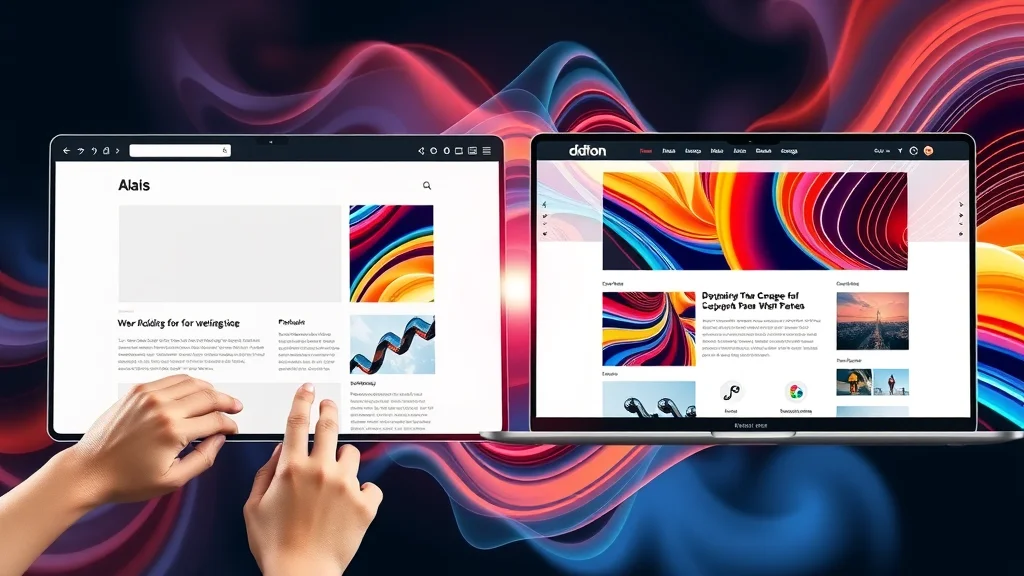
A modern website isn’t just about pretty visuals or clean layouts—it’s about immersion. The core difference now is intent: every element in modern web design is created with the user in mind, moving beyond passive consumption to interactive discovery. Website design now emphasizes unique journeys, customizable interfaces, and rich, dynamic media, all of which form a cohesive, engaging rhythm across the full web page and site experience.
Modern webs are marked by purposeful navigation, embedded animation, real-time feedback, and personalized pathways. This approach turns site visitors into active participants, not mere spectators. When the modern website is built to be experienced, not just viewed, every scroll, click, swipe, and tap is an opportunity to deepen engagement and commercial impact.
Core Elements of User Experience in Web Design and Development
User experience (UX) is the beating heart of a great modern web. Key elements include intuitive navigation, fast load times, accessible interfaces, and a cohesive visual language that resonates with the target audience. A thoughtfully designed website should anticipate common user goals, guiding visitors seamlessly from landing page to conversion with clear calls-to-action, interactive content, and frictionless usability on all devices.
Today’s web developers employ a range of tools and strategies, such as micro-interactions, dynamic menus, and multimedia elements, to keep users engaged and invested. The more a user can intuitively interact, the more memorable the experience—and the better the brand perception in a world where retention is more valuable than ever.
The Role of Responsive Design and Mobile Web Integration
Responsive design is now the backbone of the modern web. With over half of online traffic coming from mobile phones and tablets, modern website design must guarantee seamless adaptation to a wide range of devices and screen sizes. This isn't just about resizing images—it's creating an interface that feels made for every screen, from desktop computer to mobile device.
Web developers harness frameworks and technologies that automatically adjust layouts, scale images, and reflow content for the best possible experience. The goal is for users on the go—especially mobile users—to interact effortlessly, without pinching, zooming, or fighting clunky menus. Responsive design isn’t a feature, it's the default foundation for all modern webs.
| Feature | Traditional Website | Modern Website |
|---|---|---|
| User Experience (UX) | Basic navigation, static pages, limited engagement | Dynamic, interactive, tailored navigation and journeys |
| Responsiveness | Fixed layouts, poor adaptation for mobile devices | Adaptive layouts, seamless on all screen sizes and mobile phones |
| Design Elements | Sparse visuals, simple graphics, text-heavy | Rich media, animations, micro-interactions, graphic overlays |
| Performance | Slow load, outdated code, not optimized for speed | Optimized loading, fast rendering, modern web tech |
The Pillars of Modern Web Design

Principles That Define Great Modern Website Experiences
The most successful modern websites are grounded in a few foundational principles: user-first thinking, consistency, accessibility, and performance. User-first thinking puts the visitor at the center, building every touchpoint around their needs and preferences. Consistency ensures that the design, colors, and UI patterns are cohesive throughout the site, offering a seamless and professional experience. Accessibility guarantees all users, regardless of ability or device, can navigate the site with ease. And performance ensures that the site loads quickly and efficiently, which is indispensable in a mobile-first world.
Above all, modern web design makes sure that every interaction is meaningful and serves a purpose — be it informing, engaging, or converting the user. As stated by a leading designer, “Every pixel on today’s modern website should engage, inform, and convert – not just exist. ” This ethos sets truly exceptional modern webs apart from the crowd.
Web Development Trends Shaping the Modern Web
Today’s web development landscape is fast-evolving with trends such as progressive web apps, server-side rendering, and low-code/no-code platforms. The growing adoption of front-end frameworks—like React, Vue, and Angular—enables highly interactive and dynamic websites. Animation and micro-interactions have become standard, seamlessly guiding users through experiences while providing real-time feedback.
Mobile-first design and headless content management architectures further power modern webs, making them more scalable, secure, and adaptable to emerging technologies. Integrating AI-powered personalization, voice search optimization, and real-time user analytics is rapidly shaping what users expect from “the modern website is built to be experienced, not just viewed. ”
Creating Interactive Web Pages: Examples from Leading Website Designs
Some of the best modern website designs come alive through interactive elements—think parallax scrolling, gamified experiences, personalized recommendations, or contextual chatbots. eCommerce leaders, tech companies, and innovative brands are raising the bar by offering fluid site navigation and tailored content, updating dynamically as users interact or share information.
For example, a well-designed eCommerce web page adapts product recommendations and visuals based on user behavior and preferences. Media sites employ infinite scroll, real-time comment feeds, and interactive video players to keep audiences engaged. These features combine to ensure users don’t just “visit” but “experience” the site in a way that feels meaningful and memorable.
"Every pixel on today’s modern website should engage, inform, and convert – not just exist."
The Impact of User Experience on Website Success
88% of Online Consumers Are Influenced by Bad User Experience: What That Means
Numbers don’t lie: 88% of online users say they're unlikely to return to a website after a poor experience. This statistic is a clear indictment of websites that fail to prioritize user experience. Visitors might give you one chance, but rarely two. A confusing layout, cluttered design, slow load times, or non-responsive elements can instantly lose the trust of your target audience—and their business.
This data underscores why the modern website is built to be experienced, not just viewed. To convert a potential customer, brands must ensure their website design is functional, intuitive, and delightful on every device. Otherwise, even the most promising marketing campaign or SEO strategy will quickly lose steam if users bounce after just one encounter.

User Experience Metrics: Bounce Rate, Dwell Time, and Conversion
To measure user experience success, savvy site owners and web developers track metrics such as bounce rate (percentage of visitors leaving without interacting), dwell time (how long users stay), and conversion rate (how many visitors complete a goal such as signing up or making a purchase). Modern websites are designed to decrease bounce, increase meaningful time spent, and drive higher conversions through engaging interactivity and clear value propositions.
Tracking these metrics provides actionable insights for improving web design and content. For instance, a high bounce rate may indicate confusing navigation or weak mobile web compatibility. Long dwell times, on the other hand, show users are invested and enjoying the experience—a hallmark of the best modern webs. This data-driven approach empowers continuous improvement and directly impacts brand awareness and sales.
How Modern Website Design Influences Brand Perception
A modern website’s look and feel shape how potential customers perceive your brand. Sites that feel current, load fast, are visually appealing, and offer memorable interactivity inspire trust and confidence in users. Conversely, neglected or outdated sites signal low credibility, causing visitors to drop off and look elsewhere.
Brand perception is no longer just about logos or taglines—it’s about how a site behaves in real time. Whether users are accessing your content from a mobile device, tablet, or desktop, consistent and polished experiences elevate your brand and foster loyalty. Even subtle design cues and micro-interactions can persuade someone that your business is innovative and user-focused in a crowded digital marketplace.
| Website Type | Bounce Rate (Avg.) | Dwell Time (Avg.) | Conversion Rate |
|---|---|---|---|
| Modern eCommerce Site | 25%–45% | 3–6 min | 2–7% |
| Business Portfolio | 30%–55% | 2–4 min | 1%–4% |
| Interactive Blog | 50%–70% | 4–10 min | 1%–3% |
| Traditional Static Page | 70%–90% | 1–2 min | <1% |
Responsive Design in the Modern Website
Responsive Design: Adapting Web Pages for Mobile Phones
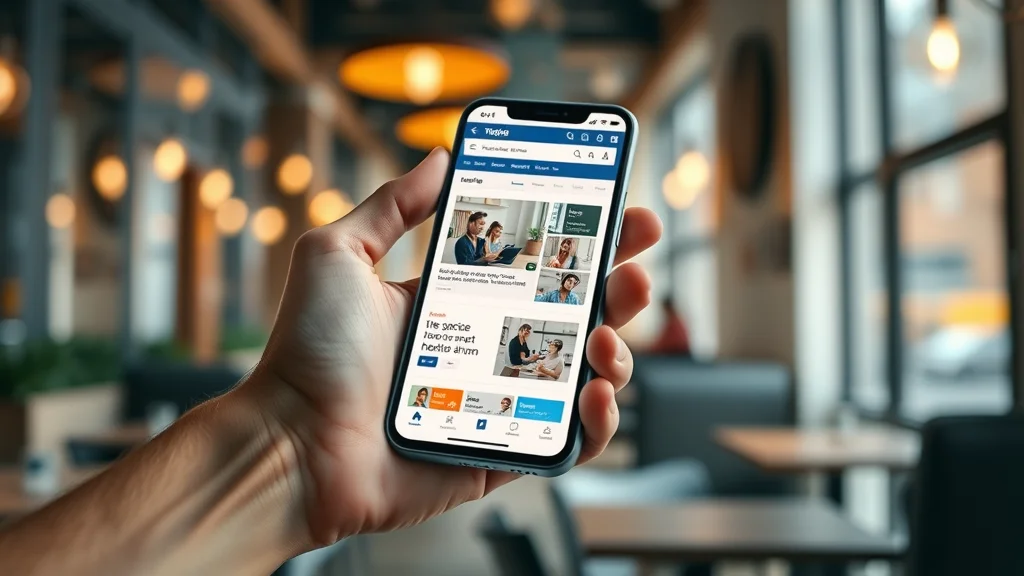
The concept of responsive design means your site looks perfect and functions smoothly on every screen—large or small. With varied screen sizes dominating the market, a modern website must adapt for mobile web, tablets, and desktops alike. Responsive designs use flexible grids, images, and CSS media queries to rearrange, hide, or stretch content so it feels native on any device.
This approach not only benefits user experience; it’s critical for search engine optimization (SEO) too. Google and other search engines favor responsive sites in rankings, knowing they perform better for mobile users. Ultimately, a mobile-friendly, responsive site leads to higher engagement and greater conversions—underscoring why the modern website is built to be experienced, not just viewed, especially for on-the-go audiences.
How Web Developers Ensure Fluid Website Experiences Across Devices
Behind every responsive design is a skilled web developer ensuring that every element—navigation menus, images, calls-to-action—adjusts perfectly for every device and browser. Web developers use frameworks such as Bootstrap, Foundation, or custom media queries, regularly testing across device emulators and actual hardware to guarantee fluid transitions and interactions.
Modern web development tools automate much of this process, reducing guesswork and ensuring consistency. Full responsiveness is checked, not just on popular mobile phones, but also on less common screen sizes, older devices, and accessibility tools. This dedication to fluid adaptability ensures users always enjoy a premium experience, boosting satisfaction and increasing ROI for businesses willing to invest in superior web design.
- Flexible Grid Layouts: Automatically scale content for different devices
- Media Queries: Change layout and content visibility depending on screen size
- Adaptive Images: Load the right image size based on the device
- Touch-optimized Controls: Ensure menus and buttons work seamlessly by touch
- Device Testing: Frequent checks on phones, tablets, and desktops
- Fast Load Times: Prioritize speed for mobile web users
Web Development: Building for Interactivity and Experience
The Web Developer’s Role in Crafting Modern Website Experiences
The modern web developer is both a builder and a storyteller. Their role extends from technical coding to ensuring a seamless, interactive user journey across multiple devices and platforms. A strong skill set now includes not just fluency in programming languages but expertise in user experience, animation, accessibility, and real-world behavior analytics.
Web developers collaborate closely with designers and marketers to transform creative vision into dynamic, living pages. They are responsible for implementing the features—like dynamic content updates, interactive forms, and real-time feedback—that empower modern webs to go far beyond static web pages. Their commitment to performance, accessibility, and interactivity is why today’s websites aren’t just built to be seen—they’re built to be experienced.
Essential Tools for Modern Web Development
Modern web development leverages a powerful toolkit to bring interactive sites to life. Frameworks like React. js, Angular, and Vue. js drive immersive front-end experiences, while Node. js and Python handle scalable, real-time back-ends. Version control tools (like Git), content management systems, deployment automations, and collaborative platforms make development efficient and consistent.
Additional tools—such as Figma or Adobe XD for design, and Lighthouse for performance audits—ensure the site’s look and speed are always up to standard. These technologies combine to give web developers the agility and confidence to push the boundaries in website design and continually delight users.
Progressive Web Apps: The Next Step in Modern Web Evolution
Progressive web apps (PWAs) blend the best of websites and native mobile apps. They offer offline capabilities, lightning-fast performance, and app-like interfaces—all while running through any web browser. For businesses, PWAs deliver a seamless modern web experience, helping engage mobile users who demand instant loading and full interactive features on any device.
PWAs are now common among top brands, enabling companies to provide immersive functionality (like push notifications and installable icons) directly from the web. As users expect more from every web app—speed, ease, and constant interactivity—PWAs will continue to shape how modern webs are designed and developed moving forward.
Modern Web Technologies: Enablers of the Experiential Website
Animation, Micro-Interactions, and Dynamic Web Pages
Animations and micro-interactions form the invisible glue binding the modern website experience. Subtle hover effects, progress indicators, dynamic loading screens, and interactive buttons all make navigation more intuitive and engaging. These elements, often powered by JavaScript or CSS animations, provide real-time feedback and guide users through tasks with a playful, polished feel.
Dynamic web pages further elevate engagement by tailoring content in real time based on user action, preferences, or device. Personalization—powered by scripts and APIs—adapts product recommendations, site themes, or navigation pathways unique to each visitor. When used thoughtfully, animation and interactive scripts keep sessions lively and memorable, helping modern websites stand out from static, conventional counterparts.

The Importance of Speed and Accessibility in Modern Website Design
Speed isn’t just convenient—it’s a necessity. Users expect web pages to load in under three seconds. Slow performance increases bounce rates and harms search engine rankings. That’s why optimizing image sizes, leveraging content delivery networks (CDNs), and using efficient code are crucial strategies for any modern website.
Accessibility is equally vital. The modern web must be usable for all, regardless of physical ability or device. Following Web Content Accessibility Guidelines (WCAG) and designing with inclusive best practices ensures that everyone, from all backgrounds, can experience what your site offers. Fast, accessible, and interactive sites set modern webs apart—and are essential for achieving the broadest impact.
Case Studies: Modern Websites Built to Be Experienced

Breakdown of Leading Modern Website Designs
World-class brands are investing in websites that harness experiential elements. For example, Apple’s site features stunning animations, high-resolution imagery, and fluid transitions, seamlessly guiding users toward product discovery. Shopify’s homepage uses onboarding tours and dynamic search to personalize the user journey for different business owners.
Many interactive news outlets employ side-by-side article comparisons, infinite scrolling, and customizable feeds, allowing readers to shape their information consumption. Eco-friendly startups often highlight sustainability through engaging storytelling techniques and scroll-triggered graphics. These design tactics create an “experience” that stays with the visitor, long after they leave the site.
How Modern Website Experiences Increase Engagement and ROI
Experiential design isn’t just about aesthetics—it’s about measurable results. Engaged users read more content, share links, and ultimately take action (like buying, subscribing, or recommending). Modern website experiences reduce bounce rate, boost dwell time, and dramatically improve conversion rates. Brands that prioritize dynamic user journeys see increased loyalty and a stronger return on investment (ROI) from their digital channels.
As one digital strategist puts it, "A modern website creates a journey—users don't just see it; they feel it. " In a crowded online space, building a site for experience is a proven path to standing out and winning hearts and wallets alike.
"A modern website creates a journey—users don't just see it; they feel it."
Designing for the Modern Web: Best Practices
How to Put User Experience First in Web Design
Pioneering web designers and web developers start every project with user research. Understanding your target audience—their goals, pain points, and devices—shapes everything from information architecture to content strategy. Tools like wireframes, personas, and usability tests ensure site flows are intuitive and align with real user needs.
Prioritizing mobile-first design, clear CTAs, accessible layouts, and fast performance are all covered in modern web best practices. Continuous A/B testing and analytics tracking let teams refine features and improve user experience in response to actual visitor feedback and behavior.

Balancing Aesthetics and Functionality in Your Website
A visually appealing site isn’t enough if visitors can’t navigate or complete their intentions. Modern web design strikes a balance between aesthetics (like beautiful imagery and smooth animations) and functionality (fast load times, simple navigation, and clear pathways to information).
This balance means considering every design decision through the lens of the end user. Removing clutter, simplifying menus, and using consistent colors, fonts, and buttons help users move smoothly through the site—and build trust, which is essential in converting first-time visitors into long-term brand advocates.
SEO and Content: Making Your Modern Website Findable and Engaging
Experiential design must be matched with strong SEO and content strategies. Search engines now reward sites that load quickly on mobile, provide high-quality content for user intent, and foster engagement through interactive experiences. Using relevant keywords, structuring content with headings, alt text on images, and responsive page layouts improves visibility to your target audience.
This synergy of experiential design and content not only makes your site more likely to rank highly on search engine results but also keeps visitors engaged, informed, and coming back for more. Content management platforms and SEO tools help monitor and refine your approach in real time for ongoing success.
- Put user experience above all—test, iterate, and gather real feedback.
- Prioritize responsive design to meet users on any device.
- Balance beautiful visuals with accessible, simple navigation flows.
- Invest in fast load times and optimize for mobile web users.
- Embed interactivity—micro-interactions, real-time feedback, and animation—for engagement.
- Stay up to date on web development technologies.
- Optimize content for search engines and your target audience.
People Also Ask: Common Questions About Modern Websites
How are modern websites developed?
Modern websites are developed through a combination of cutting-edge web design, advanced web development frameworks, and a strong focus on user experience. Modern web development practices emphasize responsive design, interactive user interfaces, and scalable back-end architectures to deliver experiential sites.
Are 88% of online consumers less likely to return to a site after a bad experience?
Yes, current research validates that 88% of online consumers are unlikely to revisit a website if they encounter a poor user experience, underscoring the vital importance of experience-driven modern website design.
How do modern websites work?
Modern websites operate using technologies that enable interactivity, dynamic content updates, and seamless adaptation to devices. They use technologies like HTML5, CSS3, JavaScript, and backend frameworks to serve personalized, engaging experiences.
How does a modern website look?
Visually, a modern website features clean layouts, responsive elements, clear navigation, engaging media, and interactive components. Functionally, it’s fast, accessible, and intuitive across all devices.
FAQs: Exploring the Modern Website
What are the must-have features for a modern website?
A modern website must have responsive design, fast load speeds, intuitive navigation, accessible content, engaging interactivity, and strong SEO fundamentals. Including secure protocols, scalable servers, and personalized content also set the best modern webs apart.
Why is user experience crucial for website design?
User experience shapes whether a visitor stays, converts, or leaves. A website with clear structure, smooth interactions, and tailored journeys satisfies user intent, builds trust, and maximizes retention and conversions. UX is foundational to modern web design success.
How does responsive design benefit my business?
Responsive design ensures your website looks and works perfectly across desktops, tablets, and mobile devices. This broad reach improves user satisfaction, boosts search rankings, and helps convert a wider audience, enhancing your bottom line and brand reputation.
Which technologies define the modern web?
Technologies like HTML5, CSS3, JavaScript frameworks (such as React, Vue, Angular), API integrations, Progressive Web Apps, and performance tools all power the modern web. These enable interactive, fast, and scalable websites designed for today’s diverse online audience.
- Responsive layouts keep your site beautiful across screen sizes
- Interactive elements (like animation and micro-interactions) boost engagement
- Speed is vital—optimize images, code, and servers
- Accessibility ensures everyone can use your site
- User-first design starts with real user research and testing
- Modern technologies like PWAs and front-end frameworks deliver cutting-edge experiences
Key Takeaways for Building a Modern Website Built to Be Experienced
- The modern website is built to be experienced, not just viewed—user experience is everything.
- Prioritize responsive design and mobile web accessibility to serve all users.
- Leverage the latest web development tools, frameworks, and best practices.
- Balance striking visuals with intuitive, actionable navigation and content.
- Track and respond to user experience metrics to continually improve and delight your audience.
Next Steps: Start Creating Your Modern Website Experience Today
Contact Our Team: Call Or Text Us At (508)344-5927 Or Email Us At steveferguson@stevefergusonsearchenginemarketing.com
Ready to build a website that’s designed to be experienced? Contact us today—our expert team can help bring your modern web vision to life. Don’t just show your site. Make it unforgettable.
Building a truly modern website is just the beginning of your digital journey. To maximize your online impact, consider how your web experience integrates with broader digital marketing strategies, such as reputation management and social engagement. For a deeper dive into elevating your brand’s presence and trust online, discover our insights on review management and social media marketing. Unlock the next level of digital growth by combining experiential web design with a holistic approach to your online reputation.




Write A Comment