
Did you know over 75% of users never click past the first page of search results, yet more than 65% of all web page viewing time is spent below the fold? This striking contrast highlights a fundamental shift in how we engage with digital content—driven by our scrolling behavior. As the digital world evolves, scrolling has become not only a default navigation pattern but a powerful force that shapes how people interact, retain, and make decisions online. In this comprehensive guide, we’ll unravel the psychology behind scroll-based website design, diving into the triggers that keep users engaged and exploring practical strategies for designing better, more effective websites.
Unveiling the Psychology Behind Scroll-Based Website Design: Why It Matters
The psychology behind scroll-based website design is rooted in how people process information and respond to visual cues. Years ago, web designers packed critical information at the top of the page, fearing users ignored anything below the fold. But as studies show, users now expect a seamless, continuous stream of content. Scrolling behavior has become second nature thanks to mobile devices and the influence of social media giants, fundamentally shifting user expectations and behavior online.
Modern web design leverages scrolling—not just as a navigation tool, but as an engagement strategy. When users are invited to scroll, they stay interested, creating opportunities for deeper connections and longer viewing time. Designers who understand these psychological triggers can build interfaces that resonate, increasing user experience and time spent on site. Ultimately, this approach drives higher rates of content consumption, conversions, and brand loyalty, underscoring why it’s crucial for businesses large and small to master scroll-based concepts.

A Startling Statistic: How Scrolling Behavior Shapes User Decisions
Recent studies show users spend 65% of their total viewing time engaging with content below the fold—defying the long-held belief that “above-the-fold” content determines website success. People scroll not just to see more, but to find what genuinely interests them, turning scrolling into a search for relevance and satisfaction. As digital environments grow denser, users engage deeply with thoughtfully designed scrolling experiences, making endless scrolling a psychological draw. However, if overused or poorly executed, infinite scroll can increase cognitive load and lead to decision fatigue, pushing users to abandon the page. This demonstrates how intricate the interplay is between user behavior and web design trends.
The influence of social media on scrolling habits is undeniable, as platforms have set new standards for how users expect to interact with content online. For a closer look at how these trends shape digital marketing strategies and user engagement, explore this in-depth guide on social media marketing and its impact on user behavior.
What You'll Learn About the Psychology Behind Scroll-Based Website Design
- Key psychological triggers driving users to scroll
- The connection between infinite scroll, social media, and web design trends
- Effective ways to optimize user behavior and scrolling behavior
- Actionable web design principles using scroll-based insights

Understanding Scrolling Behavior in Modern Web Design
Scrolling behavior reflects a user’s search for relevance and immediacy in the ever-evolving digital world. As users encounter websites, they instinctively scan for the first signs of value, then decide whether to scroll for more. With the ubiquity of smartphones and tablets, vertical navigation has eclipsed clicking and page-flipping. The psychology behind scroll-based website design explains how curiosity, cognitive patterns, and visual cues encourage people to scroll naturally, increasing both content consumption and viewing time.
The willingness to scroll is closely tied to users’ desire for seamless experiences. A continuous flow of information, carefully segmented with engaging elements and fold content cues, keeps users engaged and reduces friction. Research shows that users expect to scroll for more details, but poorly designed interfaces can easily overwhelm them. Successful web design requires understanding what motivates users to scroll and where to draw the line to keep digital experiences enriching, not exhausting.
How Scrolling Behavior Reflects User Behavior Online
Scrolling has become an ingrained reflex in online browsing, reflecting deeper aspects of human user behavior. When confronted with long webpages or infinite feeds, people scroll in search of novelty, relevance, and gratification. This tactile interaction mirrors behavioral psychology principles—curiosity, anticipation, and reward. People scroll further when web design utilizes visual cues, such as arrows, animations, or subtle transitions that guide attention beyond the visible area. This reliance on scrolling reflects how people learn and process information in today’s digital world: they want quick access to answers but are willing to explore if the journey feels rewarding or engaging.
Additionally, scrolling minimizes the friction of traditional clicks or page reloads, creating a fluid user experience. Web designers who harness these insights can develop layouts and content flows that tap directly into user expectations, improving engagement and decreasing bounce rates. As users spend more time interacting with scroll-based interfaces, their actions align closely with their motivation, curiosity, and desire for efficient, satisfying experiences.
The Impact of Social Media and Infinite Scroll on Website Expectations
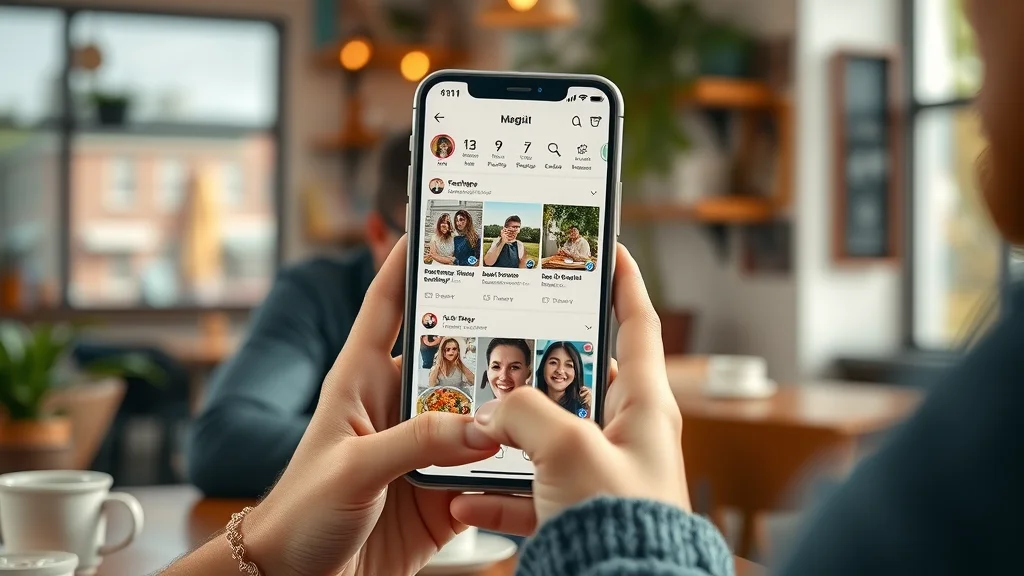
The rise of social media platforms like Facebook, Instagram, and Twitter has normalized infinite scroll—a design pattern where fresh content replaces exhausted content in an endless feed. This approach exploits the instinctual urge to continue, creating a sense of “fear of missing out” (FOMO) and fueling constant engagement. Years ago, infinite scroll was novel, but today, users expect it as part of a smooth digital experience. As a result, the psychology behind scroll-based website design has taken center stage in shaping not only how people scroll but their expectations for all web interactions.
Designers everywhere—whether building news sites, blogs, or ecommerce platforms—now borrow interaction patterns from social media. The result: users engage more deeply, and viewing time was spent far beyond the traditional boundaries of above-the-fold content. However, web designers must remain cautious; excessive information density or poorly managed infinite scroll can lead to user fatigue and frustration. Recognizing the profound influence of social media is key to meeting—and exceeding—modern user expectations.
The Science of Scroll-Based Website Design: From Psychological Triggers to User Behavior
The art of web design is increasingly shaped by science, especially when it comes to user interaction. Core psychological triggers—such as curiosity, anticipation, and rewards—are engineered into scroll-based experiences to subtly guide behavior. Designers use A/B testing, analytics, and feedback loops to learn what keeps users engaged and how much content to reveal at once. This scientific approach enables adjustments to scrolling interfaces so that cognitive load is reduced, anticipation is stoked, and satisfaction is delivered at each scroll.
It’s not just about presenting more information—it’s about managing pace, flow, and clarity so users don’t feel lost in an endless sea of content. Website layouts that carefully balance fold content, infinite scroll, and visual cues are proven to increase engagement, lower bounce rates, and create memorable digital experiences. This evidence-driven design philosophy is the hallmark of modern web design.
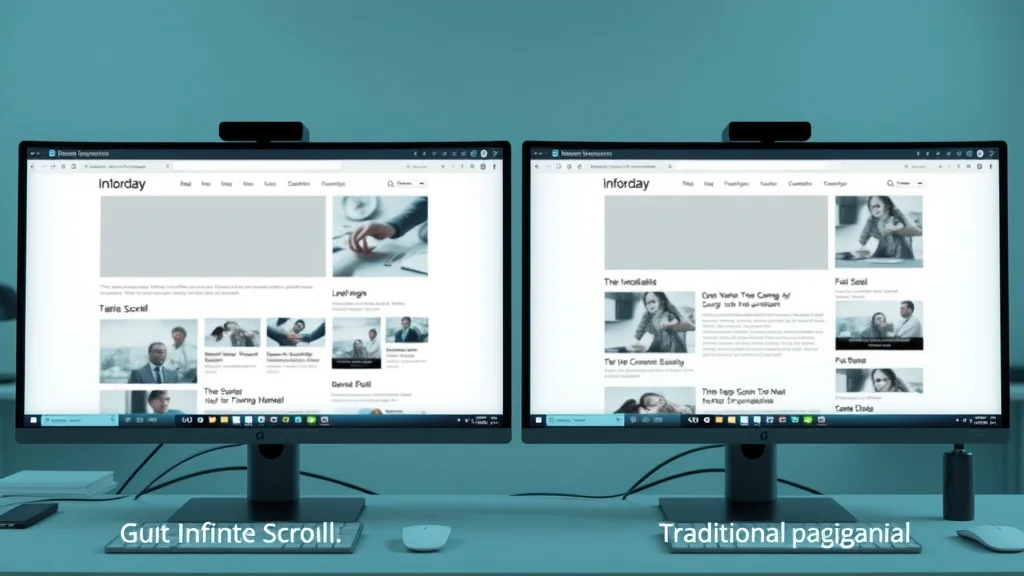
| Design Pattern | Usability | Engagement | Bounce Rate |
|---|---|---|---|
| Infinite Scrolling | High convenience; continuous flow; reduced clicks; risk of getting lost | Longer viewing time; higher session duration; users engage more with fresh content | Lower initially but may increase with cognitive overload or fatigue |
| Pagination | Clear steps; easy navigation; good for segmented content | Lower session times; risk of users dropping off after the first page | Higher as users choose not to advance beyond page one |
Psychological Triggers That Motivate Users to Scroll
It’s no accident that people scroll as much as they do—psychological triggers are hard at work. Curiosity and anticipation are at the heart of effective scroll-based web design. When users perceive that more valuable content is just out of sight, they naturally want to discover it. Engaging fold content invites them to dig deeper, guided by visual cues such as animation, gradient fades, or subtle arrows.
Web designers strategically place compelling images, snippets, and cliffhangers “below the fold” to prompt further scrolling. This aligns with cognitive science: when the brain anticipates a reward (new content, solutions, or interesting ideas), dopamine is released, motivating ongoing engagement. If users assess the journey as intuitive and rewarding, their tolerance for longer content increases, resulting in a more immersive browsing experience. Thus, web design that leverages these psychological triggers keeps users exploring, consuming, and interacting.
- Curiosity and anticipation: Provocative headlines, unanswered questions, and visual storytelling pull users downward.
- Utilizing visual cues: Fading edges, shadow overlays, and animated arrows serve as subtle guides for users to scroll further.
- The role of fold content: Strategically placed summaries or teasers at fold junctures help drive scrolling behavior.
“Design is not just what it looks like and feels like. Design is how it works.” – Steve Jobs
Best Practices in Web Design Leveraging the Psychology Behind Scroll-Based Website Design
To harness the psychology behind scroll-based website design, web designers must create intuitive and rewarding experiences. Best practices include using infinite scroll judiciously, balancing content density, and signaling action through smart, non-intrusive visual cues. Each design choice should reduce cognitive load, keeping the user's focus and curiosity high. Proper fold optimization—making the area just below the fold enticing—encourages a natural flow, ensuring users don’t abandon site visits prematurely.
Moreover, integrating elements from successful social media layouts, such as bite-sized posts, dynamic images, and subtle notifications, can help maintain engagement. However, web designers must test interfaces under real-world scenarios and for all device types to address accessibility and usability for a wide range of users. Let’s break down some of the most effective techniques and principles below.
Infinite Scroll in Social Media and Its Influence on Broader Web Design
The mainstream adoption of infinite scroll began with social media platforms, transforming how people consume content online. Social feeds taught users that valuable information could always be just a finger-swipe away. Brands and content creators quickly realized that this approach maximized users’ viewing time and decreased bounce rates. Now, even small businesses and editorial sites use infinite scroll or hybrid patterns to mimic the addictive nature of social media.
However, not all websites benefit equally from infinite scrolling. Product pages or knowledge bases, for example, sometimes achieve better outcomes with segmented pagination or clearly marked content boundaries. The key is studying user behavior and choosing the model that best supports both the brand’s goals and users’ psychological needs.
Encouraging Users to Scroll: Techniques and Visual Cues
Getting users to scroll seamlessly—and for longer—depends on implementing effective visual cues and interaction patterns. Web designers can use contrast, directional elements, motion animation, and interactive signals to suggest that more content is available. A strong call-to-action (CTA) just above or below the fold, sticky navigation menus, or visual gradients fading into the next section all invite people to scroll further. Each of these methods subtly directs user attention and shapes scrolling behavior.
The most effective cues are those that feel natural and unobtrusive, matching the site’s tone and style while catering to user expectations. Testing various cues during usability studies helps determine which strategies yield higher engagement and reduced bounce. Ultimately, focusing on user-centered web design principles ensures users stay engaged and return for more.
Optimizing Fold Content to Promote User Engagement
“Fold content” refers to the area just below the initial view—an essential zone for capturing attention and motivating continued exploration. Web designers should treat this real estate carefully. Placing engaging headlines, previews, or hints just below the fold prompts users to scroll, increasing both immediate engagement and overall time on site. Including a summary, evocative image, or partially revealed item leverages curiosity, coaxing users to interact further.
Studies show that websites that optimize fold content through strategic layout and visual cue deployment achieve higher conversion rates. Balancing clear information density with guidance towards more content is vital. Smartly-designed fold zones serve as transition points, seamlessly leading people from initial interest to deeper involvement—ultimately driving conversions and achieving site goals.
Common Mistakes to Avoid in Scroll-Based Web Design
While scroll-based web design offers many benefits, pitfalls can damage user behavior and satisfaction. The most common errors include overloading users with too much content, creating visually overwhelming experiences, and neglecting accessibility. Infinite scroll, when overused, can lead to decision fatigue and cognitive overload, causing people to abandon sites before taking desired actions. Other issues include inconsistent visual cues, lack of clear navigation, and ignoring the needs of assistive technology users.
Effective web design requires ongoing testing and iteration. It’s essential to analyze viewing patterns, time spent on each section, and drop-off points. Solving these problems might mean reintroducing pagination, adding signposts within the content, or simplifying transitions. By identifying and correcting common mistakes, designers can ensure scroll-based sites remain user friendly, maximizing the positive psychological effects of scrolling behavior.
When Infinite Scrolling Backfires: Pitfalls for User Behavior
Infinite scrolling can provide a sleek, uninterrupted experience until it backfires—leaving users frustrated, lost, or mentally drained. When content lacks clear divisions or important controls, people scroll endlessly, unable to find what they want or to recall their position. This not only leads to negative user experience but also undermines overall site trust and retention. Moreover, if infinite scroll is paired with heavy information density, users may feel cognitive overload, which research shows is a significant driver of increased bounce rates.
Smart web design requires fallback strategies—like “load more” buttons, anchored navigation, or visible section dividers—to prevent these pitfalls. The psychology behind scroll-based website design teaches us that rewarding curiosity is powerful, but too much choice or an endless flow becomes overwhelming. The best experiences guide, rather than drown, users in information.

Balancing Content Visibility and Overwhelming Users to Scroll
The success of scroll-based sites often hinges on balance: giving users enough visible content to feel informed, while avoiding sensory overload. Overwhelming interfaces push people to abandon the site or become confused about their progress. Introducing logical breaks, highlights, and “sticky” navigational elements helps orient users, preserves context, and improves content consumption rates.
Web design decisions should take into account not just how far people scroll, but the quality of their experience along the way. Optimal sites use fold content, visual cues, and progressive loading to ensure users engage at their own pace. Accessibility, mobile responsiveness, and thoughtful content grouping are additional keys to making scrolling interfaces both enjoyable and effective.
People Also Ask: Key Questions About the Psychology Behind Scroll-Based Website Design
What are the psychological effects of infinite scroll on user engagement?
Infinite scroll can trigger chemical responses in the brain, such as dopamine release, making users more likely to continue browsing and increase their overall time onsite. This parallels behavior seen in social media and online gaming. However, if the experience is not carefully managed, users may experience cognitive overload and decision fatigue, potentially leading to higher bounce rates or reduced satisfaction.
How does scrolling behavior differ from traditional web navigation?
Scrolling behavior allows content to flow seamlessly, providing a sense of continuity and reduced friction compared to clicking through paginated pages. This fluid movement can subtly guide users to engage with more content and explore deeper into a website. In contrast, traditional navigation requires discrete decisions and interrupts the browsing journey, resulting in shorter sessions and often higher bounce rates.
Why do social media platforms rely on infinite scroll?
Social media platforms use infinite scroll to maximize the time users spend engaged with their feeds. This design takes advantage of psychological triggers such as curiosity and the fear of missing out (FOMO), encouraging repeated interaction and sustained browsing. By continuously presenting new content, these platforms foster habitual engagement and boost advertiser ROI.
Expert FAQs: The Psychology Behind Scroll-Based Website Design
-
Is infinite scroll suitable for all types of websites?
No, infinite scroll works best for sites with continuous, homogeneous content—like news feeds or social media—but can harm usability on sites requiring structured discovery, like product catalogs or documentation. -
How can web design signal to users to scroll naturally?
Web design can subtly encourage scrolling with visual cues such as directional arrows, cut-off images, fading gradients, and stickied elements, gently nudging users to interact further. -
What are the accessibility concerns with scroll-based designs?
Infinite scroll can confuse screen readers and make navigation difficult for users with disabilities. Proper structural markup, keyboard navigation, and alternatives—like load-more buttons—enhance accessibility.

Key Takeaways: Mastering the Psychology Behind Scroll-Based Website Design
- Scroll-based website design taps into core psychological triggers
- Understanding user behavior leads to more engaging web design
- Careful use of infinite scroll can enhance or harm user experience
- Employ visual cues and fold content strategically for maximum impact
Ready to Transform Your Web Design? Apply the Psychology Behind Scroll-Based Website Design Today
Harness the full power of scroll-based psychology to create sites that engage, delight, and retain users—turning every scroll into an opportunity for lasting digital impact.
As you continue to refine your approach to scroll-based website design, consider how these psychological insights can be integrated into your broader digital marketing strategy. Understanding the intersection of user behavior, engagement, and social media trends can unlock new opportunities for growth and brand visibility. If you’re interested in exploring how social media marketing can further amplify your website’s reach and influence, discover actionable strategies and expert tips in this comprehensive resource on leveraging social media for business success. Elevate your web presence by combining cutting-edge design with a holistic marketing mindset.




Write A Comment