Add Row
Add Element

Digital Dominance Journal


Steve Ferguson Search Engine Marketing

Add Element
  • Home
  • Categories
    • Content Marketing
    • Social Media
    • Reputation Marketing
    • Web Design
    • Blogging
    • Digital Marketing
    • Retargeting
    • News Sites
    • Review Management
    • Video Advertising
    • AI For Business
  • All Posts
  • Content Marketing
  • Social Media
  • Reputation Marketing
  • Web Design
  • Blogging
  • SEO
  • Digital Marketing
  • Retargeting
  • News Sites
  • Review Management
  • Video Advertising
  • AI For Business
March 02.2026
1 Minute Read

Today's Audience Scrolls — They Don’t Click

Are you still chasing clicks, only to see engagement plateau while your audience scrolls right past your carefully crafted content? Discover why the rules of digital engagement have changed and how mastering scroll-worthy strategies is key to real growth in 2024.

Modern digital audience scrolling smartphones in a bright coworking space, deep focus on natural engagement — today

Are You Still Chasing Clicks? Why Today’s Audience Scrolls — They Don’t Click

In today’s digital world, click content is no longer the main driver of audience engagement or list growth. The popularity of social media platforms like Instagram and TikTok has fundamentally shifted how users interact with content. Rather than clicking through to websites or landing pages, today’s audience scrolls — they don’t click. This presents a critical challenge for marketers, creators, and brands that are stuck in old engagement models focused solely on click-through rates and direct response tactics.

The growth plateau many face is not just a temporary blip; it’s a direct result of outdated strategies. As users scroll through endless feeds, pausing only briefly on what truly captivates them, it’s essential to learn what makes people stop and engage. This means rethinking how you capture attention and drive list growth in a world where users process more content faster than ever before. If your strategy revolves around chasing that elusive click, chances are you’re missing where genuine engagement really happens—inside the scroll.

The Shift from Click Content to Scroll Content: Adapting to Audience Behaviors

The internet has experienced a massive shift from click content—where the goal was to get users to leave their current platform—to scroll content, designed to grab attention and provide value without requiring a click. Today, users are bombarded by endless streams of short videos, reels, and quick posts, making attention a scarce commodity. People stop scrolling only for content that truly resonates or interrupts their routine in the feed. Marketers who adapt to these new behaviors by optimizing for in-feed experiences see a measurable difference in their engagement rate and audience growth. Everything from visuals and headlines to lead magnet offers must be tailored to stop the scroll.

For those looking to refine their approach and leverage the latest tactics, exploring social media marketing strategies that prioritize in-feed engagement can provide actionable insights into what works best for today’s scroll-first audience. These methods are especially effective for brands aiming to boost visibility and interaction without relying solely on traditional click-through campaigns.

"We need to design for how people use the web, not how we wish they would."

What You'll Learn About Today’s Audience Scrolls — They Don’t Click

  • How audience attention spans have changed on social media
  • Why traditional click content strategies are facing growth plateau
  • Effective tactics to make people stop scrolling
  • Ways to use lead magnets and list growth without relying on clicks
  • Real-world examples from top brands

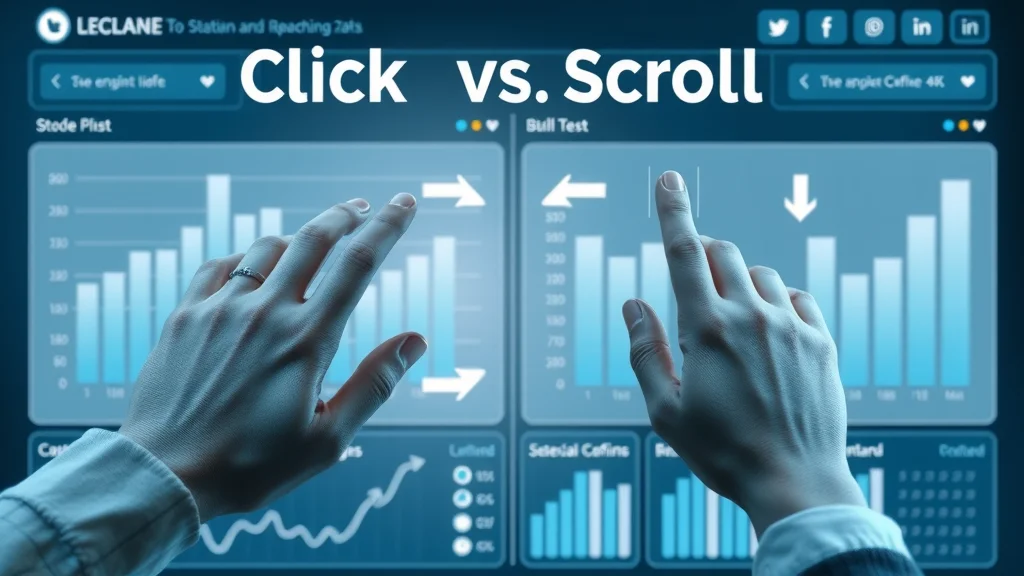
Infographic comparing click content and scroll behavior on digital platforms

Understanding Why Today’s Audience Scrolls — They Don’t Click

The digital landscape has evolved rapidly, leaving many brands struggling to keep up with the new ways people engage online. Today's audience scrolls — they don’t click because platforms like Instagram, TikTok, and Facebook are built for endless, addictive browsing experiences. If your primary strategy relies on users clicking away from these platforms, you’ll likely face a swift growth plateau—a stall point where traditional tactics no longer deliver results. As attention spans shrink and people stop scrolling for only the most compelling content, brands need to look beyond clicks and create value directly within the feed.

This behavioral shift means that traditional metrics such as click-through rate (CTR) have become less meaningful. Instead, engagement signals like saves, shares, and even time spent viewing stop scrolling content are more important than the old click paradigm. Real growth today comes from delivering value before a user clicks, using tools like in-feed lead magnets and micro-content. If your list growth or email growth has plateaued, it may be time to rethink how you engage your digital audience at the scroll level.

The Growth Plateau: Why List Growth Stalls If You Rely on Click Content

Many businesses experience a sharp growth plateau when they focus exclusively on click content. Traditional methods—like driving traffic to landing pages for lead magnets—can seem promising at first, but as people become more scroll-oriented, those engagement rates begin to decline. This audience growth plateau can leave even savvy marketers feeling like they’re “shouting into the void. ” If you notice your email list growth or conversion metrics stagnating, it’s likely because today’s audience rarely leaves the platform.

Recent reports show a consistent drop in click-through rates across every major social media channel. Even strong offers now yield diminishing returns unless you adapt. Instead of pushing harder for clicks, brands must “give people” what they want where they already are. That’s the secret to breaking through a list growth plateau. The solution is to make your value proposition—and even your lead magnet—part of the scroll experience itself.

The Rise of Social Media Scrolling: User Psychology in 2024

The psychology behind social media use in 2024 explains a lot about why today’s audience scrolls — they don’t click. The endless feed was engineered to deliver quick hits of dopamine with every swipe or tap, making scrolling an effortless habit. Users instinctively ignore anything that interrupts their feed, such as external links or requests to “click here. ”

This scroll-first behavior means that your message must break the scrolling cycle to spark real engagement. It’s not enough to expect audiences to click out for more information. Instead, tactics like “short video,” in-feed quizzes, and snackable content get immediate attention. If you can align your approach to these micro-moments, list growth and engagement rates can accelerate—without relying on traditional clicks.

Behavior Impact on Engagement Platform Examples
Clicking High intent but low volume Email, Blog
Scrolling Low intent, high volume Instagram, TikTok, Facebook

Click Content vs. Scroll Content: What Works Now

The digital content game has changed. Click content—long the gold standard of digital marketing and list growth—no longer delivers the same results. While clicks still signal high intent, the sheer volume of content shared on social media means that even great offers can get lost. Scroll content, on the other hand, is designed to stop people scrolling instantly and deliver value in-platform, making it a better fit for audience growth in 2024.

Modern marketers recognize that relying solely on click-based engagement puts them at risk of a growth plateau. Instead, the key is to find the right blend—using instant gratification to make people stop and engage, then gently guiding them toward further action, such as saving a post or signing up via a direct message. In this era, it’s the message that interrupts the scrolling rhythm and delivers in-the-moment value that builds true audience relationships.

Click Content: Definition, Success Metrics, and Declining Performance

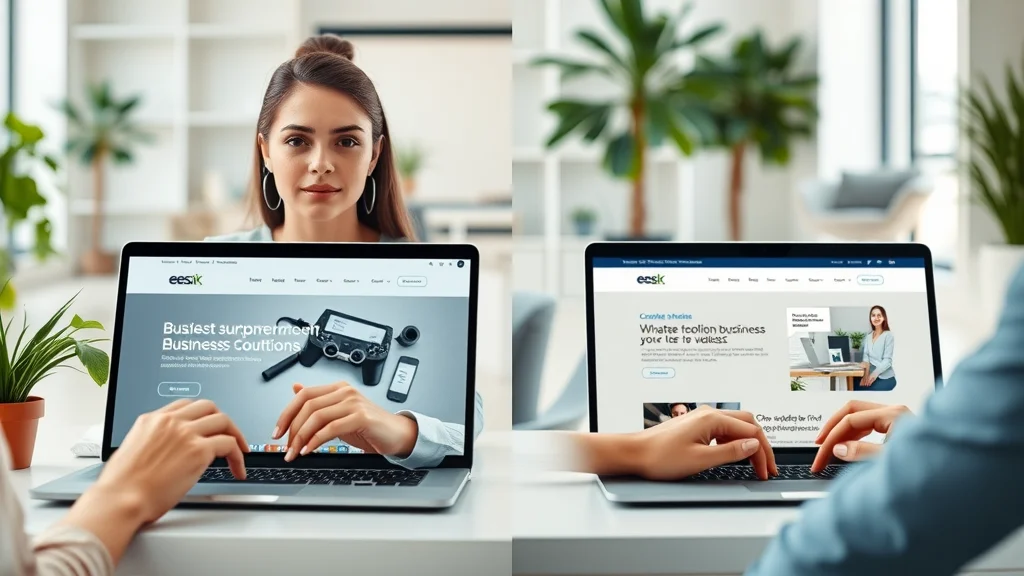
Marketer analyzing click content and engagement metrics on laptop — today

Click content refers to any digital asset—blog posts, landing pages, external links—whose primary goal is to get users to leave the platform and take a specific action like signing up for an email list or downloading a lead magnet. Success was traditionally measured by click-through rate (CTR) and conversions. However, in a world where today’s audience scrolls — they don’t click, these metrics are steadily declining. Engagement rate on click-heavy campaigns drops as users prioritize quick, in-feed experiences over following links off-platform.

This is why paid ads and organic posts now require much higher investment for the same results as just a few years ago. Relying solely on click content can lock you into a growth plateau, especially if your audience expects instant information and satisfaction. Marketing strategists recognize this change and recommend a more balanced approach that leverages both click and scroll tactics to keep list growth moving upward.

Scroll Content: What Makes People Stop Scrolling?

  • Visuals that interrupt the feed
  • Relatable, authentic messaging
  • Short, snackable lead magnet offers
  • Innovative list growth tactics

To make people stop scrolling, your scroll content must immediately grab attention with powerful visual cues or emotional resonance. This means rich images, dynamic video covers, and punchy copy that “feels good” and is relatable to your ideal client. It’s not just about “looking good”—your message needs to address a specific desire, pain point, or aspiration right away.

Additionally, short quizzes, “save this post” prompts, and in-feed offers that reward audience interaction have become best practice. These are the “micro-moments” that interrupt thoughtless scrolling and drive measurable engagement—even among those most stuck in an audience growth plateau. By meeting users where they are, you maximize touch points and make every moment count toward list growth.

Case Study: List Growth Without the Click

Consider the example of a modern lifestyle brand that wanted to grow their email list but couldn’t move beyond their growth plateau using click-only lead magnets. By switching to an in-feed approach—giving away digital resources via Instagram Stories and collecting emails via direct message—their conversion rate doubled. No external clicks required.

They used visually striking media and “quick save” offers, like swipe-up graphics and “DM us for access,” generating real interaction and triggering the platform’s engagement signals. This approach aligned perfectly with how today’s audience scrolls — they don’t click. The result was a measurable uptick in list growth, greater reach, and a higher overall engagement rate.

"To grow with intention, brands must meet users where they are—inside the scroll."

Why People Stop Scrolling: The Science Behind Engagement

The secret to breaking the audience growth plateau lies in understanding the exact triggers that make people stop scrolling. These triggers tap into basic human psychology—surprise, delight, curiosity, or a strong identification with the story or visual. By leveraging these micro-moments, brands can increase list growth and maximize email growth club participation, even if direct clicks dwindle.

Data shows that the average user scrolls through hundreds of stories and posts each day, making attention harder than ever to secure. To drive consistent engagement in-feed, your content must offer instant clarity and relevance to your ideal client. This often means short videos, strong headlines, and visuals that deliver meaning at a glance—all before asking for further action or a click.

What Makes People Stop on Social Media?

Young woman surprised and engaged by social post — why people stop scrolling on social media

People stop on social media when content disrupts their passive scrolling with something unexpected, emotionally resonant, or visually unique. This could be a bold statement, an eye-catching color scheme, or a highly relatable story. The content must address the user’s needs, aspirations, or fears in a matter of seconds. By understanding what makes people stop, you can design assets that spark curiosity and connection, laying the groundwork for deeper engagement and audience growth.

For example, the most effective scroll-stopper posts often use humor, controversy, or emotional appeal, immediately increasing engagement rate. Relatability—through authentic messaging or “feel good” moments—encourages users to pause, share, comment, or save a post, all of which are key to sustaining growth in today’s audience scrolls — they don’t click era.

Micro-Moments and Growth Plateau: How to Stand Out in a Crowded Feed

Micro-moments—those split seconds when a user’s attention can be captured or lost—are at the heart of overcoming the growth plateau. To capitalize on these moments, brands must create content that is visually disruptive, includes actionable headlines, and uses platform-native features like polls or stickers. The content format should convey immediate value or raise a “question number” your audience is compelled to answer.

By integrating lead magnet previews or clearly stating value in the first second of a short video, brands can ensure that even the busiest scroller will pause long enough to engage. These tactics not only improve list growth but also boost the performance of paid ads and organic campaigns alike. Remember: in a world where today’s audience scrolls — they don’t click, micro-moment mastery separates market leaders from those stuck behind.

The Role of Instant Visual Cues in Stopping the Scroll

Visual cues—colorful graphics, animated elements, familiar faces, and even motion or reaction shots—play a major role in triggering users to pause scrolling. These visual signals act faster than text or headlines alone and provide an immediate anchor for your message. For example, a creative, high-quality video cover or a dramatic image can increase dwell time and make your lead magnet stand out in the crowd. Modern social media is a visual-first arena, so investing in scroll-stopping creatives is crucial for list growth and engagement.

Pairing visual cues with authentic storytelling or actionable phrases like “save this for later” also drives users to interact beyond the passive scroll. The more you master these instant engagement techniques, the more you’ll see a measurable decline in your growth plateau as your audience responds and grows with intention.

Lead Magnet Evolution: Moving Beyond the Click for List Growth

As click content becomes less effective, brands must rethink how they attract and capture new subscribers or leads. The evolution of the lead magnet in a scroll-dominated world centers on providing immediate, frictionless value that doesn’t disrupt the user’s journey. List growth in 2024 means engineering offers that convert within the feed itself—turning scrolling habits into subscriber actions without requiring users to leave the platform.

Examples include offering digital freebies via DMs, direct save-to-phone resources, or unlocking content in exchange for quick actions (like sharing or saving a post). These strategies not only drive more engagement but foster a sense of community and exclusivity—two essential factors as today’s audience scrolls — they don’t click their way through social media.

Designing Lead Magnets for the Scrolling Generation

Creative flat lay of lead magnet ideas for social media — optimized for today

Lead magnets in the past were all about enticing users to click for a PDF or a free checklist. Now, these tactics need to deliver value instantly and in a highly visual, shareable way. A successful lead magnet for the scrolling generation might take the form of in-feed guides, story highlights, or even interactive quizzes. Instead of demanding a click, brands offer value up front—think mobile wallpapers, templates, or actionable insights that can be saved in one tap.

What’s essential is that your offer aligns with the rapid attention cycles of your audience. Make it easy, fun, and immediately rewarding to participate in list growth activities. This not only moves your prospects further down your funnel but does so in a way that feels like a natural part of their scrolling experience.

Click vs. No-Click Lead Magnet Delivery Methods

Lead Magnet Type Click-Based Scroll-Based Conversion Rate
PDF Download Yes No 3-5%
In-Feed Save No Yes 8-12%

Notice how scroll-based lead magnets lead to much higher conversion rates. That’s because they’re designed for how today’s audience scrolls — they don’t click. The takeaway? Rework your offers to prioritize quick wins and seamless interactions, and you’ll see your list growth and email growth club performance surge.

Stop Scrolling: Strategies to Make Your Content Irresistible

It’s never been more crucial to make people stop scrolling and focus on your message. With the endless noise on every social media platform, competing for attention means deploying strategies that truly stand out. Whether you’re building your email list, launching a growth show, or promoting a new lead magnet, these tactics can help turn scrolls into valuable engagement and conversions.

For optimal list growth, focus on creating content that delivers instant value, sparks curiosity, and leaves a lasting impression—even if viewers aren’t ready to click right away. Experiment with content formats and messaging, use analytics to A/B test results, and continually refine your approach to meet the preferences of today’s audience scrolls — they don’t click demographic.

How to Make People Stop on Your Message

  1. Use dynamic video covers
  2. Cultivate curiosity with bold statements
  3. Optimize for silent viewing
  4. A/B test different formats
  5. Integrate social proof instantly

Creative visual: captivating video cover on smartphone, designed to stop scrolling — today

Grow With Intention: Measurable List Growth in a Scroll-First World

Intentional list growth is possible—even as today’s audience scrolls — they don’t click. This means building strategies and messaging that meet your audience within their natural digital rhythm. Track the right engagement KPIs, prioritize micro-conversions, and make every interaction feel high-value. You’ll see your reach, subscriber list, and business impact expand faster than with traditional click models alone.

"Intentional growth means adapting both your strategy and your message to the new rhythms of your audience's attention."

The Importance of Growth Plateau Awareness

Social media dashboard showing audience growth plateau and engagement insights

If you aren’t aware that a growth plateau exists or how it manifests in your analytics, it’s easy to keep repeating old tactics with diminishing results. Recognizing a plateau—especially if click content isn’t moving the needle—is the first step to pivoting and reigniting audience growth. This self-awareness prompts brands to test new in-feed offers and alternative lead magnet delivery methods, keeping your growth show on track and reconnecting with a once-stagnant audience.

The brands thriving today are those agile enough to combine data, experimentation, and genuine engagement to turn short attention spans into long-term relationships. Don’t get stuck in the past—embrace the evolution toward scroll-based interaction and grow with intention.

Tracking Engagement and List Growth Metrics Without Relying on the Click

It’s time to shift from traditional metrics to the signals that matter in a scroll-first world. Instead of focusing only on clicks, watch engagement rates, shares, saves, comments, and time spent with your content. Many platforms now offer dedicated analytics for in-feed interactions, making it easier than ever to attribute results to your list growth and audience growth plateau strategies.

The right mix of data will reveal which posts, videos, or lead magnets actually stop the scroll and convert. Use insights to refine your content calendar for maximum impact, and don’t hesitate to adjust your goals and tactics to match behavioral trends as they evolve.

Social Media and Today’s Audience Scrolls — They Don’t Click: Platform-by-Platform Best Practices

Each social media platform comes with unique opportunities and challenges for stopping the scroll and maximizing list growth. Instagram, TikTok, and Facebook each reward in-feed engagement and have built-in features for delivering value without requiring external clicks. By tailoring your approach to each channel’s strengths, you can multiply your impact and gather new fans, followers, and subscribers wherever your audience resides.

Learn from brands that do this well: Kylie Kelly, growth club communities, and top female entrepreneurs all share one trait—they know how to meet users “inside the scroll. ”

TikTok, Instagram, Facebook: How to Stop People Scrolling and Generate Lead Magnet Results

On TikTok, creativity and brevity are king. Use short videos with a wow factor that drives engagement metrics without pushing external links. On Instagram, leverage dynamic visuals, carousel posts, and story highlights as new-age lead magnet vehicles. Meanwhile, Facebook still rewards shareable visuals and posts that inspire conversation, making it a strong platform for both organic and paid list growth campaigns.

In every case, the key is to “stop people scrolling” first, then provide easy, platform-friendly ways to claim value (such as “DM us” or in-app forms). Don’t fight the scroll—make it your ally.

Innovative List Growth Strategies on Social Media

Social-first strategies include using story polls, exclusive DM giveaways, comment-to-claim offers, and peer sharing. These innovations address how today’s audience scrolls — they don’t click by embedding the value within the platform’s own ecosystem. Smart use of tags, real-time trends, and emotional storytelling ensures that your email list and community growth are always moving forward—even as behaviors shift away from conventional clicks.

Test, iterate, and keep a pulse on what makes your ideal client engage right now. With the right mix, your list growth can outpace even the most sophisticated click content campaigns of the past.

People Also Ask: How to Fix Scrolling Glitch?

Step-by-Step Solution for Fixing Mobile and Web Scrolling Glitches

If your scrolling experience is glitchy—whether on web or mobile—start by refreshing the page or rebooting the app. If the glitch persists, check for system updates on your device or within your browser. Clearing your cache and cookies often resolves common scrolling issues. On mobile, restarting the device or reinstalling the app can also help. For persistent problems, consult the platform’s support documentation or contact their help desk. Keeping your device and apps up to date is the best way to prevent future scrolling glitches.

People Also Ask: What Does "Stop the Scroll" Mean?

"Stop the Scroll": Definition and Impact on List Growth and Click Content

“Stop the scroll” refers to content or tactics designed to interrupt passive browsing and make the viewer pay attention out of curiosity or attraction. In digital marketing, stop-the-scroll moments are crucial—these are the micro-moments when list growth can occur through immediate engagement actions, like saves or shares, rather than traditional click content offers. Today’s most successful brands focus on creating these moments because today’s audience scrolls — they don’t click in the old-fashioned sense. By mastering scroll-stopping strategies, you shift your growth efforts in line with how audiences really behave now.

Expert Opinions and Industry Insights on Today’s Audience Scrolls — They Don’t Click

"Scrolling is the new browsing—clicks can't be your only currency." — Digital Marketing Analyst

Top industry experts—from marketing strategists to the team at Clarity Converts—agree: it’s no longer possible to build sustainable list growth relying only on click content. As today’s audience scrolls — they don’t click, focus must shift to new engagement signals, adopting a “grow with intention” mindset across every campaign.

FAQs About Today’s Audience Scrolls — They Don’t Click

  • How can brands survive in a scroll-first environment?
    Brands must optimize for in-feed engagement, use instant visual cues, and deliver value—even before the click. Diversifying tactics and mastering micro-moments is key to sustained growth.
  • What types of content are most effective for stopping the scroll?
    Visually striking images, highly relatable short videos, emotionally resonant stories, and concise, clear messaging all work well to make people stop scrolling and take notice.
  • Can list growth still happen without clicks?
    Absolutely. Scroll-based lead magnets, DM-based opt-ins, in-feed quizzes, and “save this post” offers are all proven ways to build your list in today’s social media landscape.
  • How do I structure a lead magnet for non-click engagement?
    Keep it simple and instant—offer resources that can be saved, shared, or accessed via direct message. Make sure your offer is visible and actionable within the feed.
  • What metrics matter most for engagement now?
    Track saves, shares, comments, time-on-content, and DM interactions, rather than just click-through rates. These are stronger indicators of real engagement and growth in a scroll-first world.

Key Takeaways: Succeeding When Today’s Audience Scrolls — They Don’t Click

  • Understand the rapid evolution of attention and engagement
  • Diversify your approach: optimize for both scrolling and clicking
  • Embrace micro-content and in-feed value
  • Measure engagement beyond just clicks
  • Refine your list growth efforts to align with current user behavior

Next Steps: Engage the Scrolling Generation

Call Or Text Us At (508)344-5927 Or Email Us At steveferguson@stevefergusonsearchenginemarketing.com

Conclusion: Rethinking Engagement When Today’s Audience Scrolls — They Don’t Click

Engagement is evolving—don’t get left behind. To thrive, brands need to combine scroll-stopping creativity with modern, in-feed lead magnets and smart engagement metrics. Start today, and meet your audience where they really are—inside the scroll.

If you’re ready to take your digital engagement to the next level, consider broadening your perspective with a comprehensive approach to social media marketing. By integrating advanced review management, reputation strategies, and platform-specific best practices, you can ensure your brand not only captures attention but also builds lasting trust and authority. Dive deeper into the evolving landscape of online marketing to discover how a holistic strategy can amplify your results and future-proof your audience growth. The next step is about more than just stopping the scroll—it's about creating meaningful connections that drive sustained business success.

Web Design

11 Views

0 Comments

Write A Comment

*
*
Related Posts All Posts
03.01.2026

Why Most Small Business Websites Are Just Digital Brochures

Ever wondered why your small business website isn’t pulling its weight in sales or leads? Here’s a startling fact: over 70% of small business websites generate no measurable leads or engagement. If your site feels more like a forgotten digital brochure than a growth engine, you’re not alone. In this article, we’ll explore the real reasons behind this web epidemic—and show you how to flip the script so your website fuels your business’s next stage of growth. A Startling Reality: Why Most Small Business Websites Are Just Digital Brochures "Did you know that over 70% of small business websites generate no measurable leads?" Walk through your local business district or browse online: the digital presence of most small businesses mirrors the static, glossy brochures of decades past. Nearly every small business owner wants an attractive online presence, but too often, their sites serve as nothing more than online flyers. This common scenario is not just coincidence—it’s rooted in tradition, perception, and a lack of strategic website design. These “digital brochures” look polished but lack the interactive tools and dynamic content needed to spark genuine engagement or attract loyal customers in a crowded digital marketplace. The heart of the issue lies in intent: most small business websites focus more on showcasing basic information than generating leads or nurturing relationships. While this approach builds initial trust and credibility, it ultimately fails to convert visitors into paying clients, repeat buyers, or passionate brand advocates. Today’s competitive landscape requires small businesses to do more than display pretty pictures and a contact page. If you truly want your site to be a growth engine—not just an online placeholder—read on to see what separates a static brochure website from one that grows your business. The Digital Brochure Phenomenon Explained The “digital brochure” phenomenon isn't accidental. It’s driven by the belief that just having an online presence is enough. Many small businesses think a website acts as a modern version of a printed brochure—list your services, hours, address, and maybe an About page, and you’re done. This misses the fact that digital platforms have evolved. Your website should be more than a digital version of paper; it must engage visitors, invite action, and serve as a 24/7 sales tool. Unfortunately, most brochure websites don’t deliver on these newer demands. They offer static content that rarely changes, bland layouts, and no opportunity for potential clients to interact—no chat widgets, no lead forms, and no engaging calls-to-action. As a result, visitors might come to your site but rarely stick around or come back, and they almost never convert into loyal customers. This is why most small business websites are just digital brochures—serving an outdated role in a digital-first world. Is Your Small Business Website Just a Digital Brochure? Take a moment to look at your own website. If it feels like a static landing page—no interactive features, no fresh content, and no tools to capture leads—you may be stuck in the digital brochure trap. Business owners often recognize the value of a website, but settle for the most basic template, resulting in a passive online presence that rarely moves the needle toward their business goals. The difference between a true business growth engine and a digital brochure is intention and interactivity. Ask yourself: Does your website offer a clear path for potential customers to connect with you? Are there calls-to-action encouraging visitors to reach out, book appointments, or download helpful resources? If not, you’re missing crucial opportunities to convert visitors, nurture loyal customers, and boost your bottom line. Modern website design focuses on building long-term relationships and engagement, while static pages simply inform and fade into the online background. To truly break free from the digital brochure mold, it's essential to integrate your website with broader digital marketing tactics. For example, leveraging social media marketing strategies can help drive engagement and bring your static site to life, connecting you with new audiences and encouraging more meaningful interactions. Brochure Website: The Common Model for Small Businesses Small businesses often default to the brochure website model because it appears cost-effective, convenient, and easy to launch. The design focuses on listing key business facts but stops short of engaging visitors. A brochure website looks clean and professional up front, but its static nature leads to diminishing returns. While it can help establish legitimacy, it rarely encourages repeat visits or helps build a loyal customer base. This approach stems from treating a website as a static asset rather than a strategic marketing channel. In contrast, modern websites are built as growth engines—full of tools to convert visitors into customers, collect feedback, and nurture ongoing relationships. If you want your site to do more than act as a digital business card, it’s time to move beyond the basic brochure model. What You'll Learn About Why Most Small Business Websites Are Just Digital Brochures Why small business sites mimic printed brochures Key shortcomings of brochure websites How modern website design transforms digital presence The impact of digital marketing on business growth Practical steps to move beyond a digital brochure Defining the Digital Brochure: What Makes Brochure Websites Different? A “digital brochure” website is exactly what it sounds like—a static online replica of a printed brochure with pages for services, about us, and contact details. These sites lack interaction, are often hard to update, and generally do nothing to bring in new leads. Most importantly, they don’t adapt as your business grows or market trends shift, leaving you with an outdated online presence. The defining factor of brochure websites is their passivity. They’re designed for one-way communication, offering no reason for potential clients to act. This makes it nearly impossible to stand out in a marketplace where search engines and social media favor dynamic, content-rich, and interactive websites that keep users engaged and coming back. Brochure Website vs. Modern Website The contrast between a brochure website and a modern website boils down to functionality and goal orientation. Brochure websites primarily display information—think about those static “About” and “Contact” pages that rarely change. In contrast, modern websites are built as engines designed to grow your business through features like live chat, lead capture, dynamic content, and personalization. While brochure websites act as digital billboards, modern sites focus on engagement and driving action. They adapt over time, leverage digital marketing strategies, and put your business ahead in search engine rankings. If your website feels stuck in the past, it may be time to consider a design overhaul to create a true growth engine for your business instead of a simple digital brochure. Static Vs. Dynamic: Exploring Digital Brochure Limitations Static brochure websites have several built-in limitations. Because content rarely changes, search engines see them as less relevant, potentially pushing them down in rankings. Meanwhile, dynamic sites continually add new content, integrate social media feeds, and offer fresh experiences—resulting in more visitor engagement and higher chances of converting those visits into leads or sales. Static sites also struggle to integrate modern digital marketing tools, such as automation, chatbots, or SEO enhancements. This leaves small businesses behind quickly-evolving competitors who use every advantage to maximize their online presence. Ultimately, a static digital brochure limits your ability to capitalize on online opportunities—whether that’s attracting new leads, engaging customers, or building brand loyalty through dynamic interactions. Why Small Businesses Settle for Brochure Websites Most small businesses settle for brochure websites due to a combination of factors: budget constraints, time limitations, and the misconception that a web presence alone is enough. The initial cost of a basic website seems attractive, but it ignores the long-term downside—missed leads, poor search engine visibility, and stagnant growth. Some business owners feel overwhelmed by digital marketing and simply opt for the most familiar solution. Others are unaware of how modern websites can serve as true growth engines. They view web design as a one-time task, not an ongoing strategy. Without a comprehensive marketing strategy in place, these business owners inadvertently build websites that are destined to fall flat. The result is a digital brochure that does little for business growth or customer loyalty. Table: Brochure Website vs. Growth Engine Website Feature Brochure Website Growth Engine Website Content Static, rarely updated Dynamic, updated regularly Interactivity Little to none High—live chat, forms, tools Lead Generation Minimal or none Strong lead capture capability SEO & Search Engines Poor visibility Optimized for rankings Engagement Passive information Active user engagement Social Media Integration Rare Robust sharing and feeds Why Many Small Business Owners Choose Brochure Websites Perceived Cost Savings in Website Design Cost is the leading reason many small businesses opt for a digital brochure over a growth engine. A brochure-style website can be built quickly using templates with a minimal upfront investment. For business owners concerned about budget, this can seem like the ideal solution. However, the hidden costs become apparent over time. Brochure websites don’t support advanced marketing strategy features, such as automation, lead tracking, or integration with social media platforms. They also have limited ability to adapt to business goals or engage visitors, which means fewer potential customers find you and even fewer convert into loyal customers. The perceived savings are quickly lost in missed opportunities, stagnating business, and the need to upgrade sooner rather than later. Lack of Digital Marketing Strategy Among Small Businesses A digital marketing strategy isn’t top of mind for every small business owner, especially those new to the online world. Many see a website as a simple necessity, rather than an active sales tool. This limited perspective leaves businesses without a plan to leverage search engines, social media, or content marketing to attract and nurture leads. Without an integrated marketing strategy, your website will remain static. This approach misses out on the benefits of digital marketing—like better search engine rankings, more opportunities for loyal customers, and an overall stronger competitive position. As more small businesses recognize the potential of modern website design and digital marketing, this gap is beginning to close—but many still lag behind. Misconceptions About Web and Social Media Presence A common misconception is that simply being online—either through a digital brochure website or a basic social media page—is sufficient. But having a Facebook page or Instagram profile does not replace the need for a robust website. Social media is valuable, but it works best when integrated with an active, interactive website that acts as a growth engine. Some business owners assume their industry doesn’t require more than a brochure website. Others believe loyal customers will return regardless of the online experience. In reality, an outdated, unengaging online presence drives visitors away instead of drawing them in, and loyal customers may not have a reason to keep coming back. As the digital landscape becomes more competitive, misconceptions like these only hinder business growth. "A website should be your 24/7 sales tool, not just an online flyer." The Pitfalls of Having Just a Digital Brochure Website Limited Search Engine Visibility for Small Businesses Static brochure websites struggle with search engine visibility. Search engines like Google prioritize fresh, relevant content and interactive user experiences. If your site doesn’t offer new value or facilitate engagement, it’s likely getting buried in search results—meaning fewer potential clients even discover your business. A lack of SEO optimization further restricts your online reach. Brochure websites are rarely optimized for target keywords, meta descriptions, or structured data—all features of a modern website that drive traffic and increase rankings. Without these elements, small businesses are losing ground to more proactive competitors who understand what it takes to appear at the top of search results. Ineffective Lead Generation and Loss of Loyal Customers Without interactive features, digital brochure websites fail to convert visitors into leads. There’s no strategic funnel guiding users to take action—no forms, live chat, or personalized landing pages. This means you’re missing out on warm leads who are ready to connect. Over time, even loyal customers might drift, finding your site unnecessary if it doesn’t provide value beyond basic information. The inability to encourage repeat visits or customer engagement further erodes your customer base. Clients expect interactive experiences and fresh content that builds trust and reminds them to keep coming back. When a site remains static, your most valuable relationships wither in favor of competitors offering a more engaging digital journey. Missed Opportunities in Digital Marketing and Social Media Integration Brochure websites miss out on digital marketing’s biggest strengths—search engine optimization, content marketing, and integration with social media platforms. These missed opportunities add up quickly. Without a marketing strategy that leverages content, sharing, and interactive elements, your website becomes an online afterthought. In today’s digital marketplace, connecting your website with social media is essential. Modern websites encourage social sharing, embed live feeds, and provide ongoing engagement that keeps your brand top-of-mind. Without these features, your business can’t build the community or momentum needed to gain—and keep—loyal customers. No calls-to-action Outdated website design Poor sales tool utilization Minimal engagement Key Features Missing from Brochure Websites Interactive Tools: Turning a Brochure Website into a Growth Engine One of the most glaring omissions in brochure websites is the absence of interactive tools—live chat, lead capture forms, review and testimonial widgets, or event calendars. Modern website design prioritizes these elements to increase engagement and drive conversions. If your website is lacking these interactive features, it will struggle to transform visitors into leads and sales. Features like automated follow-up, real-time chat, and customer review sections not only increase engagement but also help build trust and encourage repeat business. When you add these interactive tools, your website takes on the role of a true growth engine—constantly working to grow your business, not just existing as an online placeholder. SEO and Search Engines: The Untapped Potential Most brochure websites are invisible to search engines, missing out on organic traffic and local leads. Optimized websites, by contrast, actively utilize on-page SEO—title tags, keyword-rich content, fast load times, and schema markup—to appear higher in search engine rankings. Without these elements, small businesses lose opportunities for discovery and engagement. When a website is built with SEO in mind, every page, blog post, and landing page has the potential to convert visitors and attract new customers. Search engines favor dynamic content and active lead generation strategies. If your site isn’t focused on SEO, it’s time to unlock this untapped potential and move beyond the limitations of a digital brochure. Social Media: Beyond Digital Brochures to Community Building Brochure websites rarely integrate social media beyond a few basic links. Modern websites turn social media into a growth channel by embedding live feeds, sharing buttons, and enabling comments or reviews. This connection builds community, keeps your brand visible, and encourages loyal customers to engage with your business on a regular basis. Community-building tools—like review widgets, testimonials, and interactive posts—are critical for repeat engagement and brand advocacy. Moving beyond a digital brochure allows your site to serve as a hub for all your marketing efforts and helps create the kind of online presence that fosters enthusiastic, long-term business relationships. Table: Common Missing Features in Brochure Websites Missing Feature Impact on Business Live chat & support No instant connection with leads Automated lead forms Fewer new contacts SEO optimization Poor search engine visibility Review/testimonial widgets Less social proof Social media sharing No viral reach or community Personalized content Bland, unmemorable experience Transitioning from a Digital Brochure to a Business Growth Engine Implementing Modern Website Design for Small Businesses Adopting a modern website design is the first step in transforming your digital presence. This means building your site with engagement in mind—featuring interactive tools, regularly updated content, and a visually appealing layout designed for both desktop and mobile experiences. Modern websites focus on user experience, clear navigation, and strategic calls-to-action that actively convert visitors into leads. Don’t settle for a static look. Invest in a design that prioritizes flexibility, scalability, and ongoing updates. With new features and a proactive approach, your site will become a growth engine for your small business—helping you build trust, encourage repeat visits, and attract loyal customers for years to come. Building a Cohesive Digital Marketing Strategy A cohesive digital marketing strategy ties together your search engine optimization, content creation, and social media efforts. Start by defining clear business goals—do you want more leads, bookings, or repeat sales? Then, develop campaigns that leverage your website’s interactivity and strong SEO foundations. Create landing pages for new offers, publish regular blog posts, and use email lists to retarget past visitors. Digital marketing works best when your website serves as the central hub for all online activity. Effective use of analytics helps track what’s driving results, allowing you to adjust your marketing strategy for maximum impact. With intentional planning, even the smallest business can grow its visibility, attract new customers, and build sustainable loyalty. Leveraging Search Engines and Social Media for Small Business Growth Winning new business online means tapping into the power of search engines and social media. Optimize every page to rank high in local and industry searches. Use blogs and resource centers to establish authority. Meanwhile, share meaningful content, customer stories, and business updates on social media to engage your audience and attract loyal customers. When integrated, search engines bring new potential customers, and social media keeps them engaged through a steady stream of content and interactions. Businesses that master this cycle turn their sites from digital brochures into real growth engines—pulling in leads, keeping clients coming back, and sustaining long-term success. "Your website should actively inspire action, not merely inform." Strategic CTAs Lead capture integrations Social sharing tools Review and testimonial widgets Case Studies: Small Businesses That Transformed Their Brochure Website Case Study: From Brochure Website to Lead-Generating Growth Engine A local accounting firm started with a static brochure website—just a few pages of text and a contact form that went largely unused. Through a website redesign focusing on live chat support, downloadable tax guides, and automated appointment requests, their site became a true growth engine. Over six months, they saw traffic double and turned online inquiries into 40% more client conversions. The secret wasn’t the number of pages, but the focus on user interaction, personalized content, and regular updates. This case shows how simple changes—like adding dynamic content, capturing leads on key landing pages, and integrating SEO best practices—can completely transform a business’s digital presence from a passive brochure into a thriving sales tool. Case Study: Integrating Social Media and Digital Marketing for Engagement A neighborhood bakery struggled to stand out in search engines with their basic website. After integrating social media feeds, sharing customer testimonials, and starting a blog with weekly recipes, they gained 300% more online inquiries in just a few months. Embedding Instagram and Facebook feeds brought a sense of community to the site, while regularly updated content gave both search engines and customers new reasons to visit. By combining digital marketing with website design, this small business demonstrated that even simple enhancements—interactive galleries, review widgets, and strategic calls-to-action—can create loyal customers and generate consistent business growth. The new site became a destination, not just an online afterthought. "Since revamping our site, we've seen a 300% increase in online inquiries." Top Recommendations for Small Business Owners Assessing Whether Your Site Is Just a Digital Brochure Audit your website for engagement features Check SEO visibility on search engines Review your digital marketing and social media integration Track basic analytics for lead generation Next Steps: Upgrading Your Small Business Website To upgrade your small business website from a digital brochure into a growth engine, start with an honest assessment. Invest in modern website design with interactive tools and regular content updates. Implement a cohesive digital marketing strategy, integrate social media feeds, and optimize for search engines. Finally, measure results by tracking leads, conversions, and repeat visits—ensuring your online presence evolves alongside your business. Remember, every website can become your best salesperson—but only if you give it the tools, strategy, and attention it needs to thrive. FAQs on Why Most Small Business Websites Are Just Digital Brochures Q: What is a brochure website and how does it differ from a business growth engine? A brochure website acts like a static online flyer—simple, informational, and rarely updated. It rarely encourages visitor action. A business growth engine, on the other hand, is built for engagement, with features like live chat, lead capture forms, dynamic content, and SEO-driven pages. It’s designed to convert visitors into leads and customers. Q: Why do small businesses tend to invest in basic digital brochure sites? Small businesses often choose brochure websites due to perceived cost savings, a lack of digital marketing experience, or the belief that “being online” is enough. Unfortunately, this leads to missed opportunities in search engines, minimal lead generation, and decreased customer loyalty. Investing in a dynamic, interactive site pays off with better engagement and sustainable growth. Q: How can a small business website become more than just a digital brochure? Convert your website into a growth engine by adding interactive tools, optimizing pages for SEO, integrating social media, and providing clear calls-to-action that guide visitors toward becoming leads or customers. Consistently updated content, customer reviews, and marketing automation also increase retention and business impact. Q: Are there affordable ways to upgrade a brochure website? Yes! Start by adding essential engagement features—such as live chat, automated lead forms, and basic SEO practices—to your existing site. Many web platforms offer affordable upgrades or plugins to add social sharing, reviews, and interactive elements. You can gradually build your site into a powerful growth engine without breaking your budget. People Also Ask: Why Most Small Business Websites Are Just Digital Brochures Why do so many small business websites look alike? Most small business websites use templates to save time and money, resulting in a generic appearance. Without tailored content or interactive features, these sites struggle to stand out and provide unique value—leading to a “sea of sameness” online. What is the difference between a brochure website and a modern website? A brochure website merely displays information, while a modern website engages visitors through dynamic content, interactive tools, and a focus on converting leads. Modern websites evolve, integrating digital marketing and social media for sustainable business growth. How can small business websites attract more loyal customers? Loyal customers return when your website offers ongoing value—such as exclusive offers, regular updates, interactive support, and social proof. Foster engagement by adding features that encourage repeat visits and continuous communication with your community. Is social media a better alternative for small business growth? Social media is a powerful channel, but it works best alongside a robust, interactive website. Relying solely on social media limits data control and lead opportunities. The most effective approach is to integrate social platforms with a modern website to strengthen your overall digital marketing strategy. Animated explainer showing a small business website transition from a static brochure site to a dynamic business growth engine, highlighting features like SEO, social media integration, interactive tools, and business growth analytics. Key Takeaways: Why Most Small Business Websites Are Just Digital Brochures Static brochure websites limit growth opportunities Modern website design leverages digital marketing and social media Every site should serve as a growth engine, not just an online brochure If you’re ready to move beyond a static online presence, consider how a holistic approach to digital marketing can amplify your results. By weaving together website optimization, review management, and social media outreach, you can create a digital ecosystem that not only attracts new leads but also builds lasting trust and credibility. Explore how advanced review management and social media marketing can elevate your business’s reputation and customer engagement. The next step is to transform your website into a true growth engine—one that works for you around the clock and keeps your business ahead of the competition. Contact Us for a Free Website Audit "Stop letting your site act as a digital brochure. Let’s turn it into your best salesperson." Call Or Text Us At (508)344-5927 Or Email Us At steveferguson@stevefergusonsearchenginemarketing.com

02.22.2026

small business branding and web design: The Game Changer

Did you know? 88% of online consumers are less likely to return to a site after a bad experience – it’s a testament to the power of professional small business branding and web design. If you want your business to thrive in today's marketplace, investing in a strong brand and an effective website is no longer just an option—it's a make-or-break necessity. Let's dive into how you can set your business apart with modern branding and web design. A Surprising Fact: Why Small Business Branding and Web Design Matters More Than Ever In a market saturated with options, first impressions are critical—especially online. Small business branding and web design are your silent salespeople, shaping how potential customers perceive your professionalism, trustworthiness, and value. Today’s consumers judge your business, almost instantly, by how it looks and works online. A study highlights that over 75% of users judge a business’s credibility based on website design. That means your website isn't just a landing spot—it's the frontline for your brand identity, and it directly impacts your likelihood of attracting and retaining loyal customers. Smart branding grabs attention with the right color palette, logo design, and messaging, while intuitive site design ensures an enjoyable user experience. When these elements come together, your small business transforms from a local name into a recognized, trusted brand—both on the street and online. Whether you’re just starting out or looking to refresh your current presence, understanding these fundamentals of site design, professional web aesthetics, and cohesive messaging will put you ahead of competitors still treating online presence as an afterthought. “88% of online consumers are less likely to return to a site after a bad experience – it’s a testament to the power of professional small business branding and web design.” What You'll Learn in This Guide to Small Business Branding and Web Design How branding and web design drive small business success The major components of effective small business branding and web design Step-by-step processes to build your brand and website Essential tools, strategies, and resources for business owners How to measure, iterate, and improve your site design and online presence Understanding the Core Concepts: Small Business Branding and Web Design Defining Small Business Branding Small business branding is more than just a logo or catchy slogan—it’s the entire persona and promise your business delivers to customers. It includes your brand identity (logo design, color palette, typography, and imagery), your core values, voice, and the emotions your business web presence inspires. Branding is about making your business recognizable, trustworthy, and relatable. Effective branding ensures your target audience can instantly recognize your business and feel a sense of connection—both critical for creating customer loyalty in a crowded marketplace. For any small business owner, understanding the impact of strong branding on business goals is the first step toward sustainable online and offline growth. Explaining Website Design, Site Design, and Website Build Website design refers to the overall look, feel, and user experience of your business website. It dictates how visitors interact with your digital storefront, how easy information is to find, and whether your brand aligns visually and functionally with customer expectations. Site design, closely related, encompasses the organization and structure—such as layout, navigation, and user journey—of your website around your branding. Website build is the technical process that brings your designs to life, transforming ideas into a fully functional website. To sum up: Branding sets your business identity and tone. Website design translates your visual identity into digital form for an exceptional user experience. Site design structures your site for logical navigation and effective content delivery. Website build completes the project by launching your branded site online. Getting all these elements right is essential for a seamless, high-converting, and memorable online presence. Why Small Businesses Cannot Ignore Web Design and Branding Digital Marketing and the Modern Business Website Digital marketing has revolutionized the way small businesses grow, making your website the hub of all online activity. A well-designed business website acts as both your digital storefront and your 24/7 marketing machine—driving leads, informing customers, and facilitating purchases. With digital marketing, social media, and email campaigns all directing traffic back to your website, the synergy between web design and branding becomes your strongest asset. A compelling website design integrated with robust branding not only attracts visitors but also guides them toward conversion, helping you achieve long-term business goals and sustainable growth in the digital landscape. The Role of Online Presence and Brand Identity in Small Business Growth A solid online presence is non-negotiable for small businesses in the modern era. Your brand identity—visual design, messaging, and values—must shine through on every page of your business website and across all digital marketing channels. When customers find a consistent, engaging brand at every touchpoint, they’re more likely to trust your company, recall your services, and ultimately become loyal advocates. Without professional branding and web design, your online presence risks being overlooked, and you miss out on valuable growth opportunities that only come with recognition and credibility. As the saying goes, “A powerful web design is your business owner’s best employee that never sleeps. ” Key Elements of Effective Small Business Branding and Web Design Business Web Color Palette and Visual Consistency Nothing says “professional” like a consistent and appealing color palette used throughout your business website. The colors you choose should reflect your brand’s personality, resonate with your target audience, and support your messaging. For example, blues and greens invoke trust and calm, perfect for service-based small businesses, while bold reds and oranges signal energy and creativity. Equally important is the use of consistent fonts, image styles, and layouts across all marketing channels. Visual consistency not only builds recognition but strengthens your reputation—making your business memorable and inviting. Crafting a Memorable Logo Design Your logo is the cornerstone of your brand identity. A memorable logo design communicates who you are, what you do, and why customers should choose you. It appears on everything—your business website, business cards, packaging, and social media profiles. The best logos are simple, unique, and versatile, working at any size and in any format. Investing in a professional logo design service pays major dividends by fostering instant recognition and setting you apart from competitors. Remember: every element of your logo, from the font to the color palette, should reinforce your core brand message and business goals. User Experience and Website Builders for Small Businesses User experience (UX) is the secret ingredient that transforms casual visitors into customers and advocates. Clear website navigation, fast load times, and mobile responsiveness should be your top priorities. Website builders like Wix, Squarespace, Shopify, and WordPress empower small business owners with easy-to-use tools to implement best-in-class web design without advanced technical skills. When selecting a website builder, prioritize platforms with intuitive user experience features, robust design options, and proven SEO capabilities that help your brand gain visibility on search engines. Navigation structure in web design Choosing the right website builder Choosing the right builder helps ensure a seamless small business website build, whether you’re on a tight budget or aiming for a bespoke, custom web solution tailored to your business. As you refine your branding and web design, it's also important to consider how your business is perceived across digital channels. Leveraging social media marketing strategies can further amplify your brand’s reach and help maintain a consistent message, ensuring your online presence is both engaging and trustworthy. Step-by-Step Guide: Building Your Small Business Website Laying the Foundation: Brand Identity and Site Design The first step to an impactful business website is defining your core brand identity. Clarify your mission, target audience, brand voice, and signature visuals (logo, fonts, and color palette). With these building blocks in place, site design flows naturally—your layout, navigation, and content structure should support and showcase your branding at every click. Be deliberate about your homepage hero image, calls-to-action, and imagery; ensure they’re tailored to your business and create an emotional bond with site visitors. Site design should prioritize both style and function, laying the groundwork for a successful website build and ongoing web design success. Selecting the Best Website Designer or Website Builder Deciding between a professional web design service and a DIY website builder depends on your resources and the complexity of your business goals. Custom web designers deliver fully tailored solutions, ideal for unique branding needs or advanced features, while popular website builders (like Wix, Squarespace, or WordPress) offer user-friendly templates suited for most small businesses. Evaluate each option by considering cost, required fields, technical support, and scalability. Remember, the best choice is one aligned with your vision, timeline, and growth strategy—a decision that can be the difference between blending in and standing out. Developing Content for Small Business Web Great websites start with great content. Your business website should clearly state what you offer, why you’re different, and how customers can take action. Effective copywriting is conversational and targeted—it speaks directly to your audience’s needs. Integrate search engine optimization (SEO) strategies: use relevant keywords naturally, write compelling meta descriptions, and structure your site with clear headers. Add testimonials, product details, and frequently asked questions to build trust and authority. Remember, engaging content isn’t just for people—it helps search engines understand and rank your site, driving organic traffic and giving your business a competitive edge. Search engine optimization for small business website Compelling copywriting strategies Consistent, quality content creates a strong backbone for your online presence, bringing your brand’s story to life with every website build iteration. Table: Comparison of Top Website Builders for Small Businesses Website Builder Key Features Pricing (Per Month) Best For Wix Drag-and-drop editor, mobile optimization, integrated SEO tools, app market $14–$39 Creative small businesses, quick website setup, visual designs Squarespace Sleek templates, strong image management, blogging tools, e-commerce $16–$49 Design-focused brands, portfolios, all-in-one small businesses WordPress.com Customizable themes, scalable plugins, strong SEO, blogging platform $4–$45 Business websites needing flexibility, blogging, technical scalability Shopify Specialized e-commerce features, product management, integrated payments $29–$299 Small businesses focused on online sales and retail branding Integrating Branding into Your Business Website Design Visual Hierarchy and Brand Messaging Creating an engaging website isn’t just about pretty colors or a slick layout—it’s about guiding visitors through your brand’s story. Visual hierarchy uses headings, images, and calls-to-action to highlight what’s most important on each page. Consistent brand messaging should come through loud and clear: from the homepage hero section to the contact form. This approach not only showcases your unique selling points but also encourages users to take action, whether that’s making a purchase or signing up for a newsletter. A strong, visually organized site design makes your small business’s value impossible to ignore. Brand Storytelling Across Digital Marketing Channels Your digital marketing efforts extend far beyond your website. Share your business story, customer successes, and milestones through coordinated posts on social media, email newsletters, and even video content. The same color palette, tone, and logo design should be used throughout to reinforce your identity. By carrying your story across all digital marketing touchpoints, you nurture customer loyalty, generate more leads, and amplify your reach. Consistent storytelling transforms your small business web assets into a powerful, cohesive online presence that continues to deliver results—every day of the year. A short inspirational montage showcases real-world small business websites, in-store branding upgrades, and happier business owners, revealing how distinctive branding and web design drive measurable success. Optimizing Your Small Business Website for Search Engines SEO Basics for Small Businesses Search engine optimization (SEO) is what helps your business website show up when potential customers are searching for what you offer. Start by researching and integrating keywords related to your business and location on every page. Use clean URLs, descriptive alt tags for images, and well-crafted title and meta descriptions. A mobile-friendly, fast-loading site boosts your rankings while making navigation smoother for users. Quality website build practices also include internal and external linking, relevant content updates, and clear calls-to-action. By focusing on these SEO basics, small businesses can improve their online presence and attract more organic traffic from major search engines. Leveraging Search Engines for Organic Traffic With effective SEO techniques in place, your small business website becomes a magnet for new customers—without the need for costly ads. Regularly audit your site’s performance with analytics tools, adjust keywords based on industry trends, and keep your content fresh. Claim your business on Google My Business and optimize your social media profiles for increased visibility. Building backlinks from reputable sources also signals to search engines that your site is authoritative. By continually refining your SEO, you’ll cement your small business as an industry leader, evident in both higher search rankings and real-world business growth. This helpful walkthrough video visually breaks down the branding and site design process, from logo development to live website build, helping small business owners see each actionable step. Measuring Success: Analytics for Small Business Web Design Key Metrics to Monitor for Business Owners Monitoring the right analytics helps business owners understand what’s working and where your website can improve. Keep an eye on: Traffic sources: Where are your visitors coming from—search engines, social media, referrals, or direct visits? Bounce rate: Are users engaging with your site, or are they leaving quickly? Conversion rates: How many visitors join your email list, book a service, or make a purchase? Page load speed: Slow sites increase abandonment—keep yours under 3 seconds. SEO rankings: Track how you perform on key search terms relevant to your small business. Use this data to refine your site design, content, and digital marketing strategy, delivering a continually improving experience for your target audience. Iterating Your Website Build Based on Data Analytics aren’t just numbers—they’re insights you can act on. Regularly update your website design based on user data, feedback, and new goals. Test calls-to-action, try new images, tweak content, and measure the impact of each change. By being data-driven in every website build, your small business web presence remains competitive, agile, and primed for long-term success. People Also Ask About Small Business Branding and Web Design What is the difference between small business branding and website design? Small business branding refers to the strategic creation and management of your business’s identity, including your logo, color palette, messaging, and values. Website design focuses on the visual and functional aspects of your website, ensuring that your brand translates effectively into digital experiences. How can a small business benefit from professional web design and branding? Professional small business branding and web design increase trust, drive conversions, and differentiate your business from competitors. This leads to higher visibility, customer loyalty, and increased sales because your business becomes both recognizable and memorable in a crowded marketplace. How much should a small business spend on branding and a new website build? The cost depends on the complexity and scope of your needs, but investing in a professionally designed website and consistent branding is crucial for long-term growth and credibility. Even with limited budgets, tools like website builders and logo design services offer affordable ways to get started. What are the best website builders for small businesses? Popular options include Wix, Squarespace, Shopify, and WordPress. Each supports different needs for small business branding and web design, from simple one-page sites to robust e-commerce solutions. Expert Tips: Common Mistakes to Avoid in Small Business Branding and Web Design Neglecting mobile responsiveness in site design Choosing inconsistent color palettes or messaging Overlooking search engine optimization basics Using complicated navigation or cluttered website design FAQs: Small Business Branding and Web Design How long does a small business website build usually take? Most small business websites can be built in 2–8 weeks, depending on complexity and content readiness. Is it better to use a designer or a website builder for small businesses? It depends on your budget and needs; designers create tailored sites, while builders offer affordability and speed for most standard business web requirements. What are essential elements of a business website? Clear branding, intuitive navigation, mobile responsiveness, SEO, compelling copy, and contact information. How important is digital marketing alongside branding and web design? Digital marketing amplifies your brand and guides targeted traffic to your website—both are essential for growth. Key Takeaways for Small Business Owners: Branding and Web Design Consistency is vital across small business branding and web design Invest in user experience, SEO, and professional site design Monitor analytics to improve your business website Next Steps: Transform Your Small Business with Distinctive Branding and Web Design Call Or Text Us At (508)344-5927 Or Email Us At steveferguson@stevefergusonsearchenginemarketing.com Conclusion: With the right small business branding and web design, your business stands out, connects better with customers, and grows faster. Take action today to transform your online presence. If you’re ready to take your small business to the next level, remember that branding and web design are just the beginning. Expanding your digital footprint through advanced strategies—like reputation management, targeted advertising, and comprehensive review monitoring—can further elevate your credibility and customer trust. Explore how a holistic approach to digital marketing and review management can unlock new growth opportunities and help your business thrive in a competitive landscape. The journey to a standout online presence is ongoing, and each step you take brings you closer to lasting success.

02.22.2026

mobile-friendly website design Secrets You Must Act On

Did you know that over 60% of global internet traffic now comes from mobile devices? If your website design isn’t prioritizing mobile-friendliness, you could be putting your business at risk and alienating the majority of your visitors. In this educational guide, you’ll uncover the secrets of mobile-friendly website design—from responsive design strategies to optimizing content for smaller screens—so you can make your website easy to use for everyone, everywhere. Why Mobile-Friendly Website Design Is No Longer Optional "According to recent studies, over 60% of global internet traffic comes from mobile devices. Ignoring mobile-friendly website design means ignoring the majority of your audience." With mobile devices dominating internet usage, mobile-friendly website design is not a luxury—it’s a necessity. Whether users are searching for products, reading blogs, or accessing services, they expect websites to load quickly, look good, and function seamlessly on their phones and tablets. Search engines like Google now prioritize sites with a responsive web design, impacting your rankings and visibility. If your mobile site isn’t optimized for small screens or touch navigation, you risk higher bounce rates as frustrated visitors leave for competitor sites offering a smoother mobile experience. From mobile website design to technical SEO, failing to meet basic mobile-friendly standards can erode trust, harm your brand, and cause potential revenue loss. In this section, you’ll discover why taking action on mobile website optimization is critical for sustained success and a positive user experience for every visitor. What You'll Learn About Mobile-Friendly Website Design Core principles of mobile web and mobile website usability Mobile website design best practices for ensuring responsive user experience How to optimize your web design for different mobile devices Common pitfalls when making a website design mobile friendly Step-by-step mobile web optimization process Must-follow tips for building a friendly website users love The Evolution of Mobile Web and Mobile Website Design From Desktop-First to Mobile-First: A Brief History The journey of website design began with a desktop-only focus—pages looked beautiful on large screens, but were nearly unusable or unviewable on mobile devices. As smartphones and tablets became ubiquitous, websites started to adopt separate mobile versions, requiring double the maintenance and often offering inconsistent experiences. The concept of responsive design revolutionized the industry by allowing websites to automatically adapt to different screen sizes, making it possible to build a single site that flexes effortlessly between desktop, tablet, and mobile screens. Today, forward-thinking designers follow a mobile-first approach to ensure clean layouts, fast load times, and touch-friendly features for mobile web users before considering desktop enhancements. This shift makes certain that user experience is prioritized for everyone, regardless of the device they use. Adapting to mobile users has required a fundamental change in website design philosophy. No longer are mobile versions tacked on as an afterthought. Instead, designers now embrace scalable layouts, flexible images, and touch-optimized navigation from the very beginning. As a result, the barriers between mobile sites and desktop sites have blurred, giving rise to universally accessible—and more user-friendly—websites. How Changing User Habits Drive Mobile-Friendly Website Design User behavior has evolved dramatically with the proliferation of mobile devices. People now expect to research, shop, or connect with brands on the go. An effective mobile-friendly website design must address frequent shifts between devices and provide a seamless experience. For example, mobile users tend to make swift decisions and seek information quickly; thus, content must be scannable, and navigation needs to be straightforward—think hamburger menus and large buttons that are easy to tap. The rise in mobile internet usage means that slow-loading pages, tiny links, or layouts that aren’t mobile-friendly can instantly turn visitors away. Data shows that nearly half of all visitors will abandon a site if it doesn’t load within three seconds. By understanding and catering to the trends of today's mobile users—who prefer speed, clarity, and convenience—you’ll create an engaging and friendly website for all. As you refine your mobile-friendly website, it's also important to consider how your online presence integrates with other digital strategies. For example, leveraging social media marketing can amplify your reach and drive more mobile users to your site, ensuring your design efforts translate into real engagement. Core Principles of Effective Mobile-Friendly Website Design Responsive Design: Why It’s Essential for Website Design Responsive design is the backbone of modern web design, ensuring your website automatically adjusts its layout, images, and navigation elements to fit any screen size. Instead of building separate mobile and desktop versions, a responsive website dynamically reflows content for mobile devices, tablets, and desktop computers, providing a consistent browsing experience. Using flexible grids, CSS media queries, and scalable images, you ensure your mobile website looks professional and is easy to navigate—no matter how your visitor arrives. Google and other search engines heavily favor responsive designs in their rankings because these layouts help deliver a superior user experience. With a responsive website, important elements remain visible on smaller screens, reducing the need for excessive zooming or horizontal scrolling. By making your site adaptable, you improve engagement and retention, two key components of an effective mobile-friendly website design. Optimizing for Mobile Devices: Screen Sizes, Touch, and Speed Optimizing your website for mobile devices requires careful attention to diverse screen sizes, high-resolution displays, and touch-based interactions. Elements like large buttons, touch-friendly menus, and streamlined forms make it easy for mobile users to navigate and interact with your site. It’s also essential to minimize load times by compressing images, leveraging browser caching, and reducing the use of resource-heavy scripts—speed is critical, as many users will leave if a page takes longer than three seconds to appear. Equally important is designing with small screens in mind. Prioritize essential content in the upper half of the mobile screen, use plenty of whitespace for clarity, and avoid pop-ups that can disrupt the user experience. By focusing on the needs of mobile users, you create a platform that's inviting, functional, and primed for conversions. Mobile Users and User Experience: Making Navigation Intuitive Mobile website navigation should be easy to navigate and intuitive. Simple navigation patterns—like sticky headers, expandable menus, and prominent search bars—help guide users without overwhelming them. Utilize established patterns such as the hamburger menu to save space, but make sure key actions (shopping carts, contact buttons) are always accessible with one tap. Consistency in navigation, clear labelling, and logical groupings improve usability on both mobile and desktop versions. Remember: the goal of mobile-friendly website design is always to make it easy for visitors to find information and take action, leading to a more friendly website and happier users. Mobile Web and Mobile Website Design Best Practices How to Structure a Mobile-Friendly Site for User Experience Designing Large Buttons and Clickable Elements Ensuring Fast Load Times For Mobile Website Visitors Mobile Design Accessibility Tips for a Friendly Web Optimizing Content and Layout for Mobile Devices Creating Readable and Scannable Mobile Content Effective mobile website design makes content easy to read and quick to scan. On mobile, use short paragraphs, clear headings, and bulleted or numbered lists to break up information. Your goal is for users to find what they need at a glance. Large, legible fonts (16px or greater), ample contrast, and adequate spacing prevent eye strain and support accessibility. Prioritize key messages by placing the most important information at the top of your mobile site. Leave room for sufficient padding around tap targets and buttons. By designing for a smaller screen, you prevent users from zooming or side-scrolling, improving the overall user experience. Mobile-Friendly Images and Media Optimization Strategies To keep performance high, optimize your images and media for mobile devices. Use compressed file formats (like WebP or JPEG for photos, SVG for icons), and implement responsive image techniques (such as srcset and sizes attributes in HTML). This ensures your site delivers the right image size for every screen, reducing unnecessary data usage and speeding up page loads. Additionally, avoid autoplay videos or heavy animations on mobile sites, as these features can lower loading speeds and burden mobile connections. Opt for lazy loading (only load images as they come into view), and add descriptive alt text for accessibility and SEO, so all users—including those using screen readers—get a friendly web experience. How to Use Responsive Design for Dynamic Layouts Implementing responsive design is about more than just resizing images. It involves using fluid grids and flexible breakpoints to ensure layouts adapt smoothly to every screen size, from compact smartphones to wide tablets. Dynamic layouts prioritize core content and can rearrange, hide, or transform elements based on device orientation and user needs. Popular frameworks like Bootstrap and Foundation streamline this process and offer prebuilt responsive components. This approach guarantees a visually appealing and functional experience across devices, strengthening your mobile-friendly website design and meeting modern user expectations. Technical SEO for Mobile-Friendly Website Design Implementing Mobile SEO for Website Design Success Tools for Testing Mobile Site Friendliness How to Avoid Common Technical Errors in Mobile Web Design Good mobile website design isn’t just about looks—it impacts your technical SEO. Google’s mobile-first indexing means your mobile site’s usability and content will be measured above your desktop version. To succeed, ensure all meta tags, structured data, schema markup, and internal links work correctly on every device. Use tools like Google Mobile-Friendly Test and PageSpeed Insights to test your site’s performance across popular mobile devices and get actionable recommendations. Avoid common errors like unplayable media (e. g. , Flash), blocked resources, or small tap targets. Regularly audit your site for mobile-specific issues like overlapping text, slow loading elements, or orphan pages. Focusing on technical SEO helps your website rank higher and delivers a seamless journey for every visitor. The Importance of Mobile Device Compatibility Testing on Multiple Mobile Devices and Browsers Since there’s a variety of mobile devices and browsers on the market, testing is vital for ensuring your mobile site performs optimally for all your visitors. Tools like BrowserStack and LambdaTest let you see your website across different operating systems, screen sizes, and device types. This process helps catch layout bugs, touch issues, or discrepancies in features such as sticky navigation or pop-ups on certain devices. Consistent testing means your mobile-friendly website design won’t just look great in theory—it will deliver a practical, frustration-free experience in the real world. Don’t forget to check features like forms, payment systems, and custom scripts to make sure every functionality meets expectations and is easy to use on any mobile device. Common Issues Faced by Mobile Users Mobile users commonly encounter problems like slow loading times, hard-to-tap buttons, intrusive pop-ups, non-responsive layouts, and text that’s too small for mobile screens. Design flaws can lead to high bounce rates and lower conversion rates. Fix these by increasing font sizes, spacing out interactive elements, and limiting pop-up usage. Also, beware of complex drop-downs or navigation that’s hard to use with touch gestures. Making it easy for users by simplifying navigation, using large buttons, and ensuring content fits all screen sizes are key moves for a friendly web. Always consider real user feedback and regular usability tests to refine your mobile experience over time. Comparison of Popular Website Design Frameworks for Mobile-Friendly Sites Framework Responsiveness Ease of Use Mobile Features Customizability Bootstrap Excellent Beginner friendly Mobile-first grid, utilities High Foundation Excellent Moderate Responsive menus, motion UI High Tailwind CSS Great Intermediate Utility-based, custom breakpoints Very High Materialize Very Good Beginner friendly Mobile nav, cards, modals Moderate Lists of Must-Follow Mobile Website Design Practices 10 Steps to Improve Your Mobile Site Instantly Switch to responsive web design. Use large, tap-friendly buttons. Minimize image sizes for fast loading. Shorten forms and simplify fields. Make navigation easy with sticky menus or hamburger menus. Ensure fonts are legible on small screens. Prioritize key content at the top of each page. Test across multiple browsers and devices regularly. Add accessible alt text to images. Limit pop-ups and overlays that disrupt mobile users. 5 Tools Every Web Designer Needs for Mobile Optimization Google Mobile-Friendly Test BrowserStack PageSpeed Insights LambdaTest ImageOptim or TinyPNG for image compression Mobile Website vs. Responsive Design: What’s the Difference? Pros and Cons of Mobile-Only vs. Responsive Web Design Approaches There are two main approaches to mobile-friendly website design: a mobile-only (dedicated mobile site) and a responsive design. A separate mobile site provides a tailored experience but doubles your workload and can confuse users with inconsistent URLs. Responsive design, on the other hand, uses a single site that intelligently adapts to every device's screen size, making updates easier and avoiding SEO issues caused by duplicate content. While a dedicated mobile version can offer highly specific customizations, most designers recommend responsive web design for its flexibility, convenience, and ability to future-proof your site as new devices emerge. It’s the most scalable and efficient way to ensure a friendly website for all users. Case Studies: Brands Excelling in Mobile-Friendly Website Design Lessons Learned from Award-Winning Mobile Sites Top brands like Airbnb, Nike, and Starbucks continually set benchmarks for mobile website design. Each offers a lightning-fast mobile site that’s visually clean, easy to navigate, and optimized for conversions. They prioritize strong call-to-action (CTA) buttons, adaptive layouts, and rich media that loads in milliseconds. What can you learn? The best-performing mobile websites use constant testing, detailed user research, and adoption of the latest responsive design techniques to stay ahead. Their user experience is memorable and joyful, helping them earn awards and boost customer loyalty—lessons every business can apply. "A friendly web begins with truly understanding your users—across every device and every screen size." Tools and Resources for Creating Mobile-Friendly Websites Top Mobile-Friendly Site Builders (e.g., Wix, Squarespace, WordPress) Recommended Testing Tools (Google Mobile-Friendly Test, BrowserStack) When building a mobile-friendly website, consider starting with a platform that simplifies mobile optimization. Builders like Wix, Squarespace, and WordPress offer drag-and-drop interfaces that automatically generate responsive layouts. Testing your site with Google Mobile-Friendly Test or BrowserStack ensures everything works as expected across multiple devices and screen sizes. These resources empower anyone—from beginners to professional web designers—to build, launch, and maintain friendly websites with minimum hassle and maximum impact. People Also Ask: How Do I Make My Website Mobile-Friendly? Actionable Steps to Achieve Mobile-Friendly Website Design Making your website mobile-friendly involves several steps: start by upgrading to a responsive design framework, optimize images for speed, and use large, easy-to-tap navigation buttons. Audit all content and reorganize it for clarity on smaller screens, prioritize fast load times, and limit pop-ups or interstitials. If you’re using a site builder, enable its mobile optimization settings and preview your work on various devices before launching. Continuous testing is key. Utilize Google’s Mobile-Friendly Test to identify issues, and regularly ask for feedback from real users. By following these steps, your mobile website design will remain secure, efficient, and inviting to visitors. People Also Ask: Can We Do Web Designing in Mobile? Pros and Cons of Building a Website on Mobile Devices Many modern website builders offer mobile apps, letting you start and edit basic sites right from your smartphone or tablet. The upside? It’s incredibly convenient for quick changes or launching simple, visually-focused websites on the go. However, you’ll face limitations with advanced web design features, integrations, or intricate layout control, which are best managed on desktops. While mobile designing is possible and useful for many, it can’t yet replace the depth and flexibility of traditional desktop web design platforms. People Also Ask: Which Website Builder is Mobile-Friendly? Evaluating the Best Mobile-Friendly Site Builders for Mobile Web Top picks for mobile-friendly site builders include Wix, Squarespace, WordPress (with modern themes), and Shopify for ecommerce. Each of these platforms offers responsive templates, live previews for different devices, and built-in tools for optimizing mobile performance. Look for features like customizable breakpoints, drag-and-drop interfaces, and one-click publishing to make your design process as smooth as possible. Always check user reviews and test your chosen platform on a range of mobile devices to ensure your site will be both professional and usable for your target audience. People Also Ask: Is Canva Website Mobile-Friendly? Exploring Mobile Website Design Capabilities in Canva Canva has emerged as a popular, beginner-friendly tool for web design—including mobile website design. With its intuitive interface and mobile preview functionality, Canva makes it easy for anyone to build beautiful, responsive pages and instantly check how designs appear on smartphones and tablets. While Canva works well for simple sites and public landing pages, it may lack advanced features offered by dedicated website builders. Still, its drag-and-drop tools, ready-made design elements, and mobile previews help even novices produce visually appealing, mobile-friendly websites quickly. Common Mistakes in Mobile-Friendly Website Design (and How to Avoid Them) “One-size-fits-all” design, images that won’t scale, tiny clickable areas, and ignoring mobile SEO are common pitfalls. Avoid using Flash, minimize intrusive elements, and never auto-play sound or video on your mobile web. Be intentional with breakpoints, and always test your friendly website on real devices—not just simulators. Prioritize user needs on every screen size and continually update your design practices to keep pace with changing device technology and mobile users’ expectations. FAQs about Mobile-Friendly Website Design What is mobile-friendly website design? Mobile-friendly website design ensures your site looks and functions properly on all mobile devices by using responsive layouts, optimized images, clear navigation, and touch-friendly features. How is responsive design different from adaptive design? Responsive design fluidly adapts to any screen size with one flexible layout, whereas adaptive design uses fixed layouts for specific device widths, requiring more manual setup. How do I know if my site is mobile-friendly? Use Google’s Mobile-Friendly Test or similar tools to examine your site. Test manually by browsing on several devices to spot issues with navigation, loading, or readability. What are the costs of making a website mobile-friendly? Costs vary based on site complexity, but modern site builders may include mobile-friendliness at no extra charge. Custom redesigns or technical optimizations can range from a few hundred to several thousand dollars. How to maintain a friendly website long-term? Regularly update your platform, optimize new content, and test performance frequently on current devices to keep your site fast, accessible, and relevant. Key Takeaways for Mobile-Friendly Website Design Mobile device usage is at an all-time high—design for users first Prioritize responsive design, fast loading, and intuitive navigation Regular testing across mobile devices is crucial Put Mobile-Friendly Website Design into Action Today Call Or Text Us At (508)344-5927 Or Email Us At steveferguson@stevefergusonsearchenginemarketing.com for expert mobile web and website design insights and support. Building a mobile-friendly website is just the beginning of your digital growth journey. To truly maximize your online impact, consider how your site design, content, and marketing strategies work together to attract and retain customers. Exploring advanced topics like reputation management, local SEO, and integrated digital campaigns can help you stand out in a competitive landscape. For a deeper dive into elevating your brand’s presence and driving engagement, discover how comprehensive review management and social media marketing can complement your mobile optimization efforts and fuel long-term business success.

Terms of Service

Privacy Policy

Core Modal Title

Sorry, no results found

You Might Find These Articles Interesting

T
Please Check Your Email
We Will Be Following Up Shortly
*
*
*