
Did you know that nearly 94% of first impressions of a business are tied directly to your website’s design? For small businesses, web design is more than just making a pretty page—it’s the lifeline to growth, credibility, and staying ahead of your competitors. If your online presence is outdated, slow, or hard to navigate, you could be losing countless customers without even knowing it. Let’s dive into what makes small business web design so powerful and how transforming your website can immediately boost your results.

Startling Web Design Statistics You Can’t Ignore
Small business web design isn’t just about aesthetics—it’s about results. Studies show that a professional website design increases trust, improves user experience, and directly leads to higher sales. In fact, 75% of consumers say they judge a company’s credibility based on its website. For business owners who want to attract more clients, your business web is often the very first interaction with potential customers. And with 57% of users saying they won’t recommend a business with a poorly designed mobile site, ignoring web design means losing real money.
Without an attractive or responsive small business website, many small businesses fall behind competitors who invest in modern website design. The digital marketing battle isn’t just fought on search engines but also in how your web design persuades visitors to take action. Clear navigation, fast load times, and strong calls-to-action are no longer optional: they’re the backbone of building a web presence that converts visitors into loyal customers.
As you refine your website’s design, it’s also crucial to consider how your online presence integrates with your broader marketing efforts. For actionable strategies on leveraging social platforms to amplify your reach, explore these social media marketing tips for small businesses that can work hand-in-hand with your web design improvements.
The Impact of Small Business Web Design on Conversions
Your website should be a tool that consistently generates leads—even while you sleep. Small business web design plays a pivotal role in guiding your visitors to take action, from signing up for your newsletter to making a purchase. Business owners using data-driven design have reported conversions increasing by up to 200% with just a simple website refresh. Elements such as a mobile-responsive website template, clear calls-to-action, and SEO-focused copywriting help small businesses outpace their competition and turn visitors into paying customers.
Don’t underestimate the psychological impact solid web design has: trust, perceived professionalism, and even how easy it is to contact your business are all shaped by how your site looks and functions. Great business website design has become a non-negotiable for anyone serious about winning online.
Why First Impressions with Business Website Design Matter
You only get one shot at a first impression, and online, that impression is formed in seconds. Website design is a silent ambassador for your brand—research reveals it takes less than 0. 05 seconds for users to form an opinion of your business web. That split-second can mean the difference between a customer choosing you or your competitor. Small businesses with outdated or confusing designs are often perceived as less trustworthy, no matter how great their products are.
Consistency in branding, professional images, easy-to-read fonts, and user-friendly navigation are essential parts of a successful small business website. Not only do they influence customer perception, but they also serve as the foundation for your digital marketing strategy and search engine performance.

What You'll Learn About Small Business Web Design
- Understand the vital elements of small business web design that drive leads
- Discover how strategic website design increases brand credibility
- Learn about web development and website builders for small businesses
- Gain practical strategies to optimize your business website for search engines
- Uncover common website design mistakes and ways to avoid them
Why Small Business Web Design Is Your Competitive Advantage
The digital landscape is crowded, but with the right small business web design strategy, your business can cut through the noise. Even as a local business, your online presence has a global reach—so the right website design translates into measurable results. Whether you use a site builder or a fully custom management system, investing in your business website pays off with increased visibility, credibility, and real customer action.
More than ever, customers are searching for small businesses online before making decisions. If your small business website doesn’t stand out, they’ll move on quickly. Your site is more than just a digital brochure—it’s a living part of your digital marketing engine. Done right, web design becomes your 24/7 sales rep, lead generator, and the hub for your brand’s story.
Small Businesses Thrive Online: The Importance of Professional Website Design
Small businesses that take web design seriously often see faster growth, better engagement, and higher profits. Professional website design not only levels the playing field but can set you apart from larger competitors. Features like search engine optimization, slick mobile-responsive templates, and strong brand messaging make your business web irresistible to your target audience.
Think of your website as the first salesperson most customers ever meet—it needs to be welcoming, convincing, and ready to answer questions. When you use best practices in web design and web development, you empower your business to attract attention, inspire trust, and turn casual browsers into lifelong fans.

How Website Design Impacts Customer Trust and Digital Marketing Results
“75% of consumers admit to judging a business’s credibility based on website design. ” This statistic underscores the direct link between your business web and your reputation. Websites that look amateurish tell customers to take their business elsewhere—even if your offline services are top-notch.
Digital marketing begins and ends with great small business website design. SEO optimization, strategic use of website templates, and seamless integration with social media platforms all feed into how your brand is perceived. When your small business web design aligns with customer expectations, marketing results improve dramatically, supporting both online and offline growth.
Core Elements of Small Business Web Design
The anatomy of an effective small business website goes far beyond flashy visuals. Critical factors such as user experience (UX), mobile-responsiveness, search engine optimization, and a reliable content management system all combine to create a result-driven business web.
Addressing these elements means your website not only attracts visitors but keeps them engaged and leads them toward your goals. With so many site builder options and website templates available today, designing a high-performing business website is more accessible than ever—if you know what to prioritize.
User Experience (UX) in Business Web and Website Design
User experience is the cornerstone of any successful small business website design. A business web that’s intuitive, pleasing to use, and easy to navigate keeps visitors on your page longer and guides them naturally toward conversion. Well-thought-out UX design considers user journey, from landing on your home page to making contact or buying a product.
Elements like clear menus, organized content, and streamlined checkout processes are just the beginning. Smart use of whitespace, fast load times, and personalized touches contribute to a memorable experience, ensuring visitors not only stay, but return and refer your business.

Mobile-Responsive Website Templates for Small Businesses
With over 65% of website traffic now coming from mobile devices, no small business can afford to ignore mobile-responsive design. Website templates that adapt to any device give your business web the flexibility to look great and function perfectly, whether viewed on a phone, tablet, or desktop.
Choosing a mobile-responsive site builder or customizing your web development process ensures every user has a seamless experience. This is vital for maximizing potential leads, as users are quick to exit sites that don’t display properly on their favorite devices. Modern business owners must prioritize mobile responsiveness to stay relevant, competitive, and accessible.
SEO Best Practices for Small Business Web Design
Search engine optimization (SEO) is the invisible powerhouse behind high-performing small business websites. An SEO-friendly design includes optimized website structure, clean coding, fast load times, image alt tags, and mobile responsiveness. Embedding best SEO practices throughout your web design process helps your business site rank higher on Google and other search engines, making it easier for local and global customers to find you.
Effective SEO means more than using the right keywords. Image optimization, schema markup, accessible navigation, and frequent content updates all contribute to better search engine rankings. Small businesses that invest in ongoing SEO best practices see consistent growth in organic traffic and better ROI from digital marketing efforts.

Content Management Systems: Simplifying Website Management
A content management system (CMS) takes the complexity out of updating and expanding your business website. Platforms such as WordPress, Squarespace, and Wix allow small businesses to build, edit, and manage content without the need for deep technical knowledge. The right management system brings flexibility, security, and unique features that help your web design team collaborate and adjust in real time.
A fully custom site can still use a management system for blogging, e-commerce, or portfolio use. Choose a CMS that matches your business goals, and you’ll spend less time troubleshooting and more time growing your audience and improving your online presence.
Choosing the Right Website Builder or Site Builder for Your Small Business
Selecting the ideal website builder can make or break your web design success—especially for small businesses with limited resources. Website builders and site builder platforms offer intuitive workflows, drag-and-drop functions, and professional website templates tailored to common business needs.
When deciding, consider factors like ease of use, scalability, SEO features, and available support. Whether you choose a flexible WordPress website, an all-in-one website builder like Wix or Squarespace, or even a more advanced custom platform, the goal is to match your web development goals and business needs for a streamlined digital presence.
| Builder | Ease of Use | SEO Tools | Mobile-Responsive Templates | Content Management System | Best For |
|---|---|---|---|---|---|
| WordPress | Moderate | Advanced | Yes (wide range) | Yes | Blogs, scalable business web |
| Wix | Very Easy | Good | Yes | Yes | Fast builds, portfolio web design |
| Squarespace | Easy | Good | Yes | Yes | Service providers, creative businesses |
| Shopify | Easy | Basic | Yes | Yes | Online stores, e-commerce |
Website Builder vs. Custom Web Design: What’s Best for Small Businesses?
Many small business owners struggle to decide between an easy-to-use website builder and hiring a developer for custom web design. Website builder platforms are fast, cost-effective, and include plenty of flexible templates. However, custom web design allows for a unique business website tailored specifically to your brand needs and includes advanced integrations and security.
If you need to launch quickly and budget is top concern, a site builder is ideal. If building a web presence with unique functionality and full control is your main goal, investing in custom web development pays off in the long run. Consider your growth plans, feature requirements, and digital marketing strategy when making the choice.
How to Build a Website Without Technical Skills
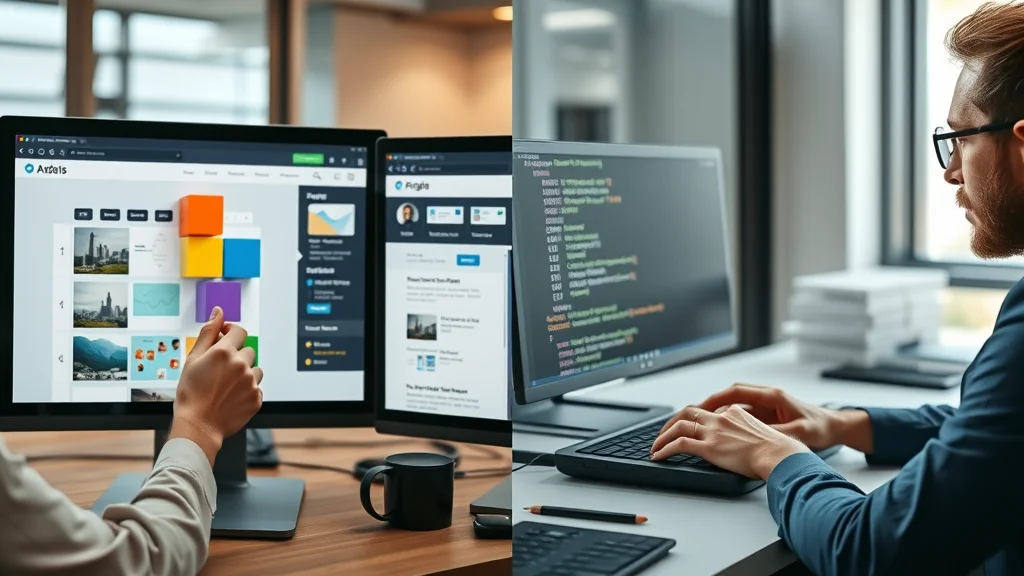
You don’t need a background in web development to build a stunning small business website. Today’s website builders offer drag-and-drop interfaces designed for beginners. Platforms like Wix, Squarespace, and WordPress allow you to select a pre-made website template, customize it with your branding, and publish in just a few clicks.
Look for management systems with strong customer support, tutorials, and a vast library of website templates. These tools streamline the process so even if you have no coding experience, your business web can look as polished as a professionally built website. Set aside a weekend, and you can go from design team novice to live website owner quickly and affordably.
Drive Growth with Integrated Digital Marketing and Social Media
A successful small business web design strategy intertwines seamlessly with digital marketing. Your business website is the hub for all marketing activity, from pay-per-click ads to email marketing, and especially social media. Integrating these channels turns your site into a digital ecosystem that not only attracts leads but nurtures them into loyal customers.
Smart web development connects your business web to the tools and audiences that matter most. Leveraging automation, analytics, and campaign integration ensures each visitor has a consistent, compelling experience across every touchpoint.
Integrating Social Media into Small Business Web Design
Social media isn’t just an add-on for small business websites; it's a central pillar for digital marketing. By weaving in social feed widgets, share buttons, and direct links to platforms like Facebook, Instagram, and LinkedIn, you make it easy for customers to engage with your business web and amplify your reach.
Modern website design should encourage interaction between your business and your audience, while also building brand credibility. Active integration with social media ensures your website becomes a two-way communication portal, keeping your business relevant and top-of-mind in your industry.

Search Engine Optimization for Visibility & Ranking
To grow your online presence, your business web must be easily discoverable on search engines. SEO best practices—including keyword-optimized content, structured site architecture, fast loading times, and quality backlinks—help your small business website rank higher and attract more organic traffic.
Consistent SEO updates will boost your digital marketing ROI over time, helping your business reach both local and national audiences. By tracking analytics and refining strategies, you ensure your web design never stands still and always supports your broader marketing goals.
Digital Marketing Tools for Building a Web Presence
Beyond SEO, digital marketing tools such as email marketing platforms, analytics dashboards, and CRM integrations help turn your small business web into a conversion engine. These systems track visitor behavior, automate outreach, and make it easy for business owners to nurture leads efficiently.
Building a web presence is about more than publishing a website—it’s about creating an active marketing machine that works in sync with your entire business strategy. Use the right mix of web design and marketing tools, and you’ll attract more customers, convert more leads, and fuel your growth for the long haul.
Common Small Business Web Design Mistakes & How to Fix Them
Even the savviest small businesses can stumble on web design pitfalls that cost them credibility and customers. Mistakes like outdated website templates, cluttered layouts, or missing mobile optimization can turn your business web into a digital ghost town. Recognizing these web development errors early and fixing them fast is vital for maintaining a competitive online presence.
Here are the top 7 small business web design mistakes—and how you can avoid them:

- Ignoring mobile-friendliness – Sites that aren’t responsive lose visitors fast.
- Poor site navigation – Confusing menus drive potential customers away.
- Slow website speed – Too much waiting means lost sales.
- Lack of strong calls-to-action – Without direction, visitors leave instead of converting.
- Outdated website templates – Old designs kill credibility and trust.
- Weak digital marketing integration – No connections with email or social media means missed audience engagement.
- Failing to optimize for search engines – No SEO equals low discoverability.
People Also Ask: Your Small Business Web Design Questions Answered
How much does a website designer cost for a small business?
A breakdown of costs: Web design pricing, factors influencing price, custom vs. template solutions, and ongoing business website maintenance fees.
Website design pricing for small businesses varies widely, ranging from $500 to $10,000+ depending on complexity, features, and whether you choose a template or fully custom design. A basic business web using a website builder or site builder template can cost as little as $500–$1,500, while a fully custom website with advanced digital marketing and web development integrations might be $5,000 or more. Ongoing maintenance fees, hosting, and content updates can add $50–$200 per month. Remember, investing in quality web design pays off in increased leads and online presence.
What are the 7 C's of website design?
A list and explanation of the 7 C's: Context, Content, Community, Customization, Communication, Connection, and Commerce – with examples relevant to small business web design.
The 7 C's of website design for small business web are: Context: Visual style and layout fit your brand message. Content: Clear, relevant, and useful information for visitors. Community: Features that build engagement (blog comments, forums). Customization: Adapts to user needs (personalized content, easy navigation). Communication: Seamless ways to contact your business (forms, chat). Connection: Social media and external integrations. Commerce: Secure transaction options for products or services. Effective small business web design incorporates all these elements for maximum impact.
What are the 5 golden rules of web design?
Essential web design principles: Simplicity, Consistency, Mobile Compatibility, Fast Load Times, and Strong Calls-to-Action – applied to business web.
The five golden rules of website design for small businesses are: Simplicity: Clean, uncluttered designs boost clarity and reduce confusion. Consistency: Matching fonts, images, and layouts build brand identity. Mobile Compatibility: Designs must work perfectly on all devices. Fast Load Times: Speed up your web for better SEO and visitor satisfaction. Strong Calls-to-Action: Direct visitors to take specific, valuable actions. Following these ensures your business website design delivers results.
How much to charge for a 20 page website?
Example pricing structure for a 20-page small business website design, including variables such as advanced features, web development time, and digital marketing needs.
A 20-page small business web design project typically falls between $3,000 to $8,000. Price depends on whether you use a website builder (lower cost) or require custom web development (higher cost), as well as features such as e-commerce, forms, or advanced digital marketing tools. Additional pages, third-party integrations, and specialized content (SEO copywriting, image galleries) can increase costs further. Always request a full quote to match your business web goals.
Small Business Web Design Case Studies: Success Stories
The transformative power of great small business web design is best proven with real-world examples. Many small businesses that invest in updating their business website see immediate results, including higher conversion rates, more leads, and increased customer trust.
Strategic web development aligned with search engine optimization and seamless digital marketing integration delivers both instant impact and long-term benefits for business owners determined to grow online.
How Strategic Web Design Elevated Business Website Performance
One small business owner saw their online inquiries triple in just two months after redesigning their website. By adopting a mobile-responsive business web template, modernizing navigation, and embedding lead-capture forms, their conversion rate soared. The investment paid for itself through new customer acquisition and improved brand reputation.
Both local service providers and retailers can leverage these web design upgrades to strengthen their digital marketing, improve online presence, and nurture better client relationships—no massive budget required!

Lessons Learned from Small Business Website Redesigns
“After updating our small business web design, our online inquiries tripled in just two months. ” This real-world feedback highlights the outsized impact that thoughtful web design can have on small businesses. Regular redesigns keep your brand fresh and demonstrate you’re invested in your customers’ experience.
The biggest lessons: never underestimate the value of a user-friendly, mobile-optimized business website, and always prioritize clear calls-to-action backed by compelling content. Integrate digital marketing and SEO early in the design process for the best results.
How To Build A Website: Step-By-Step Guide for Small Businesses
Building a web presence isn’t as daunting as it seems. Here’s a simplified process to help any business owner build a website tailored to your goals:
- Choose your website builder or CMS (WordPress, Wix, Squarespace, Shopify).
- Pick a mobile-responsive business website template that fits your brand.
- Customize your template with your logo, colors, and unique content.
- Add essential pages (Home, About, Services, Contact, Blog, etc.).
- Integrate SEO best practices and connect to your social media profiles.
- Preview and test your business web on multiple devices before launch.
- Publish and promote your new website via digital marketing channels.
Commit a weekend to following these steps, and your small business will have a professional, effective online presence in no time.

Watch and learn: An engaging presenter explains must-know small business web design tips, with live walkthroughs and practical advice for building your first business website fast.
Watch: Essential Features of Great Small Business Web Design
Clear navigation, fast load speeds, responsive design, persuasive calls-to-action, and SEO optimization are just a few of the features you’ll see in action in this beginner-friendly video guide. Don’t miss out on insights from the pros—watch now to ensure your website design sets you up for long-term success.
Demonstration: Transforming a Basic Site into a High-Converting Business Website
See the transformation in real time: from bland template to lead-generating powerhouse. This video demo showcases how web development tweaks, targeted digital marketing, and strategic design changes turn ordinary business websites into conversion machines. Apply these principles to push your small business web ahead of the competition.
Frequently Asked Questions About Small Business Web Design
What makes a good small business web design?
A good small business web design is clean, mobile-responsive, fast-loading, and offers easy navigation. It features strong calls-to-action, integrates digital marketing tools, and provides clear, trustworthy information about your business. Above all, it guides visitors to take valuable next steps (like calling, filling a form, or making a purchase).
Can I build a business website myself or should I hire an expert?
Most modern website builders make it easy for small business owners to build a website themselves, even with no web development background. For advanced features or a unique brand feel, hiring an expert ensures a polished, fully custom result and strategic digital marketing integration.
How long does it take to launch a small business website?
A simple business website using templates from a site builder can go live in 1-3 days. More complex custom designs may take 2-6 weeks, depending on number of pages, web development scope, and digital marketing needs.
Which website builder is best for small businesses?
Wix, Squarespace, Shopify, and WordPress are trusted website builder options for small businesses. Choose the builder that best matches your business web goals, design needs, and technical experience.
Key Takeaways for Improving Your Small Business Web Design
- First impressions of your business website shape customer trust
- Responsive and SEO-friendly web design generates more leads
- Integration with digital marketing and social media amplifies results
- Avoid common mistakes to maintain a competitive online presence
Elevating your small business web design is just the beginning of building a robust digital presence. To truly stand out and drive sustainable growth, consider how your website, social media, and reputation management all work together to shape your brand’s story online. If you’re ready to take your strategy to the next level, discover how comprehensive review management and social media marketing can amplify your results, foster trust, and keep your business top-of-mind in a competitive market. The journey to digital excellence is ongoing—explore advanced tactics and unlock new opportunities for your business today.




Write A Comment