
Are you pouring time and money into your small business website, but buyers aren’t biting? If you’re watching your analytics and seeing a steady stream of visitors—but very few sales, calls, or form submissions—you’re not alone. The hard truth is, most small business websites don’t convert. But here’s the good news: understanding why (and how to fix it) can put you ahead of the competition and finally turn browsers into paying customers.
Unlocking Conversion: Why Most Small Business Websites Don’t Convert (And How to Fix It)
- Are your business website visitors browsing but never buying? Discover why your small business website may not be reaching its full potential.

What You’ll Learn About Why Most Small Business Websites Don’t Convert (And How to Fix It)
- A breakdown of critical conversion factors for small business websites
- Common web design mistakes hindering conversions
- Evidence-backed strategies to fix your small business website
- Insights on DIY website pitfalls, choosing website templates, and essential optimizations
The Current State of Small Business Websites: Why Most Small Business Websites Don’t Convert (And How to Fix It)
- Conversion rates for small business websites are often lower than most owners expect. According to recent surveys, the average business website sees conversion rates between 1% and 3%. That means out of 100 visitors, only one to three take meaningful action like making a purchase or contacting you. Many small business websites never even reach these numbers.
- Real-world statistics further highlight this challenge. Studies show over 85% of small businesses cite their business website design as a primary influence on conversions. Websites that are modern, mobile optimized, and use clear calls-to-action often outperform outdated, generic designs by over 2X. Despite these facts, most small business owners are unaware of the key factors pulling their site’s numbers down.
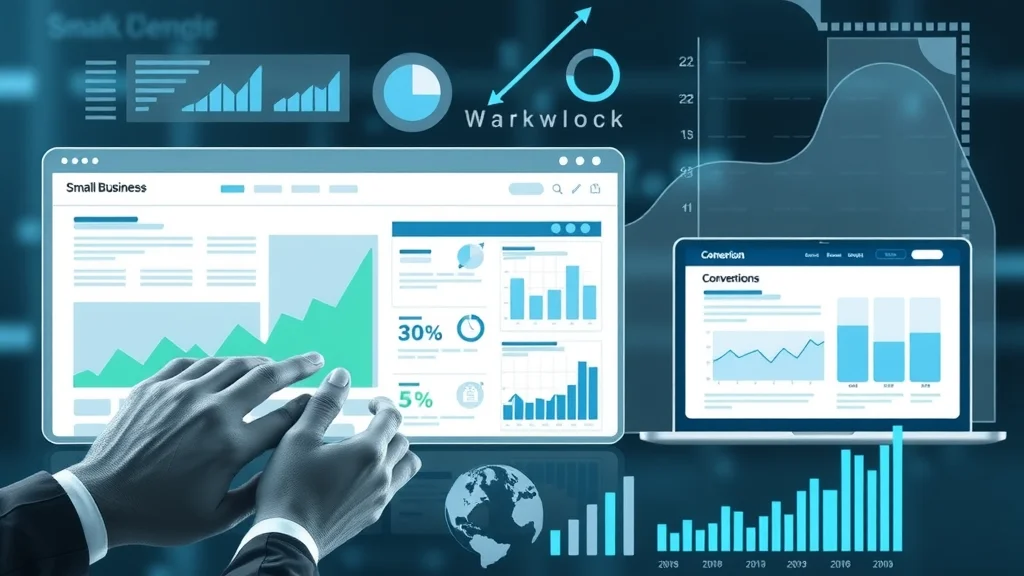
Watch this explainer for a visual breakdown of the most common reasons small business websites fail to convert—and see real examples of what works and what doesn’t.
What is Conversion, and Why Does It Matter for a Small Business Website?
- In the world of small business websites, a conversion means a visitor takes a desired action—like filling out a contact form, purchasing a product, or requesting a quote. It’s not just about traffic; it’s about results. An attractive site is only a digital business card unless it actively pulls its weight for your business.
- Good web design can make the difference between window shoppers and loyal customers. Every element—from a fast load time to a clear next step—impacts your bottom line. Conversion optimization turns your website from an online brochure into a true business asset that helps your company grow.
Top Reasons Why Most Small Business Websites Don’t Convert (And How to Fix It)
1. Poor Small Business Website Web Design Choices
- Outdated layouts, confusing navigation, and lack of mobile optimization are common issues for the average small business website. Many sites are built with dated templates, trying to save on design services, but end up repelling potential customers who expect a seamless digital experience. These web design flaws are conversion killers and can drive your audience away before they engage.
"Design is not just what it looks like and feels like. Design is how it works." – Steve Jobs
If your homepage feels cluttered, your navigation menu is hard to follow, or your mobile experience is clunky, it creates friction. Even if your content is compelling, poor design stops visitors from becoming leads or sales. Good news: These problems can be fixed this week with the right design tips and a user-focused approach.

While web design and usability are crucial, another often-overlooked factor in boosting conversions is how your business manages its online reputation. Integrating effective review management strategies can further enhance trust and credibility, which are essential for turning visitors into customers. For actionable tips on leveraging social proof and reviews, explore this guide on review management and social media marketing for small businesses.
2. Lack of Clear Calls to Action on Business Websites
- Having compelling Calls to Action (CTAs) is essential on any business website. Without clear next steps, you leave visitors guessing—and most won’t stick around to figure it out. Guide visitors with buttons or links that spell out their next move: “Contact Us,” “Get a Free Quote,” or “Book Now.” Don’t make them hunt for a contact form or guess how to connect.
A powerful CTA creates a path from content to conversion. Websites are designed to drive action, so use color contrast, placement above the fold, and direct language. Audit your own site: if CTAs are buried, missing, or unclear, this could be the main reason your small business website isn’t pulling its weight.
3. DIY Website Mistakes for Small Business Owners
- The DIY approach is tempting—especially with easy website templates and drag-and-drop solutions. Unfortunately, most DIY websites are easily spotted by potential customers. They’re full of amateur visuals, inconsistent branding, and unclear messaging, which chips away at legitimacy. The result: missed conversions and a business that looks unprofessional.
- Even the best-looking website template can hurt conversion if it's not customized to your brand. Templates may work as a starting point, but blindly copying styles or stock elements rarely leads to a site that converts. Your business website should reflect your value and speak directly to your ideal customer—something a cookie-cutter solution can’t do without thoughtful tweaks.
Great design tipson tap: Consistency in colors, fonts, and imagery, plus a unique value statement, is essential. Get input from others before your website goes live—what’s obvious to you isn’t always clear to first-time visitors.

4. Slow Page Load Speeds on Small Business Websites
- Did you know a slow-loading site drives visitors away—even before they see your offer? Studies show nearly 50% of people will abandon a page that takes more than three seconds to load. If your small business website is sluggish, every second costs you real money and lost leads.
Look at the data: Websites with load speeds under two seconds often see conversions up to 30% higher than slower competitors. Optimize images, streamline code, and use performance-focused hosting. Table below illustrates the connection between page speed and conversion rates:
| Page Load Time | Average Conversion Rate |
|---|---|
| < 2 Seconds | 3.1% |
| 2–4 Seconds | 2.3% |
| 4–6 Seconds | 1.8% |
| 6+ Seconds | 1.2% |

5. Ignoring Trust Signals and Social Proof on Small Business Websites
- Nothing kills a sale like uncertainty. Trust signals—like testimonials, reviews, and security badges—show visitors your business website is safe and reliable. Social proof builds confidence, especially for first-time customers who don’t know your business yet.
Add real customer testimonials, display business accreditations, and include a privacy policy. Even a simple “Secure Checkout” badge can make a significant difference. Remember: people want to do business with companies they trust, so showcase your proof wherever possible.
See how a few simple tweaks can elevate your business website from bland to brilliant, winning more customers in the process.
Step-By-Step Guide: How to Fix Why Most Small Business Websites Don’t Convert
- Audit your business website: Check usability, speed, and visual appeal using free tools like Google PageSpeed Insights and UserTesting. Identify bottlenecks in your conversion path from content to CTA to contact form.
- Implement best practices in web design: Follow modern design tips—use whitespace, readable fonts, and clear color contrast. Prioritize user experience on both desktop and mobile.
- Upgrade your website template or redesign as needed: If your current template feels dated or restricts customization, consider switching to a modern, conversion-oriented layout. Don’t be afraid to invest in professional design services to get this right.
- Add effective CTAs and streamline your conversion funnel: Place CTAs in multiple, visible spots and use direct action words. Limit distractions and remove unnecessary steps so potential customers always know the next step to take.

People Also Ask: Why Most Small Business Websites Don’t Convert (And How to Fix It)
Why isn't your website converting and how to fix it?
- The biggest reason your website isn’t converting is likely a combination of usability gaps, slow speed, weak CTAs, or a lack of trust signals. To fix it, audit your business website for these pitfalls, upgrade your template or design if needed, and clarify your site’s path from content to contact. Implement the step-by-step process above for actionable changes you can make this week.
Why do 90% of small businesses fail?
- Research points to several factors, but digital presence plays a significant role. Beyond operational or cash flow issues, businesses struggle because they don’t attract and convert enough customers online. Business website quality directly impacts these outcomes—low-performing sites mean fewer leads and, ultimately, business closure. Prioritize having a website that actually converts visitors if you want your company to thrive.
What is the #1 reason small businesses fail?
- The top culprit is cash flow difficulties, often triggered by weak web presence and poor conversion rates. If your digital business card isn’t pulling its weight—because of outdated web design, lack of CTAs, or overlooked trust factors—revenue dries up. Investing in a high-performing business website isn’t just marketing; it’s survival.
Why am I getting clicks but no conversions?
- If you see clicks and traffic but no real leads or sales, you may have mismatched messaging, unclear value, or design flaws on your business website. Visitors aren’t convinced—or they get confused or distracted before they can convert. Review site work for clarity, streamline the user journey, and test different CTAs and layouts for higher performance.
Lists: Must-Have Elements for Small Business Websites That Convert
- Clear, bold calls to action (CTAs)
- Fast load speed (under two seconds)
- Visible trust signals (testimonials, reviews, security badges)
- Modern, customizable website template
- Mobile-first, responsive design
FAQs: Why Most Small Business Websites Don’t Convert (And How to Fix It)
-
How do I know if my small business website is converting well?
Check your site’s analytics for conversion rates—track how many visitors become leads or customers. Anything over 3% is strong for a small business, but benchmarks vary by industry and goal. -
What web design changes deliver the fastest results?
Upgrade CTAs, speed up your load time, update your contact form, and add social proof. These changes usually show results within days to a week. -
Do website templates help or hurt small business websites?
The right website template can provide a solid foundation, but an off-the-shelf look or poor customization can hurt conversions. Choose templates with conversion-focused layouts and always make them your own.
Key Takeaways: Why Most Small Business Websites Don’t Convert (And How to Fix It)
- Conversion optimization is non-negotiable for growth in today’s digital business world.
- Even the best-looking small business website can fail if usability is poor or the CTA is weak—focus on what drives results.
Ready to Transform Your Small Business Website?
- Call Or Text Us At (508)344-5927 Or Email Us At steveferguson@stevefergusonsearchenginemarketing.com
Don’t let your digital storefront fall short—small changes lead to big conversions!
Elevating your website’s conversion rate is just one piece of the digital marketing puzzle. To truly accelerate your business growth, consider how a comprehensive online strategy—including reputation management, social media engagement, and targeted content—can amplify your results. If you’re ready to take your digital presence to the next level, discover how integrated review management and social media marketing can help you build trust, attract more leads, and foster lasting customer relationships. Learn more about advanced strategies for small business success and unlock your website’s full potential.



Write A Comment